
OBDLink EX FORScan OBD Adapter
4.7Editor score
Custom-designed for FORScan use
Dealership-level diagnostics support
Maximum throughput speed
This guide compares the top Forscan USB OBD2 Adapter models for Ford and Mazda vehicles to help you choose the most reliable diagnostic tool for your needs.
Finding a reliable Forscan USB OBD2 Adapter is essential for any vehicle owner looking to diagnose issues without visiting a dealership. These tools connect your computer to your car to read codes and adjust settings.
We compared ten top-rated adapters based on stability, speed, software compatibility, and user reviews. Our analysis ensures you get a tool that works seamlessly with FORScan and other diagnostic software.
Each pick highlights key features and potential downsides to help you decide. Note that product availability and pricing can change over time so always verify details before purchasing.
4.7Editor score

4.7Editor score

4.4Editor score
This side-by-side comparison highlights the key specifications and strengths of each adapter to help you find the right fit for your vehicle diagnostics.




The Vgate vLinker FS OBD2 USB Adapter stands out as the top choice for FORScan users seeking reliability. With a rating of 4.7 stars it delivers optimized performance for diagnostics and programming tasks.
We may earn a commission when you buy through this link, at no additional cost to you.
Its ability to automatically identify and connect to HS and MS CAN buses ensures seamless access to vehicle modules. The adapter supports high-speed data transfer up to 3 Mbps allowing for complete DTC retrieval without truncation.
While it offers robust features like 18V ECU programming support users should note that diagnostic software must be installed separately. This requirement ensures flexibility but adds a setup step for new users.
This adapter is ideal for Ford and Mazda owners who need a stable connection for extended diagnostics. Its reliability during live data streaming makes it a trusted tool for both enthusiasts and technicians.
The adapter automatically identifies supported CAN buses ensuring you can access all necessary vehicle modules without manual switching.
Support for 18V output allows for ECU programming on select older US-market vehicles making it versatile for advanced users.
We may earn a commission when you buy through this link, at no additional cost to you.
The OBDLink EX FORScan OBD Adapter is engineered for users who demand dealership-level diagnostics. Its custom design ensures compatibility with all FORScan compatible vehicles and is recommended by the FORScan team.
We may earn a commission when you buy through this link, at no additional cost to you.
An electronic switch allows simultaneous access to all CAN buses enabling advanced functions that are impossible with traditional toggle switch adapters. This feature significantly enhances the depth of diagnostics you can perform.
The adapter offers maximum throughput that is up to 20 times faster than standard toggle switch adapters. Its rock-solid connection minimizes data corruption and dropped packets ensuring reliable results during critical tasks.
Ideal for professionals and serious enthusiasts this adapter provides unmatched stability and speed. While it comes at a premium price the advanced capabilities make it a worthwhile investment for frequent users.
This adapter supports all Ford protocols and modules allowing you to access hidden features and perform complex configurations.
With throughput rates up to 20 times faster than toggle adapters it ensures quick and reliable data transfer.
We may earn a commission when you buy through this link, at no additional cost to you.
The ELM327 USB Adapter OBD2 Scanner offers an affordable entry point for Ford and Mazda owners interested in diagnostics. Its V1.5 hardware version ensures stability that exceeds wireless connections for reliable data transfer.
We may earn a commission when you buy through this link, at no additional cost to you.
Equipped with MS and HS CAN toggle switches it enables rapid troubleshooting of vehicle anomalies. Users can unlock hidden features like global window functions and tire size calibration easily.
While the adapter requires driver installation before use the process is straightforward. Its compatibility with ELMconfig and FoCCCus software provides flexibility for users who want to customize their diagnostic experience.
This scanner is perfect for budget-conscious users who need reliable performance for basic diagnostics and feature modifications. Its wide compatibility with Ford brands makes it a versatile tool for everyday use.
Unlock features like Bambi mode and reverse tilt mirrors to personalize your driving experience without dealer fees.
The USB connection ensures far greater stability than wireless options making it reliable for complex programming tasks.
We may earn a commission when you buy through this link, at no additional cost to you.
The OHP FORScan ELM327 OBD2 to USB Diagnostic Scan Tool is designed specifically for Ford and Mazda owners looking for reliable DIY diagnostics. It supports ELM327 compatible protocols with connection speeds up to 500 kbit/s.
We may earn a commission when you buy through this link, at no additional cost to you.
Each diagnostic trouble code includes a fault description helping users identify root causes without needing a mechanic. This feature empowers owners to perform basic maintenance and troubleshooting confidently.
The tool supports FORScan software though setup may vary by vehicle. Users should note that it is only compatible with Windows systems and requires manual driver installation if auto-installation fails.
This scan tool is ideal for those who want a straightforward and affordable way to read and clear codes on Ford vehicles. Its focus on accuracy and ease of use makes it a solid choice for beginners.
Every DTC comes with a description helping you understand exactly what needs fixing before you start repairs.
Designed exclusively for Windows this tool ensures tight integration with PC-based diagnostic software.
We may earn a commission when you buy through this link, at no additional cost to you.
The VGATE vLinker FS USB FORScan OBD2 Adapter is specially designed for Ford Lincoln Mazda and Mercury vehicles. It offers advanced features like FEPS 18V programming voltage output to support complex modifications.
We may earn a commission when you buy through this link, at no additional cost to you.
With a transmission rate of 3Mbps and a serial buffer of 8192 bytes it handles large data transfers without truncation. This ensures smooth graphics and real-time meters during diagnostics.
The adapter includes battery saver technology that allows it to sleep in idle states reducing power consumption. This feature makes it safe to leave plugged in for extended periods without draining the vehicle battery.
For users needing reliable programming and live data streaming this adapter provides excellent performance. Its compatibility with a wide range of vehicles makes it a versatile tool for multiple car owners.
Sleep modes ensure the adapter consumes minimal power when idle protecting your vehicle battery from drain.
Fast transmission rates allow for quicker access to vehicle data enhancing the overall diagnostic experience.
We may earn a commission when you buy through this link, at no additional cost to you.
This ELM327 USB adapter leverages V1.5 hardware to deliver stable performance for Ford Lincoln and Mercury vehicles. It supports all major OBD2 protocols including J1850PWM and HS-CAN variants.
We may earn a commission when you buy through this link, at no additional cost to you.
Users can unlock hidden global functions like Bambi mode and security idle settings directly through FORScan compatible software. This capability provides extensive customization options without visiting a dealership.
The adapter requires driver installation and software setup before it can be used. While this adds initial steps it ensures that the device communicates correctly with the vehicle network.
Ideal for DIY enthusiasts this tool combines affordability with professional-grade capabilities. Its ability to read and clear codes across multiple systems makes it a valuable asset for vehicle maintenance.
Support for multiple OBD2 protocols ensures this tool works with a wide variety of vehicle models and years.
Access hidden features to tailor your vehicle to your preferences such as disabling chimes or customizing lighting.
We may earn a commission when you buy through this link, at no additional cost to you.
This Elm327 USB adapter is designed to work with FORScan software and supports F150 F250 and other Ford models. It allows users to access special functions like global window controls and Bambi mode.
We may earn a commission when you buy through this link, at no additional cost to you.
While it offers a lower rating compared to premium options it remains functional for basic diagnostics and feature modifications. Users can read and clear DTCs to troubleshoot engine or transmission issues.
The adapter works with all Windows versions and supports major OBD2 protocols. Setup involves installing drivers and software before connecting to the vehicle to ensure proper communication.
For budget-minded users with older Ford models this adapter provides a practical solution. It balances affordability with the essential features needed for routine vehicle maintenance.
Works with nearly all Ford models from 1996 onwards including F series trucks and SUVs.
Unlock convenience features like remote start and heated steering wheel adjustments easily.
We may earn a commission when you buy through this link, at no additional cost to you.
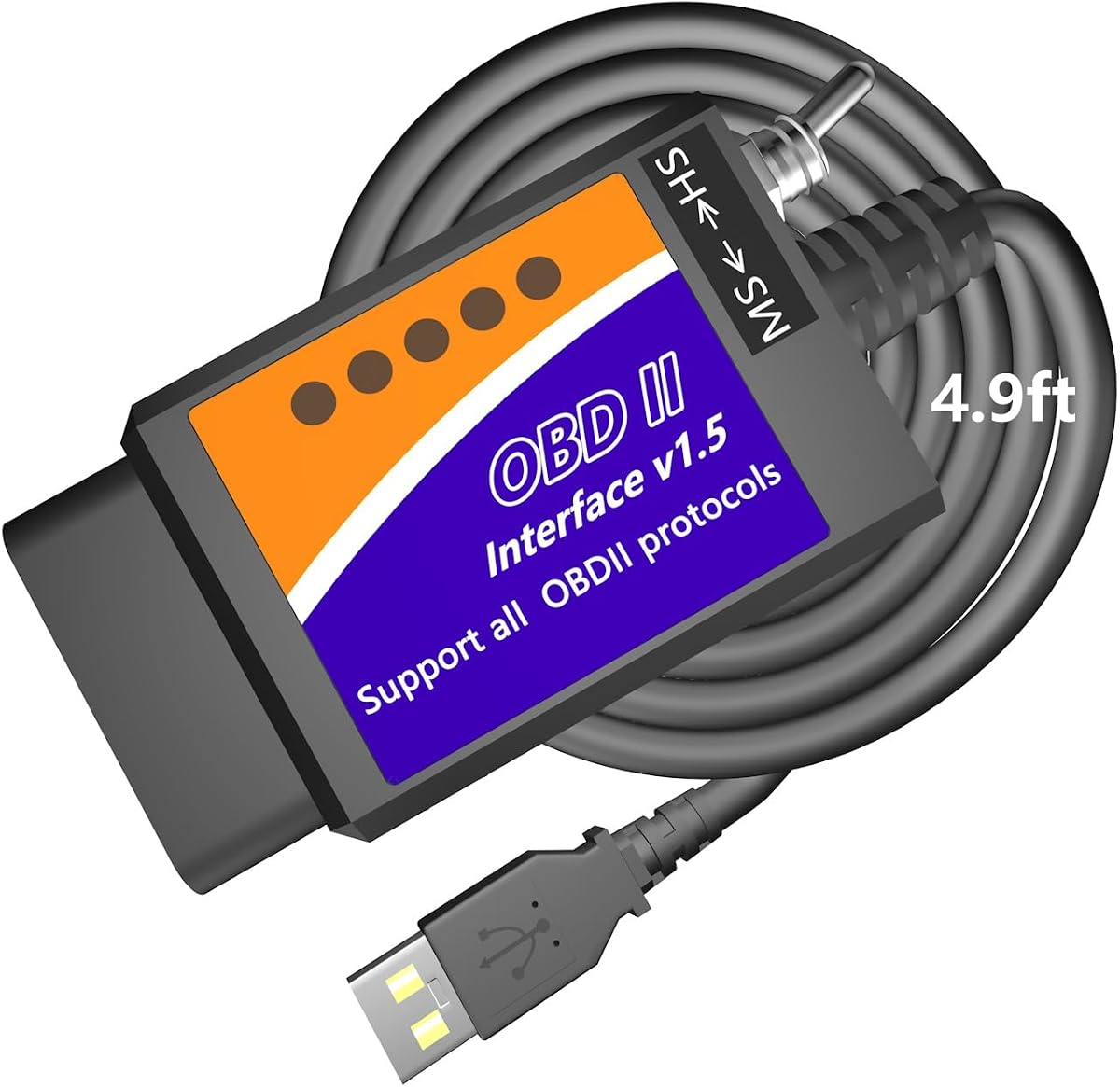
The MOCATEC USB OBD Adapter features an extra-long 4.9ft cable designed for comfort during diagnostic sessions. This length allows users to place laptops on their knees without straining the OBD2 port.
We may earn a commission when you buy through this link, at no additional cost to you.
It includes an HS-CAN and MS-CAN toggle switch to access hidden modules and customize vehicle settings. Users can unlock features like traffic sign recognition and programmable trailer brake controllers.
While the adapter is built for x86/x64 Windows laptops it is not compatible with ARM-based Windows devices or MacBooks without emulation. Setup involves installing drivers and FORScan software for full functionality.
This tool is ideal for users who value comfort and accessibility during diagnostics. Its comprehensive tutorials help beginners navigate vehicle customization safely and effectively.
The extended cable provides flexibility to access the OBD2 port and laptop comfortably during use.
Access and customize hidden vehicle settings to personalize your driving experience beyond stock configurations.
We may earn a commission when you buy through this link, at no additional cost to you.
The AntiBreak elm 327 FORS-CAN USB Switch OBD adapter uses an FTDI chip to ensure a reliable connection. This design helps avoid data corruption and dropped packets during diagnostic sessions.
We may earn a commission when you buy through this link, at no additional cost to you.
Users can toggle between MS-CAN and HS-CAN to access specific modules quickly. The switch is improved to smoothly communicate with existing vehicle modules for efficient troubleshooting.
Supported software includes FORS-can and Elmconfig making it compatible with popular diagnostic tools. Setup requires installing drivers and software before connecting to the vehicle network.
This adapter offers a reliable hardware foundation for affordable vehicle diagnostics. Its improved switch design enhances the user experience for those working with Ford and Mazda vehicles.
The FTDI chip ensures robust hardware performance reducing the risk of connection failures during use.
Manual toggle switches allow quick transitions between different CAN buses for flexible diagnostics.
We may earn a commission when you buy through this link, at no additional cost to you.
The Vgate vLinker FS OBD2 USB Adapter is custom-designed for use with FORS-can and recommended by the FORS-can team. It delivers a rock-solid USB connection with no dropped packets or interference.
We may earn a commission when you buy through this link, at no additional cost to you.
Automatic electronic switching allows access to all CAN buses simultaneously enabling advanced functions. This adapter supports FEPS 18V programming voltage output for configuration and modification tasks.
It reaches a transmission rate of 3Mbps and supports USB 2.0 and 3.0 interfaces ensuring compatibility with modern computers. The high rating reflects user satisfaction with its stability and performance.
This adapter is perfect for users who want a high-performing tool optimized for FORS-can software. Its reliability makes it suitable for both routine diagnostics and complex programming projects.
The auto switch feature simplifies the process of accessing different CAN networks without manual intervention.
Designed specifically for FORS-can users benefit from enhanced stability and feature access.
We may earn a commission when you buy through this link, at no additional cost to you.
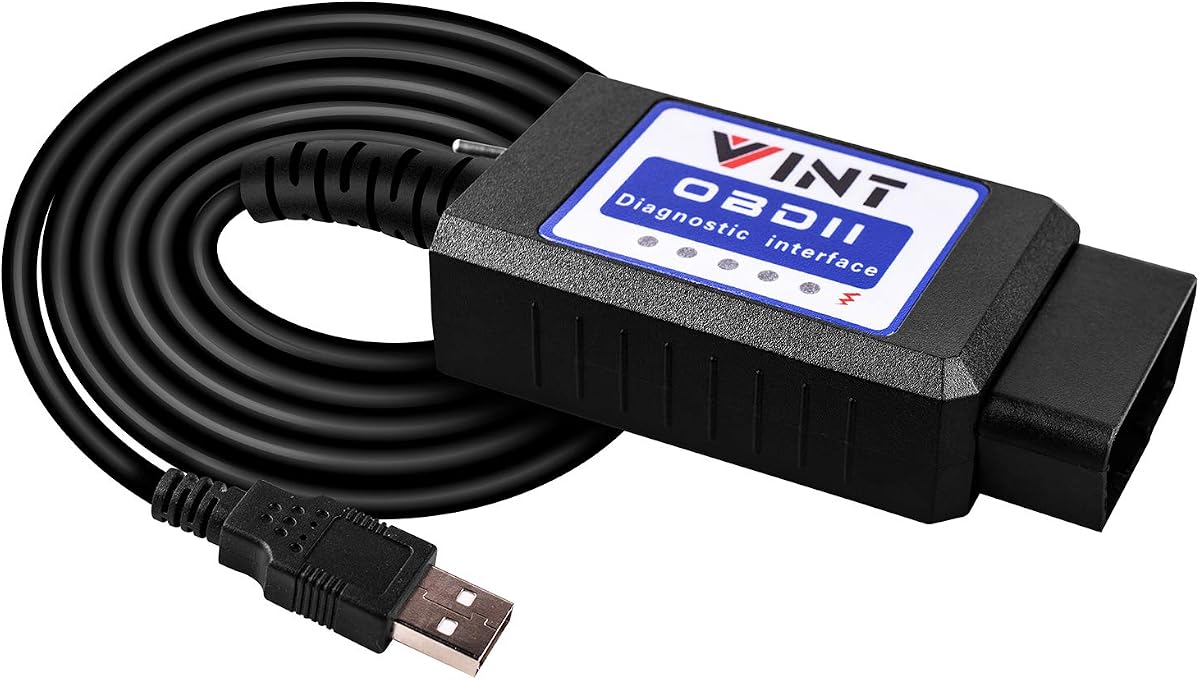
The OBD2 Adapter FORSCans VINT-TT55502 is a favored tool among Ford owners for its reliable scanning and programming capabilities. It supports models from 1996 and newer including light pickup trucks and SUVs.
We may earn a commission when you buy through this link, at no additional cost to you.
A toggle switch allows convenient access to the-built data and modules across different CAN buses. This feature helps users configure and diagnose vehicle systems efficiently.
The interface runs at a constant speed of 500kbit/s ensuring consistent performance during diagnostics. It retrieves both generic and car manufacturer-specific DTCs to simplify troubleshooting.
This tool is ideal for those seeking a straightforward and affordable option for Ford vehicles. Its compatibility with various ELM327 software makes it versatile for different user needs.
This adapter uses a proven design that has been reliable for Ford owners over many years.
Supports light pickup trucks and F series models making it suitable for commercial and personal use.
We may earn a commission when you buy through this link, at no additional cost to you.
Choosing the right adapter requires understanding your vehicle needs and software requirements to ensure a stable and functional diagnostic experience.
Ensure the adapter supports your specific vehicle brand model and year. Most adapters support Ford Lincoln and Mercury vehicles from 1996 onwards but some may not support newer Mazda generations.
Check if the tool covers all systems you want to access such as engine transmission and ABS.
Advanced adapters offer automatic electronic switching between HS and MS CAN buses. This feature simplifies diagnostics by allowing access to all vehicle modules without manual switching.
Adapters with manual toggle switches are cheaper but require you to switch modes for different systems.
Most adapters work with FORScan and ELMconfig but verify which software is supported before buying. Some tools are optimized for FORScan ensuring stability during programming.
Remember that software is usually sold separately and may require a license for advanced features.
Most USB adapters are designed exclusively for Windows systems and do not support macOS or mobile devices without emulation. Ensure your computer meets the OS requirements before purchasing.
If you use a Mac check if you can run Windows via Boot Camp or virtual machine.
High-speed adapters support faster data transfer rates such as 3Mbps which enables smoother live data streaming. This is crucial for real-time diagnostics and large programming tasks.
Lower-speed adapters may still work but can result in lag during complex operations.
Look for adapters with durable materials and reliable chips like FTDI to avoid data corruption. Strong hardware ensures a stable connection during extended diagnostic sessions.
Consider cable length for comfort especially if you need to move around the vehicle.
Some adapters support ECU programming with specific voltage outputs such as 18V. This feature is essential for users who want to modify vehicle settings or flash software.
Always consult service documentation before attempting ECU programming to avoid damaging vehicle systems.
Adapters range from budget-friendly options to premium tools with advanced features. Set a budget based on how often you plan to use the tool and the complexity of tasks you need.
Cheaper tools may require more manual setup but can be sufficient for basic diagnostics.
Begin by installing the required USB drivers and diagnostic software on your Windows computer. Follow the manufacturer instructions to ensure the device is recognized by your system.
Connect the adapter to your vehicle's OBD2 port usually located under the dashboard near the driver seat. Ensure the connection is secure to avoid data loss during diagnostics.
Launch the software and select your vehicle model to start scanning. Always back up your vehicle data before making any changes and disconnect the adapter when finished to save battery.
Most adapters are designed exclusively for Windows systems and do not support macOS directly. If you use a Mac you may need to run Windows via Boot Camp or a virtual machine to use these tools.
The adapters work with FORScan ELMconfig and other ELM327-based software. Ensure you download the software separately as it is not included with the hardware.
Manual toggle adapters require you to switch between HS and MS CAN manually. Automatic adapters handle this switching electronically simplifying the diagnostic process.
Yes many of these adapters support reading and clearing codes for multiple systems including ABS and airbags. Ensure your software supports these modules for full functionality.
Basic features are free but advanced programming features require a FORScan extended license. You can purchase this separately from the FORScan developers to unlock all tools.
Some adapters have battery saver technology that reduces power consumption in idle states. However it is best to disconnect the adapter when not in use to prevent any drain.
Coverage varies by model and year. Check the product specifications to confirm if your specific 2024 or 2025 vehicle is supported before purchasing.
ECU programming allows you to modify vehicle settings such as enabling features or calibrating components. It is useful for customizing your vehicle beyond factory settings.
We highlighted top picks like the Vgate vLinker FS OBD2 USB Adapter for stability and OBDLink EX for premium performance. Each adapter offers unique features suited to different needs.
Prioritize compatibility with your vehicle software and operating system when making a decision. Understanding CAN bus support and programming capabilities will help you choose the right tool.
Remember that product availability and pricing may change so always verify details and current offers before purchasing. This guide aims to simplify your choice with accurate expert information.