
Ozeino Wireless Gaming Headset
4.2Editor score
2.4GHz wireless connection
40 hour battery life
50mm audio drivers
This guide compares the top Mac gaming headsets for audio quality comfort and connectivity to help you choose the best headset for your gaming setup.
Finding the right gaming headset for your Mac can be challenging due to varying compatibility and audio standards. You need a device that delivers immersive sound while ensuring seamless connection to your system without constant troubleshooting or driver issues.
We evaluated the top ten models based on sound fidelity comfort ergonomics and wireless performance. Our analysis focuses on how well each headset integrates with macOS and whether it supports essential features like surround sound and clear microphone communication for team play.
Each pick below highlights specific strengths whether you prioritize budget friendly options or premium audio performance. Keep in mind that prices fluctuate regularly so check the latest deals before making your final decision to get the best value for your investment.
4.2Editor score

4.6Editor score
4.2Editor score
This side-by-side comparison breaks down the key specifications and features of each headset to help you quickly identify the model that fits your specific gaming needs and budget constraints.


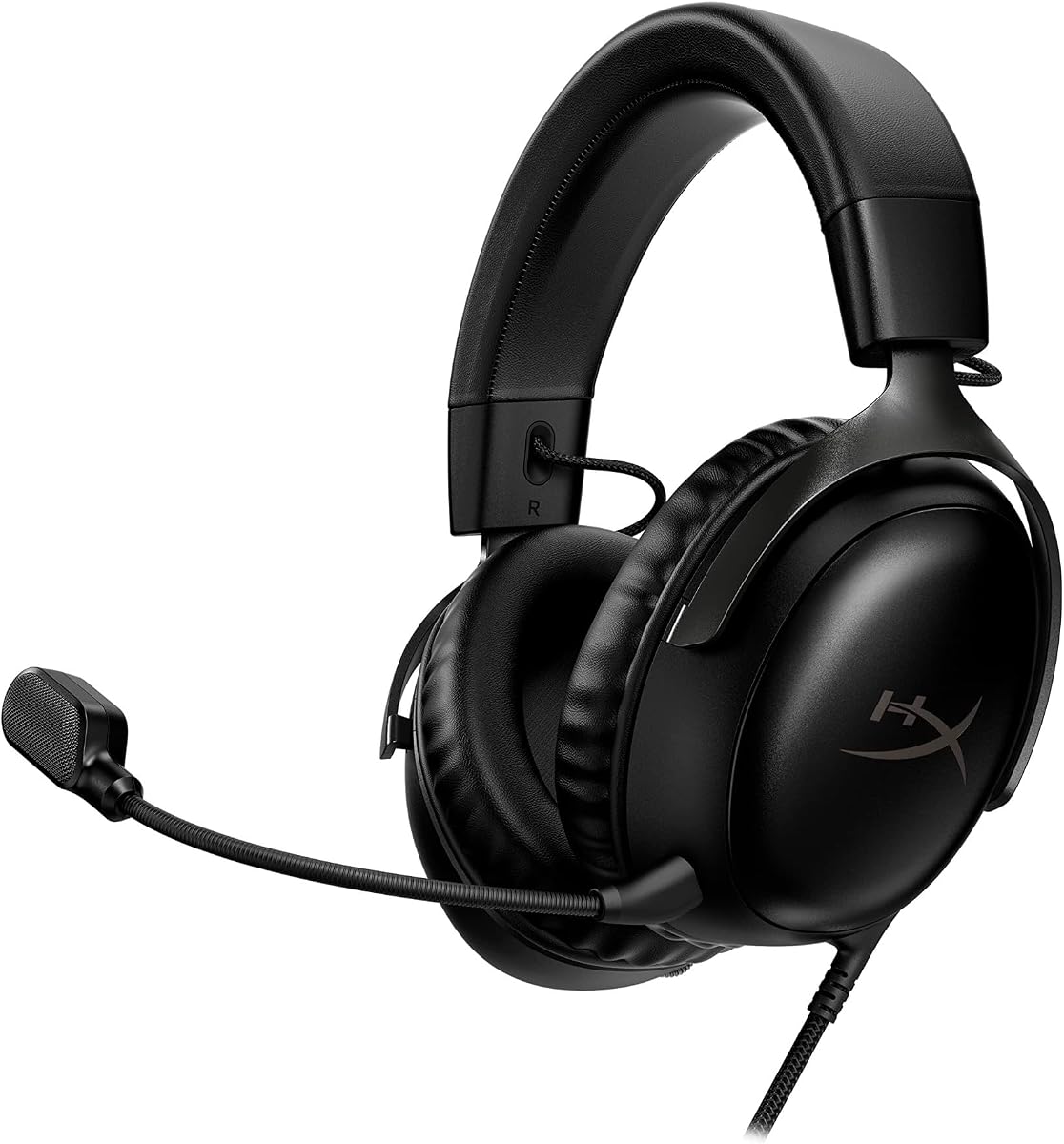


The HyperX Cloud III stands out as a top choice for Mac users seeking reliable wired audio. With a solid rating and premium build quality it delivers consistent performance without the need for frequent charging or pairing issues.
We may earn a commission when you buy through this link, at no additional cost to you.
Its angled 53mm drivers are tuned by HyperX audio engineers to accent dynamic gaming sounds ensuring you hear footsteps and explosions clearly. The memory foam cushions wrapped in soft leatherette provide a plush fit that reduces fatigue during extended play.
While it lacks wireless freedom the included USB-C and USB-A cables offer robust connectivity options. The noise-cancelling mic ensures your teammates hear you clearly which is crucial for competitive teamwork on your Mac setup.
Gamers who prioritize sound quality and comfort over mobility will find this headset ideal. It is a dependable investment for anyone wanting a plug-and-play solution that handles both gaming and daily calls effectively.
The angled driver design optimizes sound direction into your ear canal for a more immersive experience without distortion.
The full metal frame resists wear and tear ensuring the headset survives travel and daily use over time.
We may earn a commission when you buy through this link, at no additional cost to you.
This Valorise headset offers amazing value for Mac gamers on a tight budget. Its standout feature is the massive 100-hour battery life which means you rarely need to plug it in during regular use.
We may earn a commission when you buy through this link, at no additional cost to you.
The 2.4GHz wireless connection ensures low latency gaming so your audio stays synced with on-screen action. You also get 7.1 surround sound to pinpoint enemy directions and the retractable mic keeps things neat when not in use.
The memory sponge cushions and breathable fabric help keep heat buildup minimal. Although it is budget friendly it includes features usually found on pricier models like ambient lighting and dual connectivity options.
If you want long battery life without breaking the bank this headset is a strong contender. It is perfect for students or casual gamers who need reliable wireless performance without high-end specs.
Enjoy up to 100 hours of playtime on a single charge depending on settings which covers weeks of casual use.
Choose between the USB dongle for PC or switch to Bluetooth for phones and tablets effortlessly.
We may earn a commission when you buy through this link, at no additional cost to you.
The HS80 MAX is designed for audiophiles who demand high fidelity sound from their Mac setup. It supports 24-bit 96kHz audio which doubles the typical resolution of standard gaming headsets for richer sound details.
We may earn a commission when you buy through this link, at no additional cost to you.
Battery life is exceptional with up to 130 hours on Bluetooth which lets you use it for days without charging. The floating headband distributes weight evenly so you can wear it comfortably even during marathon sessions.
Connectivity is versatile allowing low-latency 2.4GHz wireless for gaming plus Bluetooth for music on your phone. The aluminum frame ensures durability while the memory foam pads feel plush against your ears.
This headset is ideal for users who want the best possible audio quality and long battery life. If budget is not a concern the premium features justify the cost for serious gamers.
Experience studio quality sound with 24-bit 96kHz resolution that captures nuances missed by standard headsets.
Switch between gaming on PC via 2.4GHz and listening on mobile via Bluetooth without needing extra dongles.
We may earn a commission when you buy through this link, at no additional cost to you.
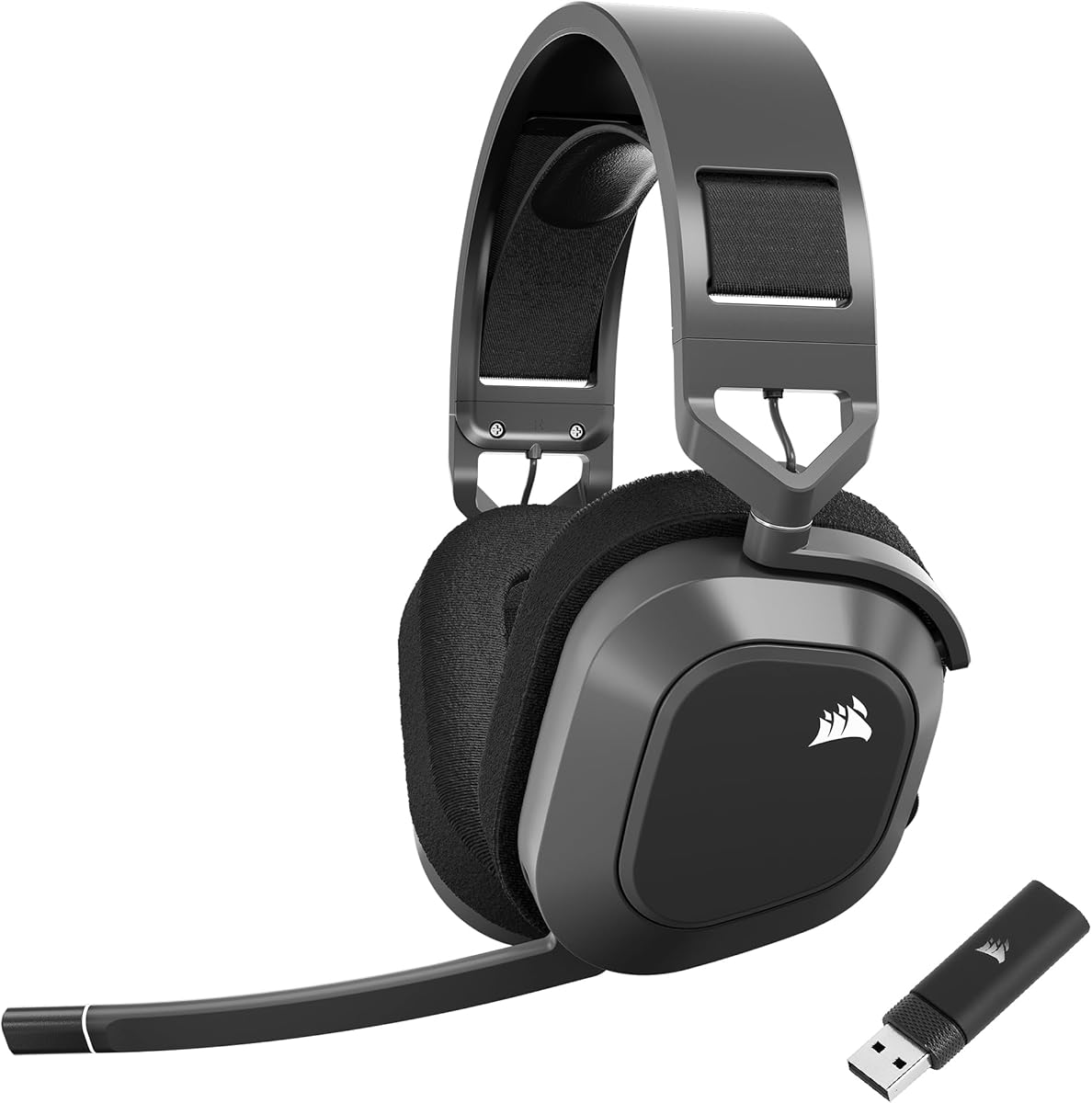
The Corsair Void RGB Elite brings premium audio and comfort to Mac users through its dedicated USB dongle. It features custom-tuned 50mm drivers that cover a vast frequency range for immersive sound across all game genres.
We may earn a commission when you buy through this link, at no additional cost to you.
Breathable microfiber mesh fabric on the earpads keeps you cool during long gaming sessions. The memory foam provides a soft seal while the aluminum yokes ensure the frame stays sturdy over years of use.
The omnidirectional microphone captures clear voice chat and includes a flip-up mute function for quick silencing. Although it is optimized for PC it connects seamlessly to Mac via the included USB adapter.
If you need a reliable wireless headset that prioritizes audio precision and comfort this model is excellent. It is a great choice for those who prefer wired-free convenience with high fidelity audio.
The drivers cover 20Hz to 30kHz ensuring you hear every bass rumble and high pitched detail clearly.
Breathable mesh fabric prevents sweat buildup making it suitable for extended gaming marathons.
We may earn a commission when you buy through this link, at no additional cost to you.
The Razer Kraken V4 X is a solid option for Mac gamers needing a lightweight wired headset. Its patented TRIFORCE 40mm drivers separate highs mids and lows so the sound remains clean and dynamic during intense battles.
We may earn a commission when you buy through this link, at no additional cost to you.
A retractable HyperClear microphone lets you hide the mic when not in use protecting it from damage. The convertible cable supports both USB-C and USB-A making it easy to plug into different Mac models or docks.
Comfort is maintained with hybrid fabric and leatherette cushions that provide a snug fit. The 7.1 surround sound feature optimizes game audio for better spatial awareness on your screen.
This headset suits users who want simple plug-and-play performance without wireless complications. It is perfect for casual gamers who value portability and clear audio at a reasonable price point.
The 3-part driver technology ensures distinct sound layers so voices and explosions do not muddy together.
Switch between USB-C for modern Macs and USB-A for older models without needing adapters.
We may earn a commission when you buy through this link, at no additional cost to you.
This headset combines lightweight comfort with powerful Gen-2 TRIFORCE 50mm drivers for clearer audio. Weighing only 270g it reduces pressure on your head and allows for long gaming sessions without fatigue.
We may earn a commission when you buy through this link, at no additional cost to you.
The HyperSpeed wireless connection ensures low latency competitive play on your Mac via the USB dongle. An detachable mic lets you remove the mic entirely when listening to music or taking calls silently.
Plush memory foam earcups provide long-lasting comfort and good sound isolation. The 7.1 surround sound optimizes acoustics so you hear enemy movements clearly and react faster.
Ideal for competitive players the need a lightweight headset that does not distract from gameplay. It is a reliable choice for those who value speed and precision in their audio gear.
Gen-2 drivers improve positional audio so footsteps and cues are easier to distinguish accurately.
The ultra lightweight frame minimizes neck strain ensuring comfort during marathon gaming sessions.
We may earn a commission when you buy through this link, at no additional cost to you.
The HS80 RGB Wireless brings immersive 3D audio to Mac users via Dolby Atmos on PC. Its SLIPSTREAM wireless technology provides ultra-low latency ensuring sound stays synchronized with gameplay without lag.
We may earn a commission when you buy through this link, at no additional cost to you.
Custom-tuned 50mm drivers deliver high-fidelity sound across an expanded frequency range. The broadcast-grade omnidirectional microphone captures your voice with exceptional clarity making team communication effortless.
Memory foam earpads provide a plush fit while RGB lighting adds a stylish aesthetic to your setup. The aluminum frame adds durability and stability during active gaming sessions.
This headset is perfect for gamers who want rich audio and sleek RGB lighting in one package. If you want an immersive experience with clear communication this model delivers on both fronts.
Experience 3D precision with Dolby Atmos so sounds feel like they are coming from all directions.
SLIPSTREAM wireless keeps audio synced with video to ensure no delay in competitive play.
We may earn a commission when you buy through this link, at no additional cost to you.
This headset excels at multi-device switching with SmartSwitch Dual Wireless for seamless transitions. You can connect to your Mac via 2.4GHz and your phone via Bluetooth simultaneously for complete flexibility.
We may earn a commission when you buy through this link, at no additional cost to you.
Its 285g ergonomic design makes it comfortable for long periods with breathable memory foam ear cushions. The detachable mic ensures it is travel-friendly when you need to use it for mobile calls only.
Chroma lighting adds visual flair with six zones and 16.8 million colors. A 70-hour battery life ensures you stay powered through work gaming and commuting without interruption.
Perfect for professionals who game on Mac and use phones frequently this headset offers great versatility. It bridges the gap between work and play with solid audio and convenient connectivity.
Toggle between devices instantly with SmartSwitch so you never miss a call or game event.
Customize the 6-zone lighting with 16.8 million colors to match your gaming vibe.
We may earn a commission when you buy through this link, at no additional cost to you.
The Ozeino headset offers an accessible entry point for Mac users needing reliable wireless audio. Its 2.4GHz wireless connection provides less than 30ms delay ensuring smooth operation during fast-paced games.
We may earn a commission when you buy through this link, at no additional cost to you.
50mm drivers deliver lossless audio so you hear every critical step or reload sound accurately. The button layout is intuitive allowing quick access to volume and mute controls without diving into menus.
Dual input modes support USB dongle for gaming and Bluetooth for mobile devices. The battery lasts up to 40 hours providing enough power for a week of regular use.
This headset is great for casual gamers on a tight budget who need straightforward performance. It delivers essential gaming features without unnecessary bells and whistles.
Enjoy lag-free gaming with 2.4GHz wireless that keeps sound perfectly synced with visuals.
Quick access buttons let you adjust volume and mute instantly without pausing gameplay.
We may earn a commission when you buy through this link, at no additional cost to you.
The white version of the Cloud III brings a clean stylish look to your Mac setup. It maintains the same superior audio and comfort features with premium leatherette cushions and a robust metal frame.
We may earn a commission when you buy through this link, at no additional cost to you.
Angled 53mm drivers provide dynamic sound and clear vocals for immersive gameplay. The full metal frame ensures resilience against travel accidents and daily wear so it lasts years.
Universal connectivity via USB-C USB-A and 3.5mm means you can use it with Mac or other devices easily. Quick audio and mic controls on the earcup save you from navigating system menus.
If you want a durable stylish headset with top-tier comfort and sound this is it. It is ideal for users who value build quality and design alongside performance.
Soft premium leatherette cushions wrapped around memory foam offer a plush fit and great look.
Adjust volume and mute directly on the earcup for fast changes without stopping your game.
We may earn a commission when you buy through this link, at no additional cost to you.
Choosing the right headset for your Mac involves weighing connectivity audio quality and comfort against your budget and playstyle.
Wireless headsets offer freedom but require careful checks for Mac compatibility. Look for USB-A or USB-C dongles with low latency modes. Wired headsets provide consistent audio without battery anxiety and work universally.
For gaming latency matters so prioritize 2.4GHz wireless or USB cables over Bluetooth when playing competitive games.
Larger drivers like 50mm often deliver deeper bass and clearer mids. Check frequency ranges and whether the headset supports surround sound features to enhance spatial awareness in games.
Look for custom-tuned drivers that highlight game cues like footsteps for a competitive edge.
Clear voice chat is essential for team coordination. Retractable or flip-up mics offer convenience while noise-canceling features ensure teammates hear you without background noise.
Test the mic quality if possible to ensure it captures your voice clearly in noisy environments.
Memory foam earpads and breathable fabrics reduce heat buildup during long sessions. Adjustable headbands and swivel cups help achieve a personalized fit.
Prioritize lightweight designs if you wear glasses to avoid pressure points on your ears.
For wireless models check battery duration with and without RGB lighting. Aim for at least 40 hours to minimize interruptions. Also note charging time and whether you can use it while charging.
Long battery life ensures you game longer without needing a charger nearby.
Ensure the headset explicitly lists Mac support since some are PC only. Multi-platform headsets with USB-A or USB-C work across PC console and Mac easily.
Avoid models that require specific software not available on macOS for basic functionality.
Aluminum frames and full metal construction withstand accidental drops and travel wear better than plastic. Look for reinforced cables and sturdy hinges.
A durable headset saves money long term by lasting through intense daily usage.
Entry-level headsets offer great value but may lack premium features like surround sound. Mid-range options balance quality and cost while high-end models focus on fidelity and build.
Pick a model that meets your needs without overspending on unnecessary features.
For wireless headsets plug the USB dongle into your Mac and power on the headset. Navigate to System Settings Sound Output and select the headset as your device. If software is required download the manufacturer's app via Chrome or Safari.
Adjust the headband and ear cups for a snug fit to ensure good sound isolation. Use the onboard controls to manage volume and mute to avoid switching windows during gameplay.
Store your headset in a dry place to protect the foam and electronics. Clean the ear pads with a soft cloth occasionally and avoid exposing them to moisture or direct sunlight.
Many wireless headsets support Mac via USB-A or USB-C dongles but Bluetooth pairing can sometimes have issues. Always check the product page for explicit Mac compatibility before buying to ensure smooth audio performance.
Yes several headsets offer virtual surround sound software compatible with Mac or via USB software drivers. This enhances spatial awareness but may require installation of third-party apps for full functionality.
Use a 2.4GHz wireless dongle instead of Bluetooth for lower latency. Ensure your Mac and USB ports are functioning properly and try updating your system to the latest macOS version.
Wired headsets provide stable audio without charging worries and generally work out of the box. They are ideal if you prioritize simplicity and consistent performance over wireless convenience.
Yes as long as the mic is included with a Mac-compatible headset or uses a USB connection. System settings may need to be adjusted to recognize the mic input properly.
Look for models offering at least 40 hours on a single charge. Some premium models reach 100 hours which ensures you can game for days without recharging.
Use a soft dry cloth to wipe away dust and oils regularly. For deeper cleaning use a mild solution on a cloth but avoid soaking the foam which can damage the material.
From the versatile HyperX Cloud III to the budget-friendly Valorise each headset here brings unique strengths. Whether you seek premium audio or lightweight design there is a model tailored to your specific needs.
Prioritize comfort and connectivity that match your workflow. If you game for hours choose memory foam cushions and low-latency wireless to stay focused without distraction.
Remember to verify current pricing and availability before buying since deals change often. Checking these factors ensures you get the best value for your Mac gaming experience.