
USB Logic Analyzer 24MHz 8 Channel
4.5Editor score
Eight digital channels for versatile testing
24MHz sampling rate for standard protocols
Compatible with Saleae and PulseView software
Discover the top logic analyzer for electronics projects with detailed comparisons of features, channels, and sampling rates to help you choose the right tool.
Finding the right logic analyzer for electronics projects can transform how you debug and understand digital circuits. Whether you are a student, hobbyist, or professional engineer, having a reliable tool to visualize signal timing and protocol data is essential for success. This guide helps you navigate the options available today.
We compared ten distinct models based on channel count, sampling rate, software compatibility, and ease of use. Our analysis focuses on real-world performance in embedded systems, IoT development, and educational settings. We examined user reviews and technical specifications to ensure each recommendation offers genuine value.
Each pick highlights key strengths and potential limitations to help you match a device to your specific needs. Prices and availability change frequently, so verify details before purchasing. Use this resource as a starting point for investing in a tool that will serve your projects well for years.
4.5Editor score

4.5Editor score
4.8Editor score
This side-by-side comparison outlines the core capabilities of each model to help you quickly identify the best fit for your workflow and budget requirements.




The LONELY BINARY Logic Analyzer Kit is an accessible entry point for students and hobbyists starting with digital signal analysis. It captures digital signals at up to 24MHz across 8 channels which is sufficient for many standard protocols like I2C and SPI. The kit includes breakout boards that simplify connections to breadboards making it easy to prototype without soldering.
We may earn a commission when you buy through this link, at no additional cost to you.
This model stands out due to its comprehensive accessory kit which includes test clips jumper wires and a portable storage case. You get everything needed for immediate out-of-the-box use which reduces setup time and extra costs. The dual USB connectivity ensures universal compatibility with older PCs and modern laptops using both USB-A and Type-C cables.
While it lacks the high sampling rates of premium models it excels in user-friendly design and versatility for STEM projects. The logic level expansion board breaks out all 8 channels to male pins and pads enabling flexible and secure connections in diverse projects. This makes it a reliable tool for classroom or home lab environments.
Hobbyists and students working on embedded systems or IoT projects should consider this kit for its balance of cost and functionality. It provides direct and convenient access to all 8 channels for prototyping and testing without overwhelming complexity. If you need an affordable and organized solution for basic digital debugging this is a strong recommendation.
The dual USB connectivity allows you to connect to a wide range of computers without needing adapters or drivers for basic functionality.
Bundled with all necessary accessories including clips and a storage case it eliminates the need to buy additional parts separately.
We may earn a commission when you buy through this link, at no additional cost to you.
The LA1010 USB Logic Analyzer offers a powerful combination of sixteen input channels and a 100MHz sampling rate that suits complex embedded system debugging. It allows simultaneous capture of 16 digital signals converting them into clear digital waveforms displayed instantly on your PC screen for precise analysis. The included KingstVIS PC software provides real-time signal visualization essential for detailed troubleshooting.
We may earn a commission when you buy through this link, at no additional cost to you.
Protocol decoding is a major strength as it can decode 30+ standard protocols including I2C SPI UART and CAN to extract human-readable communication data. This accelerates debugging significantly for developers working on microcontroller ARM FPGA or digital circuits. The low power consumption also supports long-term signal monitoring without overheating or draining USB power excessively.
Cross-platform compatibility ensures you can use it on Windows 10/11 macOS 10.12 and Linux without complex driver configurations. Drivers auto-install so you can focus on testing rather than setup issues. The portable design makes it easy to carry between workstations or to client sites for on-site debugging tasks.
Engineers and students needing a cost-effective tool with broad protocol support will find this model delivers exceptional value. It is ideal for developing and debugging embedded systems where visibility into multiple signals is critical. For those balancing performance with price the LA1010 remains a top recommendation in this category.
Extracting human-readable data from raw signals saves hours of manual analysis when working with communication protocols like CAN or SPI.
Auto-installing drivers across Windows macOS and Linux remove friction for users switching between different operating systems daily.
We may earn a commission when you buy through this link, at no additional cost to you.
The Saleae Logic Pro 16 is a flagship device offering sixteen digital and analog inputs with multi-use capabilities for versatile testing needs. Its digital sample rate reaches up to 500 MS/s which is essential for capturing high-speed signals in modern embedded systems. The device uses PC memory via USB 3.0 to store 10 billion samples digital and 500 million samples analog.
We may earn a commission when you buy through this link, at no additional cost to you.
It supports decoding for SPI I2C and over 23 other protocols ensuring you can analyze a wide range of communication standards without extra hardware. The cross-platform nature works with Mac Windows and Linux making it suitable for diverse development environments. The ultra-portable design ensures it fits easily into any laptop bag for field work or travel.
While the cost is higher than budget models the time savings from reliable software and deep memory justify the investment for professionals. The interface is designed to be easy to use reducing frustration during complex debugging sessions. This efficiency helps teams meet tight deadlines without compromising on signal analysis accuracy.
Professional engineers needing robust sampling rates and multi-purpose inputs should prioritize the Saleae Logic Pro 16 for critical projects. It delivers consistent performance for complex protocol analysis and high-speed signal validation. If budget allows this model remains the gold standard for logic analysis in modern electronics development.
A 500MS/s digital sample rate ensures you capture high-frequency glitches that lower-speed analyzers might miss entirely.
Having both analog and digital inputs lets you correlate physical signal behavior with digital state changes simultaneously.
We may earn a commission when you buy through this link, at no additional cost to you.
The Logic Pro 8 delivers eight digital and analog inputs with multi-use capabilities offering a balance of performance and portability. It captures digital sample rates up to 500 MS/s ensuring you can analyze high-speed protocols without losing critical timing details. Like its larger sibling it uses PC memory via USB 3.0 to store 10 billion samples digital and 500 million samples analog.
We may earn a commission when you buy through this link, at no additional cost to you.
Decoding capabilities cover SPI I2C and 23+ more analyzers making it versatile for standard communication tasks in embedded development. The cross-platform compatibility ensures it works seamlessly with Mac Windows and Linux environments. Its ultra-portable design fits in any bag making it easy to bring to client sites or shared labs.
The interface is designed to be intuitive which saves time and reduces frustration during complex debugging sessions. For projects requiring fewer than sixteen channels this model provides premium performance without the extra cost of the larger unit. It is a smart choice for individual engineers or small teams with limited channel requirements.
Professionals needing reliable mid-channel analysis should find the Logic Pro 8 meets their workflow demands effectively. It is especially suited for scenarios where eight channels are sufficient but high sample rates are still necessary. If you prioritize speed and ease of use over maximum channel count this is a top contender.
Eight flexible inputs are often enough for most microcontroller debugging tasks while maintaining premium sampling speeds.
An intuitive interface helps you focus on debugging results rather than navigating complex menus or settings.
We may earn a commission when you buy through this link, at no additional cost to you.
This USB logic analyzer is designed to be compatible with Saleae Logic Analyzer software offering a budget-friendly entry into professional analysis workflows. It supports PulseView software as well giving users multiple options for viewing and decoding digital signals. The sampling rate can be adjusted up to 24 MHz with options ranging from 1 MHz to 24 MHz for flexible testing.
We may earn a commission when you buy through this link, at no additional cost to you.
Each channel supports a voltage range of 0V to 5.5V which aligns with standard logic levels for Arduino ARM and FPGA projects. It can automatically analyze UART IIC and SPI protocols allowing you to get twice the result with half the effort in debugging sessions. The 24M sampling rate is sufficient for many general applications around 10M.
The hardware is a compact debug tool ideal for students or hobbyists who need reliable performance without a large investment. While it may lack premium build quality the software compatibility makes it versatile for various development environments. This flexibility ensures you can use familiar tools even with a lower-cost hardware device.
Users seeking a cost-effective analyzer that integrates with popular open-source or professional software should consider this model. It is a solid option for hobbyists working on home electronics or students learning digital protocol basics. For basic debugging needs the software support often outweighs the limitations of the hardware itself.
Support for Saleae and PulseView software means you can use powerful tools without buying expensive proprietary hardware.
Variable sampling options allow you to balance speed and storage needs depending on the protocol you are testing.
We may earn a commission when you buy through this link, at no additional cost to you.
The DSLogic Plus offers a compelling mix of speed and memory with sixteen digital channels and dual-mode support for varied testing scenarios. In stream mode data transfers to PC memory in real time allowing for long sample durations up to 16G in stream mode. In buffer mode data captures to on-board memory supporting up to 400MHz sampling rate for four channels.
We may earn a commission when you buy through this link, at no additional cost to you.
It features 256Mbits on-board SDRAM memory to handle buffer modes for different channel counts ensuring high-speed captures without host interference. The adjustable threshold helps get a better cleaner waveform which is crucial for noise-sensitive projects. DSView software supports nearly a hundred protocol decoders and is open source available on GitHub for customization.
The shielded fly wires and unibody aluminum case protect against interference ensuring high-quality signal capture even in noisy environments. Cross-platform compatibility ensures it works with Windows macOS and Linux seamlessly. The USB 2.0 interface is widely compatible though it may limit data throughput compared to USB 3.0 devices.
Engineers needing high-speed sampling with deep memory buffers should find the DSLogic Plus balances performance and price effectively. It is ideal for analyzing complex systems where both long duration and high-speed capture are required. If you need a dual-mode tool for versatile testing this is a strong recommendation in its price class.
Switch between stream and buffer modes to optimize for long captures or high-speed analysis based on your specific needs.
Access to DSView on GitHub allows advanced users to extend protocol decoders or tailor the tool to custom workflows.
We may earn a commission when you buy through this link, at no additional cost to you.
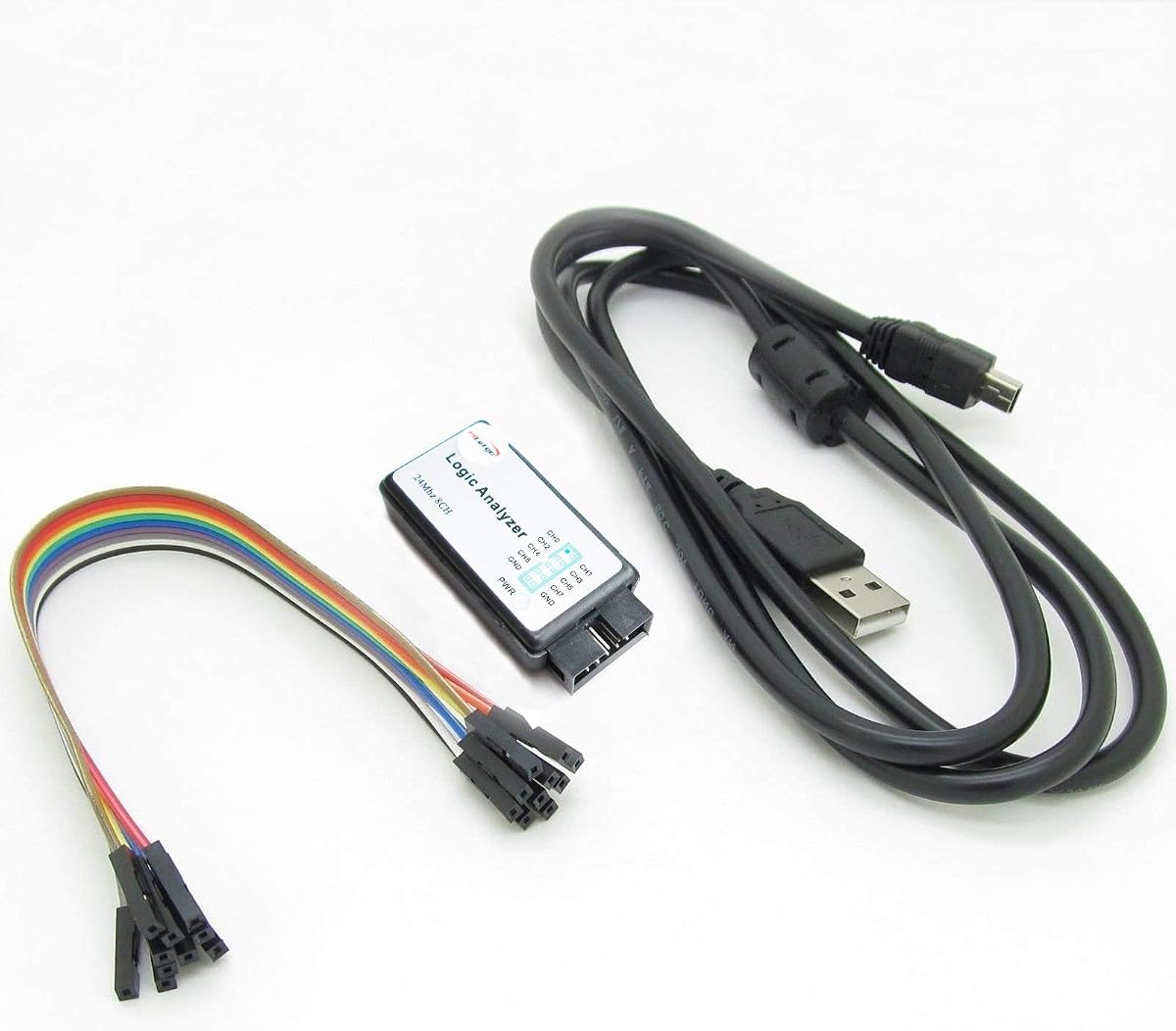
The HiLetgo USB Logic Analyzer provides eight digital channels with a sampling rate up to 24MHz suitable for UART IIC and SPI debugging. It features an EMI ferrite ring USB cable to reduce electromagnetic interference and ensure cleaner signal readings during tests. The adjustable sampling rates allow you to optimize for speed or storage needs depending on the specific application.
We may earn a commission when you buy through this link, at no additional cost to you.
Input voltage ranges from 0.5V to 5.25V with defined low and high thresholds ensuring compatibility with most 3.3V and 5V logic systems. The crystal operates at 24MHz with a 20ppm tolerance providing stable timing for consistent measurements. Input impedance is typical at 1Mohm to 10pF which is standard for this class of device.
This device is a compact solution for hobbyists needing reliable performance without high costs. The ferrite ring adds a layer of quality not always found in similar budget devices helping maintain signal integrity. For general applications around 10MHz it offers enough bandwidth to handle most common embedded debugging tasks effectively.
Students and hobbyists working on basic electronics projects should consider this analyzer for its affordability and stable performance. It is particularly useful for those concerned about noise in their signal readings due to the ferrite ring. For standard debugging requirements this model delivers dependable results at an accessible price point.
The EMI ferrite ring cable minimizes external noise which helps ensure your captured waveforms reflect actual signal behavior.
A 24MHz crystal with 20ppm tolerance ensures accurate timing measurements across various protocols and speeds.
We may earn a commission when you buy through this link, at no additional cost to you.
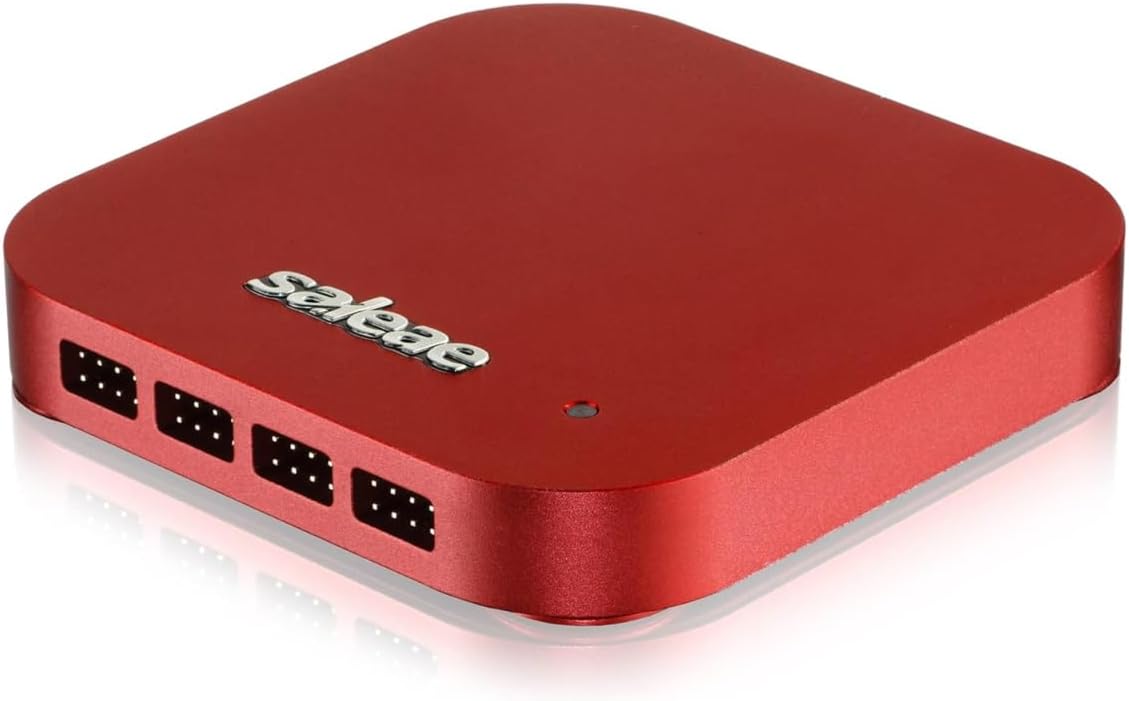
The Logic 8 offers eight digital and analog inputs with multi-use capabilities making it an ultra portable USB logic analyzer for flexible testing. It supports decoding for SPI I2C and 23+ more analyzers ensuring broad compatibility with standard protocols in embedded development. The device uses PC memory via USB 2.0 to store 10 billion samples digital and 500 million samples analog.
We may earn a commission when you buy through this link, at no additional cost to you.
Digital sample rates reach up to 100 MS/s which is sufficient for many standard logic signals though not for extremely high-speed interfaces. Cross-platform compatibility ensures it works with Mac Windows and Linux environments seamlessly. The design is compact and easy to transport making it suitable for travel between labs or client sites.
While the sample rate is lower than the Pro series the software interface remains robust and user-friendly for troubleshooting tasks. It is a good fit for those already invested in the Saleae ecosystem but needing fewer channels. For typical microcontroller or basic communication testing it performs reliably without excessive complexity.
Individual hobbyists or engineers needing eight channels with reliable software should find the Logic 8 meets their needs well. It balances portability with sufficient speed for common protocols without the premium price of higher-end models. If you prefer a trusted software ecosystem this is a solid mid-tier option to consider.
Using Saleae software ensures a consistent experience across hardware options which is valuable for teams or multi-device users.
Consistent support across Windows macOS and Linux allows you to switch OS environments without losing tool compatibility.
We may earn a commission when you buy through this link, at no additional cost to you.
The DSLogic Plus offers sixteen channels with dual-mode support enabling both long duration capture and high-speed analysis. In stream mode it captures and transfers data in real time for up to 16G sample depth which is ideal for monitoring events over extended periods. In buffer mode it stores data temporarily on-board for high sample rates up to 400MHz.
We may earn a commission when you buy through this link, at no additional cost to you.
It features 256Mbits on-board SDRAM memory to ensure accurate high-speed captures without relying solely on host transfer speeds. The shielded wires adjustable threshold and USB 2.0 Type-C interface support cleaner waveform capture and broad compatibility with Windows macOS and Linux. DSView software is open source on GitHub which allows users to extend protocol decoders as needed.
This device is a strong choice for developers needing both depth and speed in a single tool for complex embedded systems. The ability to switch between modes means you do not need separate instruments for different types of analysis. It provides a flexible solution for troubleshooting timing issues across various development environments.
Engineers requiring deep memory and high-speed sampling for complex debugging should consider this model for its dual-mode capabilities. It is particularly useful when both long-term monitoring and detailed high-frequency analysis are needed. If you value open-source software support this analyzer offers great flexibility for your projects.
Stream and buffer modes give you control over capture duration and speed based on your specific debugging needs.
Access to DSView on GitHub allows advanced customization for custom protocols or specific project requirements.
We may earn a commission when you buy through this link, at no additional cost to you.
The Analog Discovery 3 combines a 125MS/s USB oscilloscope waveform generator and 16 digital I/O channels in one compact device. It also includes programmable power supplies from 0.5V to 5V making it a full test bench tool for diverse electronics work. The logic analyzer features individually-configurable inputs and outputs supporting protocols like SPI I2C UART CAN JTAG and custom logic.
We may earn a commission when you buy through this link, at no additional cost to you.
Additional software instruments include a spectrum analyzer network analyzer and impedance analyzer which expand its utility beyond simple logic tasks. The SDK allows hardware control in C C++ Python and other languages offering advanced users significant flexibility for automation. It ships with project box cables and headers ensuring you can start testing immediately.
This is an all-in-one solution ideal for those wanting to consolidate multiple bench instruments into a single USB device. While it costs more than a standalone logic analyzer the inclusion of scopes and generators provides substantial value for comprehensive testing. The app scripting and scripting tools make it a versatile choice for education and professional labs.
Professionals and educators needing a unified platform for analog digital and power supply testing should prioritize the Analog Discovery 3. It serves well for teams needing to reduce bench clutter while maintaining high functionality. If you need a multi-instrument solution this model stands as a top choice in modern electronics testing.
Combining scope logic and power supplies reduces bench clutter and lets you test signals and power simultaneously.
Hardware control in Python or C++ allows you to build custom scripts and automate testing workflows for efficiency.
We may earn a commission when you buy through this link, at no additional cost to you.
Selecting the right logic analyzer requires understanding your protocol needs sample rate requirements and software compatibility to ensure efficient debugging.
Channel count determines how many signals you can monitor simultaneously. Most common protocols like SPI and I2C require fewer than eight channels but systems with multiple sensors or buses often benefit from sixteen channels to avoid repeated re-probing.
Choose a device with enough channels to cover your target design plus some margin for expansion. If you plan to analyze multiple buses at once a higher channel count prevents data loss during complex debugging sessions.
Sampling rate defines the fastest signal edge the device can capture accurately. While standard UART runs at lower speeds modern high-speed interfaces may need over 100MHz to ensure reliable timing information. If you work on FPGA or high-speed embedded designs look for rates above 200MHz.
A higher sampling rate provides more detailed waveform edges reducing the chance of missing brief glitches. Match the rate to your fastest signal speed to maintain accuracy without unnecessary overhead on storage resources.
Memory depth determines how many samples you can capture in a single run. Limited memory forces short capture windows while deeper memory allows long-duration monitoring for intermittent faults. Devices with buffer modes or on-board storage can store billions of samples for extended analysis.
Select memory depth based on your need for long captures versus high-speed analysis. For long protocol monitoring or rare error capture prioritize models offering deep sample buffers or stream modes.
Quality software is often more important than hardware specs for effective analysis. Look for tools that offer intuitive interfaces robust protocol decoding and multi-platform support across Windows macOS and Linux. Open-source options provide flexibility to extend decoders or modify behavior as needed.
Verify that the software supports the protocols you use most such as UART SPI or I2C without requiring complex setups. Easy-to-use interfaces save time and reduce frustration during debugging cycles.
Power requirements influence where you can use the device. USB-powered analyzers offer portability but high-speed transfers may demand USB 3.0 ports for full performance. If you work on battery projects or low-power embedded systems check voltage ranges to ensure compatibility.
USB connectivity ensures easy plug-and-play use but confirm your system has the right ports and drivers. USB 2.0 is common but may limit transfer speeds compared to USB 3.0 interfaces in high-end models.
Build quality affects signal integrity especially in noisy environments. Shielded wires and metal cases help reduce interference while durable probes survive frequent use. Check if the device includes breakout boards or accessories to simplify connections.
Good probes and shielding ensure your captured waveforms reflect actual circuit behavior. Look for adjustable thresholds and ferrite rings to manage noise in real-world testing scenarios.
Budget ranges vary widely from affordable hobbyist models to professional instruments. Consider the total cost including any software licenses or additional accessories you may need later. Investing in a device with upgradeable software can save money in the long term.
Balance price against the features you actually use. A device with unnecessary high-end specs may be wasteful if your projects require only basic decoding and limited channels.
Strong support and active communities simplify setup and troubleshooting. Open-source platforms often provide extensive forums and custom decoders. Proprietary tools may offer direct technical support but could limit customization options.
Check for firmware update availability and documentation quality before purchasing. Access to user communities ensures you can find solutions to rare issues quickly.
Begin by connecting the logic analyzer to your device under test using appropriate probe leads. Ensure your power levels match the input voltage range of the analyzer to prevent damage. Use breakout boards when available to simplify wiring to breadboards or headers.
Set the sampling rate and channels in the software to match the target protocol. Most software allows you to auto-detect signals and enable specific decoders like UART or SPI. Adjust thresholds to ensure logic levels are recognized correctly during capture.
Store the device in its case when not in use and avoid bending cables excessively to maintain signal integrity. Update firmware and software regularly to access new protocol decoders and performance improvements. Clean probes with a dry cloth to prevent corrosion from oxidation or contamination.
Logic analyzers focus on digital signals and protocol decoding whereas oscilloscopes measure analog voltage behavior. Many developers use both tools together for complete testing but modern devices combine logic and scope functions for convenience. If you work primarily with digital protocols a standalone logic analyzer often suffices.
For most Arduino or Pi projects eight channels are sufficient since common protocols like I2C or SPI use few lines. If you need to monitor multiple buses or many GPIOs simultaneously sixteen channels provide more flexibility. Consider future expansion when deciding on channel count.
Most modern logic analyzers support cross-platform software including Windows macOS and Linux. Verify that drivers are auto-installing or available for your OS before purchasing. Open-source tools generally offer the best cross-platform compatibility.
Yes 24MHz sampling is sufficient for common low-speed protocols like UART I2C and many SPI interfaces. However high-speed interfaces or complex systems may benefit from higher sampling rates to capture timing details accurately. Match the rate to your fastest signal speed for best results.
Use breakout boards or adapter clips to connect directly to breadboard rows without soldering. Ensure voltage levels match to protect both the device under test and the analyzer. Avoid touching exposed pins while power is applied to prevent shorts.
Open-source software like PulseView and DSView provides reliable protocol decoding and is actively maintained by communities. Professional environments benefit from their customization and flexibility though proprietary tools may offer dedicated support. Choose based on your need for support versus customization.
Selecting the right logic analyzer can significantly streamline your debugging workflow and deepen your understanding of digital systems. The models reviewed here offer a range of capabilities from budget-friendly kits to professional-grade analysis tools.
Prioritize channel count sampling rate and software usability to ensure the device matches your projects requirements. Investing in a device with good protocol decoding and open-source software flexibility can save time and expand your debugging capabilities over the years.
Verify current pricing and availability before purchasing since these factors can fluctuate with demand. Use this guide to find a tool that balances cost performance and ease of use for your specific electronics projects.