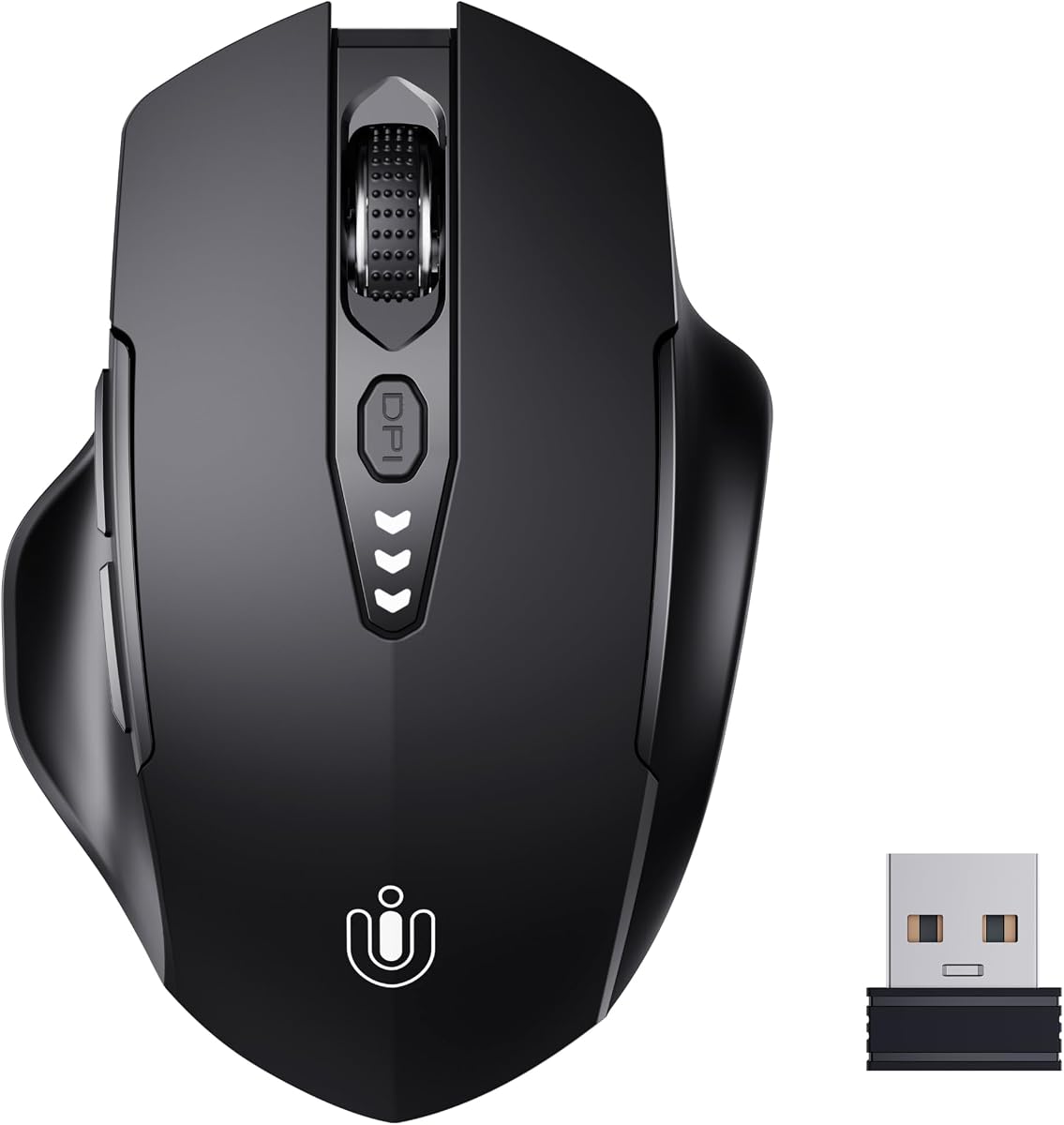
Uineer Wireless Mouse
4.5Editor score
Visual Battery Display
2.4GHz Wireless
Ergonomic Shape
Discover the top rated mouse with thumb rest options for comfort and precision. We compare ergonomic designs, wireless connectivity, and performance features.
Finding the right mouse with thumb rest can transform your daily workflow by reducing strain and enhancing comfort during long hours of use. Whether you are gaming or working, ergonomic support matters.
We have carefully evaluated ten top models based on user feedback, ergonomic design, build quality, and overall performance to bring you a comprehensive guide. Our analysis covers wired and wireless options.
Each pick highlights specific strengths like battery life, sensor accuracy, and button customization. Please note that prices and availability may change so verify details before purchasing your ideal device today.
4.5Editor score

4.6Editor score

4.4Editor score
This side-by-side comparison highlights the key specifications and unique features of each model to help you make an informed decision based on your specific needs and preferences.




The Razer Basilisk V3 stands out as a premier choice for those seeking a mouse with thumb rest that combines performance with ergonomic comfort. Boasting a high user rating of 4.6, this model is favored by millions worldwide for its ability to support the hand effectively during extended gaming or work sessions. Its iconic form factor ensures that your thumb rests naturally, reducing strain over time.
We may earn a commission when you buy through this link, at no additional cost to you.
Key strengths include the HyperScroll tilt wheel which allows users to switch between free-spinning and tactile modes seamlessly. This versatility is crucial for navigating long documents or cycling through game skills quickly. Additionally, the Focus Plus 26K DPI optical sensor provides pixel-precise accuracy ensuring your movements translate exactly as intended. The optical switches offer a blistering 0.2ms actuation speed for crisp execution.
Trade-offs include the fact that it is a wired device which limits mobility compared to wireless alternatives. Some users might also find the size large for smaller hands or compact desk setups. However the benefits of having zero battery concerns and a stable connection often outweigh these minor inconveniences for dedicated users who prioritize performance.
This mouse is ideally suited for gamers and professionals who demand high precision and customizable controls. If you are looking for a reliable mouse with thumb rest that offers top-tier performance and build quality the Razer Basilisk V3 comes highly recommended as a versatile tool for your setup.
The design perfectly supports the hand while buttons are optimally positioned for quick access.
Switch between free-spin and tactile modes for ideal feedback depending on your task.
We may earn a commission when you buy through this link, at no additional cost to you.
The Razer Basilisk V3 X HyperSpeed offers the classic ergonomics of its wired counterpart with the added benefit of wireless connectivity. With a solid 4.4 rating it provides a seamless low-latency experience that is faster than many other wireless technologies. This makes it an excellent choice for users who want the comfort of a mouse with thumb rest without being tethered by a cable.
We may earn a commission when you buy through this link, at no additional cost to you.
Performance highlights include the up to 285 hours of battery life on HyperSpeed Wireless ensuring you can work or play for days without recharging. The Razer 5G Advanced 18K optical sensor ensures responsive aim with zero spinouts making it reliable for precision tasks. The mechanical switches with gold-plated contacts are designed for a lifespan of up to 60 million clicks.
On the downside the sensor DPI is slightly lower than the V3 model which might matter for high-resolution monitors. Bluetooth connectivity is available but is generally better suited for battery saving than competitive gaming. Nevertheless the convenience of wireless operation and robust battery life make this a strong contender in the category.
Buyers looking for a wireless mouse with thumb rest that maintains high performance standards will appreciate this model. It balances gaming readiness with productivity features and is ideal for those who frequently move between devices or prefer a clutter-free desk environment.
Unleash seamless low-latency performance that is faster than other wireless tech.
Enjoy up to 285 hours on wireless mode for extended use without charging interruptions.
We may earn a commission when you buy through this link, at no additional cost to you.
The Logitech Lift Vertical is a top-tier mouse with thumb rest designed specifically to improve posture and reduce strain. Its unique vertical shape raises your hand into a more natural handshake position promoting comfort throughout the day. This model has been ergo-certified by leading ergonomists ensuring it meets high standards for workplace health and safety.
We may earn a commission when you buy through this link, at no additional cost to you.
Key features include a softly textured grip that provides a snug fit for your thumb adding to the level of coziness. The Smartwheel offers smooth seamless scrolling which is essential for productivity tasks. Additionally the whisper-quiet clicks make it perfect for shared office environments where noise can be distracting for colleagues.
Users may find the vertical angle requires a short adjustment period to get used to compared to traditional mice. It is also designed specifically for right-handed use which limits flexibility for left-handed users. Despite these factors the health benefits and comfort it provides are significant for daily workers.
This mouse is best for professionals who spend long hours at a computer and prioritize health. If you are looking for a mouse with thumb rest that actively supports better ergonomics the Logitech Lift Vertical is an exceptional choice that helps you feel better during desk work.
Promotes a more natural posture in the forearm for day-long comfort and productivity.
Plastic parts include certified post-consumer recycled plastic to reduce environmental impact.
We may earn a commission when you buy through this link, at no additional cost to you.
The Uineer Wireless Mouse is an excellent entry-level mouse with thumb rest that offers impressive value for the price. Rated at 4.5 it provides a comfortable grip and ergonomic design that fits well for daily work. The rechargeable battery eliminates the need for constant battery replacements making it a convenient choice for budget-conscious users.
We may earn a commission when you buy through this link, at no additional cost to you.
A standout feature is the visual battery display which ensures you never have to guess when your mouse will run out of power. This adds a layer of reliability to the device. The adjustable DPI settings allow you to tailor the cursor sensitivity to your specific needs ensuring optimum precision for different tasks.
Limitations include a basic optical sensor that is not as high-performance as premium gaming mice. There is also limited software support for macro customization compared to higher-end brands. However for general office work or casual use these compromises are acceptable given the low price point.
This mouse is perfect for students or home users who need a reliable device without spending much. If you want a mouse with thumb rest that is functional comfortable and affordable the Uineer Wireless Mouse is a great pick to consider.
Equipped with a long-lasting rechargeable battery that is easy to maintain daily.
Adjust the cursor sensitivity to your wish with four levels of DPI settings.
We may earn a commission when you buy through this link, at no additional cost to you.
The PHILIPS Ergonomic Wireless Mouse is engineered for professionals who need efficiency and comfort during the 9-to-5 grind. With a 4.3 rating it features a contoured shell and anti-slip thumb rest to minimize daily fatigue. The silent productivity clicks are a great benefit for open offices or shared workspaces where noise is a concern.
We may earn a commission when you buy through this link, at no additional cost to you.
A unique feature is the dual scroll wheels with a main wheel and a thumb-side horizontal scroll wheel. This allows for effortless navigation across spreadsheets or wide timelines. The multi-device connectivity lets you switch between three devices instantly keeping your workflow seamless without needing multiple mice or hubs.
While effective the device requires specific software for some macro mappings which adds a step for setup. The price is higher than some basic options but justified by the productivity features. The emergency top-up feature is also a practical addition for when you need a quick charge before a meeting.
Ideal for office workers and analysts this mouse combines comfort with tools designed to crush spreadsheets. If you seek a mouse with thumb rest that enhances productivity and reduces wrist strain this PHILIPS model is a strong candidate.
Dual scroll wheels let analysts slice through miles of Excel columns effortlessly.
Noise-reduced switches ensure library-quiet clicks that never wake partners or distract coworkers.
We may earn a commission when you buy through this link, at no additional cost to you.
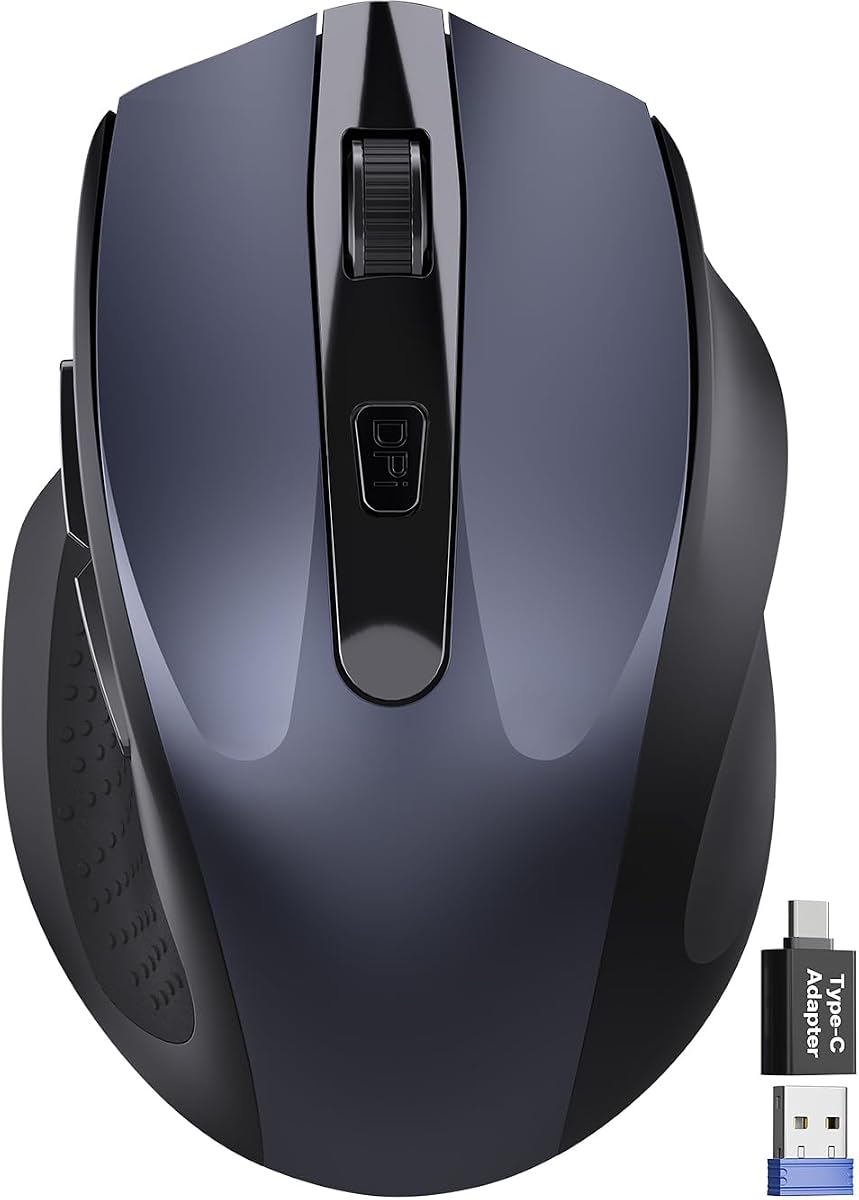
This Wireless Mouse for Laptop is designed specifically for those who are constantly on the go. Its ultra-compact cordless shape fits easily into travel bags and offers comfort even for small to medium hands. With a 4.4 rating it delivers reliable performance for office work or entertainment while minimizing wrist pressure.
We may earn a commission when you buy through this link, at no additional cost to you.
The quiet click technology reduces noise by up to 90% making it ideal for libraries or quiet shared offices. The inclusion of a USB-C adapter ensures broader compatibility with modern laptops. Additionally the smart auto-sleep mode helps achieve up to 18 months of battery life reducing interruptions during travel.
The compact size might be uncomfortable for users with larger hands or those used to full-sized models. It also uses standard AA batteries rather than a built-in rechargeable unit. Despite these factors the convenience and portability make it a top choice for frequent travelers.
If you need a mouse with thumb rest that prioritizes portability and low noise this model fits the bill. It balances comfort and size well ensuring you stay productive without taking up much space in your bag.
Fits easily into laptop bags and travel cases for smooth work on most surfaces.
Up to 90% noise reduction with the same satisfying click feel for focused work.
We may earn a commission when you buy through this link, at no additional cost to you.
The TECKNET Wireless Trackball Mouse offers a unique alternative to traditional mousing by using a thumb-controlled trackball. With a 4.5 rating it is designed to reduce strain by 50% through a 16 degree vertical angle. This design allows you to keep your palm in a natural position for all-day comfort even in confined spaces.
We may earn a commission when you buy through this link, at no additional cost to you.
Features include a 500mAh rechargeable battery that provides a full day of use from just 15 minutes of charging. The dual connection options allow pairing with up to three devices ensuring versatility. The silent clicks and adjustable DPI levels make it suitable for various environments from quiet offices to dynamic work setups.
New users often find a learning curve when transitioning from a standard mouse to a trackball. It is also specifically optimized for medium to large hands which may not fit everyone perfectly. However the ergonomic benefits and space-saving capabilities are significant for those willing to adapt.
This mouse is perfect for desk setups with limited surface area or for users wanting to reduce arm movement. If you want a mouse with thumb rest that doubles as a space-saving solution this trackball is an effective tool.
Ideal for working efficiently in confined spaces with greater control and less movement.
Just 15 minutes of charge powers a full day of use for long-lasting battery life.
We may earn a commission when you buy through this link, at no additional cost to you.
The Microsoft Ergonomic Mouse provides a reliable and comfortable solution for daily computing tasks. With a 4.5 rating it is designed to reduce fatigue and injury risk with a shape that supports the hand naturally. The wired USB connection ensures you never run out of battery and maintain consistent speed and accuracy.
We may earn a commission when you buy through this link, at no additional cost to you.
Its design includes two programmable buttons allowing users to customize actions they use most for better multitasking. The optimized scrolling wheel facilitates precise web and document navigation. Being lightweight and durable it stands up to regular use while remaining comfortable during long sessions.
The wired nature limits mobility and desk flexibility compared to wireless models. It also lacks advanced features like customizable DPI or RGB lighting which some users may expect. However for those seeking a straightforward ergonomic device it offers excellent value and reliability.
This mouse is a good fit for office workers who prioritize function over features. If you need a mouse with thumb rest that is simple and durable the Microsoft Ergonomic Mouse is a solid choice.
Work all day with reduced risk of fatigue and injury thanks to ergonomic shape.
Precise tracking sensor performs well on a variety of desk surfaces.
We may earn a commission when you buy through this link, at no additional cost to you.
The Lenovo Yoga Pro Mouse combines ergonomic comfort with a sleek design. With a 4.4 rating it features a full-sized symmetrical body and soft sides for a comfortable grip. The thumb rest placement is tuned for balance delivering an experience that supports both style and function.
We may earn a commission when you buy through this link, at no additional cost to you.
It includes a 2-way metal scroll wheel and silent left and right buttons which adds a premium feel. The dual-mode Bluetooth allows seamless transitions between devices while the 6 programmable buttons offer adaptability. The rechargeable battery lasts for months on a single charge ensuring long-term utility without constant power management.
Some features depend on software for full customization which might be complex for some users. The price point is higher than basic options reflecting the build quality and materials. For users who value design and smooth integration with other devices these are minor issues.
Ideal for creative professionals or design-focused users this mouse offers a blend of form and function. If you want a mouse with thumb rest that looks great and feels comfortable the Lenovo Yoga Pro is a top contender.
Features a 2-way metal scroll wheel and soft material for a premium touch.
Dual-mode Bluetooth and silent buttons invite adaptability into your daily workflow.
We may earn a commission when you buy through this link, at no additional cost to you.
The Logitech Ergo M575S is a high-rated trackball mouse that emphasizes control and space-saving. With a 4.6 rating it supports your hand and realigns your forearm into a better posture throughout the day. This design is ideal for those who prefer thumb-based navigation over arm movement.
We may earn a commission when you buy through this link, at no additional cost to you.
Key features include Smart Actions and customizable buttons for time-saving shortcuts. The trackball allows you to move your cursor without moving your hand making it suitable for small setups. The use of certified post-consumer recycled plastic reflects a commitment to sustainability while maintaining durability and comfort.
Users may need time to get used to the trackball mechanics which can be different from a standard mouse. It requires AA batteries which are included but may need replacement eventually. Despite these considerations the ergonomic benefits are substantial for long-term use.
This mouse is a great choice for anyone wanting to reduce desk space and arm strain. If you seek a mouse with thumb rest that offers unique control and health benefits the Logitech Ergo M575S is a recommended pick.
Move your cursor without moving your hand making it ideal for small setups.
Plastic parts are made of certified post-consumer recycled plastic for sustainability.
We may earn a commission when you buy through this link, at no additional cost to you.
Selecting the right mouse with thumb rest involves considering several factors to ensure it meets your ergonomic and functional needs.
Look for a design that supports your hand naturally and aligns with your wrist position. Features like vertical angles or contoured shapes help reduce strain over time.
Choose a shape that fits your hand size comfortably to prevent fatigue during long sessions.
Decide between wired and wireless options based on your preference for mobility versus reliability. Wired mice offer consistent power while wireless ones reduce desk clutter.
Ensure the connection type is compatible with your devices for seamless integration.
For wireless models check the battery life to avoid frequent recharging. Rechargeable options often provide better convenience than disposable batteries.
Select a mouse with a battery life that matches your usage intensity and schedule.
High DPI sensors ensure accurate tracking on various surfaces. Precision is key for both work and gaming activities.
Opt for a sensor that meets your precision needs without causing lag.
Programmable buttons can enhance productivity by mapping macros or shortcuts. This feature allows you to tailor the mouse to your specific workflows.
Look for software support that makes customizing these buttons easy and efficient.
Materials and build quality determine how long the mouse will last. Textured grips and durable components ensure longevity and comfort.
Prioritize models with high-quality materials that offer a firm grip for better control.
Ensure the mouse works with your operating system and devices. Some models support multiple platforms like Windows or macOS and Linux.
Check for multi-device support if you switch between different computers regularly.
Balance your needs with your budget. Higher-end models offer advanced features while budget options provide essential ergonomic support.
Invest in a device that provides value for your specific requirements without overspending.
Place the mouse on a flat surface and adjust your chair height so your forearm rests comfortably. Ensure your thumb sits naturally on the designated rest area.
Clean the sensor and buttons regularly to maintain performance. Use a soft cloth to wipe down the body and avoid harsh chemicals.
Keep wireless mice charged and store them properly when not in use to preserve battery health. For wired ones check the cable for any signs of wear or damage.
A mouse with thumb rest helps support your hand in a neutral position reducing strain on your wrist and forearm. This ergonomic feature can prevent discomfort and repetitive stress injuries during long work sessions.
Yes many models are designed specifically for gaming with customizable buttons and high performance sensors. Ensure the rest does not interfere with your grip style for optimal control.
Most premium models include software for button customization and sensor tuning. Basic models may have limited software support but still function effectively for general use.
Use a soft dry cloth to gently wipe the sensor area. Avoid using compressed air too close as it may push debris into the sensor housing.
Some models are designed for ambidextrous use but many are optimized for right-handed users. Check the product description to ensure it fits your handedness.
Wireless models often last from weeks to months depending on usage. Rechargeable batteries generally offer convenient power management compared to disposable ones.
Proper ergonomic support can help alleviate strain which may reduce the risk of carpal tunnel symptoms. However it is best combined with regular breaks and good posture.
Use the included USB receiver or connect via Bluetooth by following the device pairing instructions. Most mice have a switch or button to toggle modes easily.
Choosing the right mouse with thumb rest depends on your specific needs whether for gaming or work. The top picks offer a range of ergonomic designs performance levels and connectivity options to suit various users.
Prioritize factors like comfort and battery life to ensure the device serves you well over time. Investing in a quality model can greatly improve your daily workflow and reduce physical strain.
Always check current prices and availability before purchasing as market conditions change. This guide helps you find the best option that fits your budget and setup requirements.