
Samsung Odyssey G93SC
4.1Editor score
QD-OLED panel technology
240Hz refresh rate speed
0.03ms response time
Finding the perfect display can transform your workspace or gaming setup significantly. A 49 inch ultrawide curved monitor offers an expansive canvas that wraps around your vision. This format provides incredible immersion and multitasking capabilities for any user seeking more screen real estate.
We evaluated ten top models based on performance, connectivity, and overall build quality. Our analysis covers refresh rates, panel types, and adaptive sync features to ensure smooth visuals. Each option brings unique strengths for gamers, creators, and professionals needing wide displays.
Each pick includes detailed specs and honest pros and cons to help you decide. Prices and availability change frequently so always check the latest offers before buying. We aim to guide you toward the right choice for your specific needs and budget today.
4.1Editor score

4.2Editor score

4.4Editor score
As an Amazon Associate we earn from qualifying purchases.
Below is a detailed side-by-side comparison of all ten monitors listed in this guide. This table helps you quickly identify key specifications like resolution, refresh rate, and panel technology to make an informed choice for your setup needs.



This monitor stands out with its impressive 5K2K resolution and 120Hz refresh rate making it a top choice for gaming and productivity. The 32:9 aspect ratio offers significantly more screen real estate compared to standard displays allowing you to work or play with minimal interruptions.
We may earn a commission when you buy through this link, at no additional cost to you.
The USB Type-C port supports 65W power delivery which simplifies your desk setup by reducing the need for extra cables. With adaptive sync and HDR400 support you get smooth visuals and vibrant colors that enhance both gaming sessions and creative work without screen tearing.
While the high resolution demands a powerful graphics card to run games smoothly at full settings the visual clarity is unmatched. Some users might find the price point a bit steep but the feature set justifies the investment for serious users needing a premium ultrawide experience.
If you are looking for a versatile monitor that can handle both high-end gaming and professional tasks efficiently this model is an excellent choice. Its ergonomic stand and wide connectivity options ensure it fits well into any modern workspace while delivering outstanding performance.
The 1800R curvature wraps around your field of vision enhancing depth and engagement during intense gameplay.
Use split screen technology to view content from two input sources simultaneously for seamless multitasking.
We may earn a commission when you buy through this link, at no additional cost to you.
The Samsung Odyssey G93SC delivers an ultimate QD-OLED experience with brilliant colors and deep contrasts that bring games to life. Its 240Hz refresh rate and near instant reaction time ensure smooth action without interruption giving competitive gamers a clear edge over opponents.
We may earn a commission when you buy through this link, at no additional cost to you.
With infinite contrast and true blacks you uncover every detail in dark scenes without pixel light bleed. G-Sync compatibility keeps your GPU and panel synced up to eliminate choppiness screen lag and image tears making every session immersive and responsive.
Although OLED technology offers unmatched visual quality it comes with a risk of burn-in over time if static images are displayed too long. The premium price tag also means this monitor is an investment best suited for enthusiasts who prioritize top-tier visuals above all else.
For those seeking the absolute best in display technology this monitor sets a new standard for design and performance. Its Auto Source Switch plus feature ensures you jump into gaming instantly without flipping through inputs making it a seamless and powerful centerpiece for your setup.
DisplayHDR True Black 400 delivers true blacks and rich dark tones for stunning detail in every game.
The sleek metal finish measures just 4.5mm at its thinnest adding a premium modern look to your desk.
We may earn a commission when you buy through this link, at no additional cost to you.
The INNOCN 49C1G offers a fantastic entry point into the world of ultrawide monitors with its 32:9 aspect ratio and 144Hz refresh rate. This model provides ample screen space for multitasking while delivering smooth visuals suitable for casual gaming and general productivity tasks.
We may earn a commission when you buy through this link, at no additional cost to you.
It features a premium VA panel that ensures high contrast and rich colors meeting 99% sRGB standards for accurate visuals. The inclusion of USB-C with 65W power delivery simplifies connections for laptops and other devices making it a convenient choice for a clean desk.
While the resolution is lower than high-end models it still offers dual FHD width which is impressive for the price. Some might notice the pixel density is less sharp on text but for media consumption and gaming this trade-off is acceptable for the savings.
If you want a large immersive display without breaking the bank this monitor is an ideal choice. Its ergonomic stand and adaptive sync technology ensure comfortable long sessions and smooth gameplay making it a strong contender for budget-conscious users seeking performance.
Use PIP and PBP split screen technology to configure content from two input sources at the same time.
The 1800R curvature reduces eye fatigue by allowing content to be viewed at a glance comfortably.
We may earn a commission when you buy through this link, at no additional cost to you.
This LG monitor combines work and play by offering built-in webOS streaming apps right on the screen so you can watch shows without a computer. The 34 inch 21:9 curved display immerses you in games or movies with a sweeping 1800R curve that wraps around your vision.
We may earn a commission when you buy through this link, at no additional cost to you.
It supports AirPlay 2 and includes a Magic Remote for easy navigation of content using voice commands. With up to 99% sRGB color gamut expression and HDR10 you get brilliant colors and enhanced picture quality that make games and videos visually pop.
While the focus is more on entertainment and multitasking than hardcore gaming the 100Hz refresh rate still provides smooth motion. Some gamers might prefer more specific gaming features but for streaming and general use this smart monitor offers great convenience and versatility.
If you want a display that can act as a standalone entertainment center this model is perfect. The adjustable stand ensures you find a comfortable viewing position making it suitable for long work sessions or relaxing movie nights at home.
Find favorite shows fast with built-in access to Netflix Prime Video Disney+ and HBO Max via webOS.
Control and play content by voice command easily with the included LG Magic remote.
We may earn a commission when you buy through this link, at no additional cost to you.
The Samsung Odyssey G9 immerses you in expansive worlds with an ultrawide display that is two quads wide. Enjoy maximum screen space and razor-sharp detail while the 1800R curvature wraps around your field of vision for unparalleled depth and engagement during games.
We may earn a commission when you buy through this link, at no additional cost to you.
With QD-OLED technology you get near instant reaction time with 0.03ms response and a 240Hz refresh rate for smooth action. G-Sync compatibility keeps your GPU and panel synced to eliminate choppiness screen lag and image tears ensuring a seamless experience.
The premium metal finish and thin design make it a stylish centerpiece but the high price requires a serious budget. You must also take care of OLED panels to avoid burn-in but the visual quality delivers a unique advantage for gamers.
This monitor sets a new standard for design and performance making it a top choice for enthusiasts. Auto Source Switch plus detects connected devices and switches instantly letting you jump into game action faster without flipping inputs manually.
DisplayHDR True Black 400 delivers true blacks and rich dark tones without pixel light bleed.
Use Picture-by-Picture to split the screen in half using two inputs at their native resolution.
We may earn a commission when you buy through this link, at no additional cost to you.
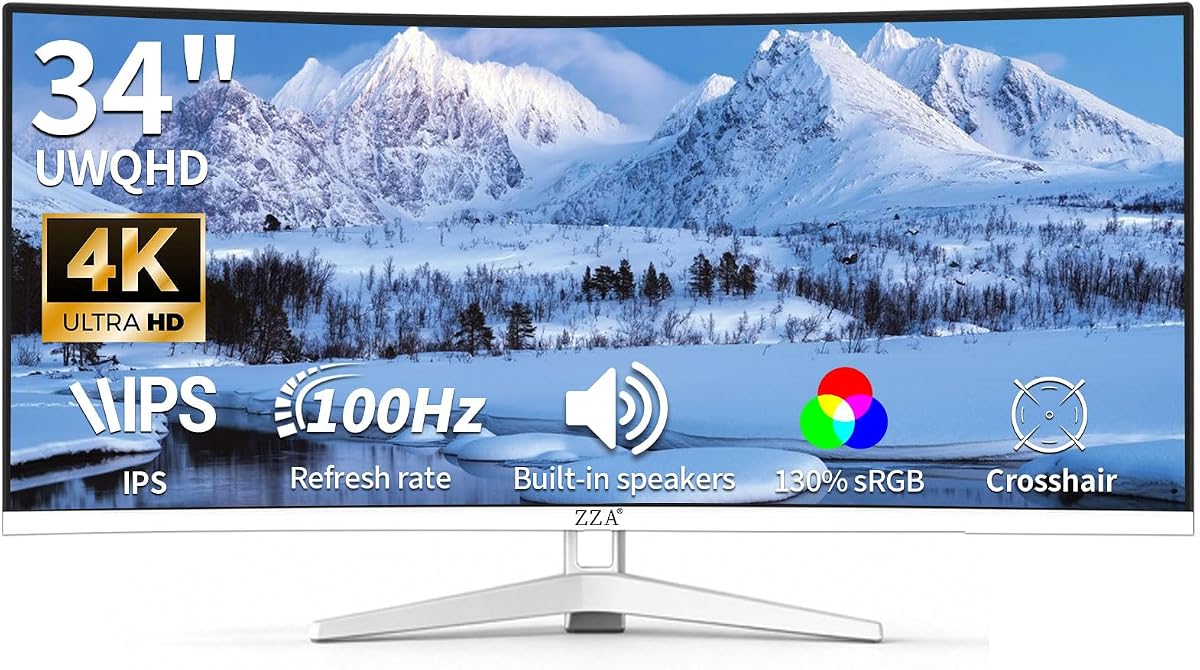
The ZZA 34 Ultrawide Monitor delivers stunning visuals with 130% sRGB color gamut coverage for rich and true-to-life colors. It features a 100Hz refresh rate that ensures fluid motion and reduced screen tearing for a competitive edge in fast-paced gaming scenarios.
We may earn a commission when you buy through this link, at no additional cost to you.
Its built-in audio eliminates the need for external devices offering convenient sound output for everyday use without clutter. The white frameless design and VESA mount compatibility provide flexible installation options that fit well into various desk setups and styles.
While the 3800R curve is less immersive than steeper options it offers a subtle arc that suits some users better. The higher than usual sRGB coverage makes it great for content creation tasks requiring accurate color reproduction and consistent performance.
If you are a content creator or gamer looking for accurate colors and smooth motion this monitor is a solid pick. Its design and connectivity options make it a versatile choice for those needing reliable performance without sacrificing visual quality.
130% sRGB color gamut coverage produces rich and true-to-life colors for professional creation.
VESA mount compatibility allows flexible mounting options to save desk space or wall mount.
We may earn a commission when you buy through this link, at no additional cost to you.
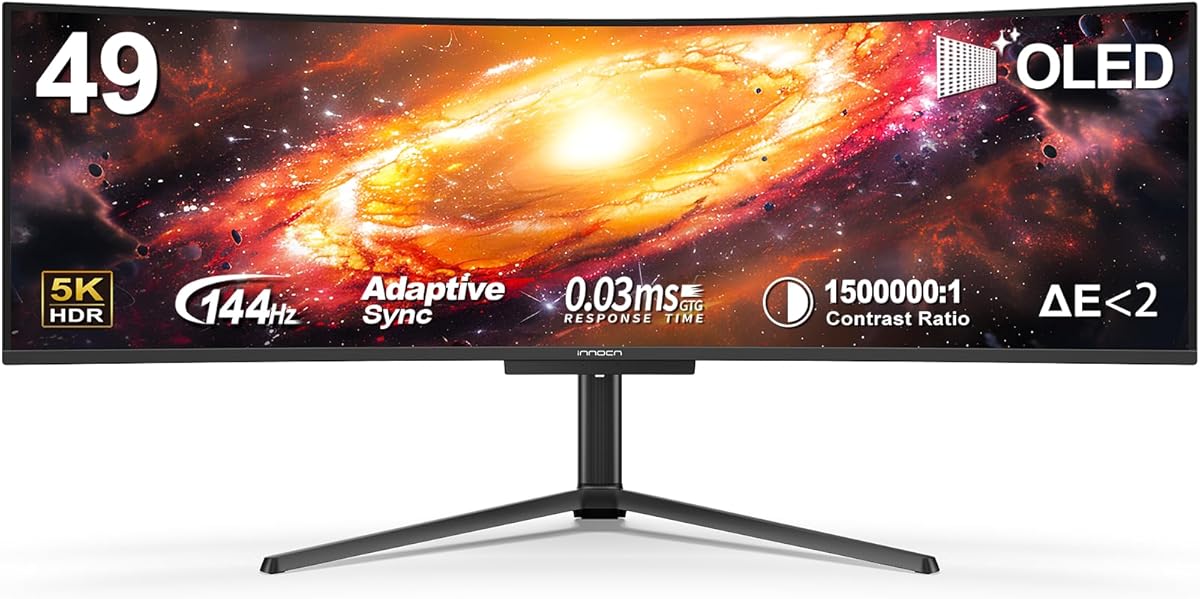
The INNOCN 49Q1R delivers a premium OLED experience with a 5K2K resolution and 144Hz refresh rate for sharp and smooth visuals. It supports USB-C 90W power delivery allowing you to connect and charge laptops efficiently with fewer cables on your desk.
We may earn a commission when you buy through this link, at no additional cost to you.
With HDR400 and adaptive sync technology you get smooth images and vibrant colors that enhance gaming and media consumption. The high contrast of 1500000:1 ensures deep blacks and clear details making every scene realistic and engaging for users.
While the OLED panel offers exceptional image quality it requires care to prevent burn-in over long static use. The high price point makes it a significant investment but those seeking top-tier performance will appreciate the clarity and responsiveness it offers.
If you want a monitor that balances high-speed gaming and professional tasks this model is an excellent choice. Its ergonomic design and wide connectivity options ensure it fits well into any modern workspace while delivering outstanding performance.
Powerful USB-C 90W power delivery lets you charge laptops and devices while connecting.
The 1800R curvature reduces eye fatigue by allowing content to be viewed at a glance.
We may earn a commission when you buy through this link, at no additional cost to you.
The Sceptre Curved 34 offers a lightning-fast 1ms response time and 240Hz refresh rate for unparalleled responsiveness in gaming. Its 100% sRGB color gamut performance ensures accurate and stunning visuals for creative and multimedia tasks as well.
We may earn a commission when you buy through this link, at no additional cost to you.
Seamless connectivity with HDMI and DisplayPort ports plus built-in speakers provides diverse audio options and versatile use. Blue-Light Shift technology protects your eyes from harmful emissions helping to alleviate strain during long hours of use.
While the panel quality may vary with price the high refresh rate and fast response make it a great budget gaming option. Some users might find the 1500R curve less subtle than others but the performance delivers smooth motion for competitive play.
If you want a monitor that minimizes blur and lag this model is an excellent choice for gamers. Its design keeps your desk clutter-free while providing the speed and colors needed for a competitive edge.
Enjoy seamless visuals reinventing what you perceive as a great gaming experience with fast response.
Blue-Light Shift reduces harmful blue light emissions for healthier viewing habits.
We may earn a commission when you buy through this link, at no additional cost to you.
The LG 34WR55QK-B offers a great work monitor with 21:9 UltraWide WQHD display that allows you to see everything open on one screen. Its ergonomic stand makes it easy to adjust height and tilt ensuring a comfortable viewing position for long sessions.
We may earn a commission when you buy through this link, at no additional cost to you.
With USB Type-C you can charge your laptop with 65W power delivery while connecting devices seamlessly. The OnScreen Control software lets you customize your workspace and split displays easily with just a few mouse clicks for improved efficiency.
While it is not optimized for high-speed gaming the 100Hz refresh rate still provides smooth visuals for general tasks and media. The borderless design adds aesthetic appeal but the focus is clearly on productivity and user comfort for work environments.
If you are a professional needing a reliable and comfortable display this monitor is an ideal choice. Its features support efficient multitasking and eye care making it a solid investment for daily office or creative work.
Customize your workspace by splitting the display or adjusting monitor options with OnScreen Control.
Reader Mode reduces blue light providing optimal conditions for reading and browsing for longer.
We may earn a commission when you buy through this link, at no additional cost to you.
The Samsung ViewFinity S5 delivers visual excellence for creative tasks with a 34 inch 1800R curved display and QHD resolution. HDR10 optimizes contrast offering a gamut of more than 1 billion accurate colors with darker blacks and brighter highlights.
We may earn a commission when you buy through this link, at no additional cost to you.
A 120Hz refresh rate minimizes screen lag and motion blur for ultra-smooth action while AMD FreeSync Premium reduces image tearing. Game Mode adjusts color and contrast to make scenes clearer and reveal more detail for gaming as well.
Eye Saver Mode certified by TÜV reduces eye strain by minimizing blue light and preventing screen flickering during long sessions. The design features HDMI and DP ports for convenient setup enhancing productivity without sacrificing visual quality or comfort.
If you need a monitor that balances professional color accuracy and smooth performance this model is a great choice. Its features support efficient multitasking and eye care making it a solid investment for daily office or creative work.
HDR10 optimizes contrast offering more than 1 billion accurate colors for vibrant displays.
Eye Saver Mode reduces blue light and screen flickering for healthier viewing habits.
We may earn a commission when you buy through this link, at no additional cost to you.
Choosing the right monitor involves evaluating several key factors that impact your daily experience. Consider these aspects to find a model that meets your needs for work gaming or general use.
Resolution determines how sharp and detailed your images will appear. For ultrawide monitors common options include WQHD or QHD which offer plenty of clarity for multitasking and gaming. Aspect ratio like 32:9 or 21:9 dictates how wide the screen feels compared to height.
Look for higher resolutions if you work with detailed graphics or need crisp text. Ensure the aspect ratio matches your workflow whether you prioritize immersion or screen real estate.
Refresh rate measures how many times per second the image updates. Higher rates like 120Hz or 240Hz deliver smoother motion beneficial for gaming and video playback. Response time shows how fast pixels change color affecting blur in fast scenes.
GAM should seek at least 120Hz for smooth visuals while professionals might prioritize accuracy over speed. Lower response times reduce ghosting and motion blur for a cleaner look.
Panel types like VA OLED or IPS affect color accuracy contrast and viewing angles. OLED offers deep blacks and vibrant colors ideal for media while VA provides high contrast at a lower cost. IPS ensures consistent colors from different angles.
Choose OLED for premium visuals if you watch media often. VA panels are great for general use and gaming with good contrast without the price of OLED.
Ports like HDMI DisplayPort and USB-C determine how you connect devices. USB-C with power delivery allows single cable connection for laptops which simplifies setups. Ensure the monitor has enough inputs for your peripherals and PC.
Check for specific standards like HDMI 2.1 for high bandwidth needs. Multiple ports give flexibility to connect consoles and computers simultaneously.
Adjustable stands for height tilt and swivel help maintain a healthy posture. VESA mount compatibility lets you use wall mounts for a cleaner desk. Borderless designs improve aesthetics and reduce distractions between screens.
Consider a model with ergonomic adjustments to avoid strain. A sturdy build and clean design enhance your workspace comfort.
sRGB and Adobe RGB coverage show how wide the color range is. High coverage ensures vibrant and accurate colors for photo editing and video. HDR support enhances contrast for brighter highlights and deeper shadows.
Creators should prioritize high sRGB or DCI-P3 coverage. Gamers benefit from HDR for richer visuals in supported games.
Adaptive sync like G-Sync or FreeSync matches the monitor refresh rate to the GPU frame rate. This prevents screen tearing and stuttering during fast motion. It ensures smoother gameplay especially in action titles.
Check which sync tech your GPU supports to avoid issues. Compatible monitors deliver a seamless gaming experience without tearing.
Some monitors include built-in speakers webOS or wireless features like AirPlay. These extras can reduce cable clutter and add convenience for media playback. Built-in speakers are useful for quick audio without external devices.
Decide if you need these extras or prefer a minimal setup. Smart features enhance entertainment but may not be necessary for all users.
Connect your device using the appropriate cables such as HDMI or DisplayPort for video and USB-C for power if supported. Configure your graphics settings to match the monitor native resolution and refresh rate for best performance.
Adjust the stand or mount to a comfortable height and angle to reduce neck strain. Enable eye care features like blue light filters or readers mode during long work sessions to protect your vision.
Clean the screen with a soft microfiber cloth and avoid harsh chemicals. Keep the monitor away from direct sunlight and heat sources to maintain performance and extend its lifespan.
Yes a 49 inch ultrawide monitor offers immersive gameplay with wide fields of view and high refresh rates. Models with adaptive sync and low response times ensure smooth motion and minimal blur during intense sessions.
A 32:9 aspect ratio is roughly two 16:9 screens side by side providing more horizontal space. A 21:9 ratio is slightly wider than standard 16:9 but not as expansive as 32:9.
Yes especially for gaming at high resolutions. A powerful GPU is required to render games smoothly on ultrawide displays compared to standard screens.
USB-C power delivery lets you charge your laptop through the monitor using a single cable. This reduces cable clutter and simplifies your workspace setup significantly.
They are excellent for multitasking since you can have multiple windows open simultaneously. The wide screen reduces window switching and helps maintain focus on tasks.
Use a soft microfiber cloth to wipe the screen gently. Avoid spraying liquid directly on the screen or using abrasive cleaners.
HDR or High Dynamic Range enhances contrast and colors for brighter highlights and deeper shadows. It improves visual quality for media and compatible games.
Most include stands with tilt and height adjustment. Many also support VESA mounting for wall or arm installation.
This guide highlights ten top models offering a range of features from budget-friendly options to premium OLED displays. Each monitor delivers unique strengths for gaming productivity and immersive viewing experiences.
Consider your priorities like refresh rate color accuracy or smart features to find the best fit. Whether you seek smooth gameplay or efficient multitasking there is a model for every need.
Prices and availability change so always check the latest offers before buying. We hope this guide helps you make an informed decision for your next monitor purchase.