
TONGVEO 3-in-1 4K Webcam
4.0Editor score
4K resolution at 30fps
Built-in dual mics and speaker
AI voice tracking and framing
Discover the top auto tracking conference camera options for seamless meetings. Our guide compares features, video quality, and AI tracking across ten leading
Modern meetings demand clarity and ease. An auto tracking conference camera follows speakers automatically. This ensures everyone stays in frame without manual adjustments. It boosts professionalism and keeps remote attendees engaged throughout the call.
We evaluated ten top models based on video resolution, zoom range, and AI accuracy. Our analysis covers USB and HDMI connectivity plus audio quality. Each entry highlights key specs and real-world performance for various room sizes.
Every pick shows what makes it stand out for business or education. We note strengths and trade-offs to help you decide. Prices vary by retailer and change frequently so verify current offers before purchase today.
4.0Editor score

4.8Editor score

4.6Editor score
This table offers a side-by-side look at each model. It compares core specs like zoom, output ports, and special features. Use it to quickly find the right fit for your meeting space needs.




This TONGVEO kit ranks top for balancing video and audio in small to medium spaces. It holds a 4.8 rating from users who value clarity. The combo brings professional video and audio conferencing to your meeting setup.
We may earn a commission when you buy through this link, at no additional cost to you.
The 4K 30fps output delivers sharp visuals while the 3x optical zoom captures details without pixelation. Its AI tracking recognizes faces and bodies to keep speakers centered. The Bluetooth speakerphone picks up voices across 16.4ft with built-in mics.
It may need desk space for both camera and speakerphone. Also HDMI outputs 4K but USB tops at 1080p. These trade-offs are acceptable given the kit price and plug and play ease for most teams.
Buy this if you want an all-in-one kit for rooms up to 40 square meters. It suits churches classrooms and hybrid offices seeking reliable tracking and audio without extra hardware.
Advanced algorithms track faces and bodies ensuring the speaker remains centered during movement for seamless calls.
Four omnidirectional microphones capture clear sound across the room with built-in echo cancellation for better calls.
We may earn a commission when you buy through this link, at no additional cost to you.
This webcam fits small meeting spaces where every seat needs to be seen. It offers AI auto framing and presenter tracking for focused views. Its 120 degree angle avoids crowd squeezing.
We may earn a commission when you buy through this link, at no additional cost to you.
Noise-canceling mics capture clear voices up to 5m away. The physical lens cover adds privacy for shared offices. It connects via USB and works with major platforms instantly.
The lower rating suggests some units have tracking quirks. Also it lacks a bundled speaker so you may need extra audio gear. These are minor trade-offs for a compact all-in-one device.
Pick this if you need a simple plug-and-play webcam for small teams. It keeps everyone in frame and reduces setup time.
The 120 degree field of view ensures every participant is clearly visible without needing to reposition the camera.
A physical lens cover allows secure use in shared office environments when the camera is not in active use.
We may earn a commission when you buy through this link, at no additional cost to you.
This kit offers smooth video at 60fps for lively meetings. It includes a PTZ camera and Bluetooth speaker for full conferencing. The design suits small to medium rooms well.
We may earn a commission when you buy through this link, at no additional cost to you.
Both HDMI and USB3.0 output HD images at 60fps. The camera tracks speakers precisely using AI face and body recognition. The speakerphone picks up voices across 16.4ft with noise reduction.
It lacks 4K which may limit future proofing. The speaker has a 6-8 hour battery life so power access matters. Still the fluid video and dual outputs make it a strong choice.
Choose this if smooth motion matters more than 4K. It supports Zoom Teams and more without drivers for quick adoption.
Full HD at 60 frames per second ensures smooth motion for presentations and fast moving subjects during live calls.
Full duplex microphone array with echo cancellation delivers clear sound within a 16.4ft range for all participants.
We may earn a commission when you buy through this link, at no additional cost to you.
This kit adds hand gestures to AI tracking for hands-free control. It delivers 4K video with a speakerphone set. The remote and gestures add versatility for dynamic rooms.
We may earn a commission when you buy through this link, at no additional cost to you.
OK and V gestures turn tracking on or switch modes. The 5x digital zoom and 120 degree angle cover full meetings. Both USB3.0 and HDMI outputs support 4K30fps when supported.
The digital zoom may soften details compared to optical. Users must disable mirror settings on some platforms. Still the gesture fun and 4K clarity offer a modern experience.
Pick this for teams wanting interactive control. It fits Zoom Teams and OBS without needing extra hardware.
Simple hand signs like OK or V switch tracking modes and zoom levels for intuitive hands-free camera control.
An IR remote offers nine preset positions plus menu control for pan tilt and zoom adjustments on demand.
We may earn a commission when you buy through this link, at no additional cost to you.
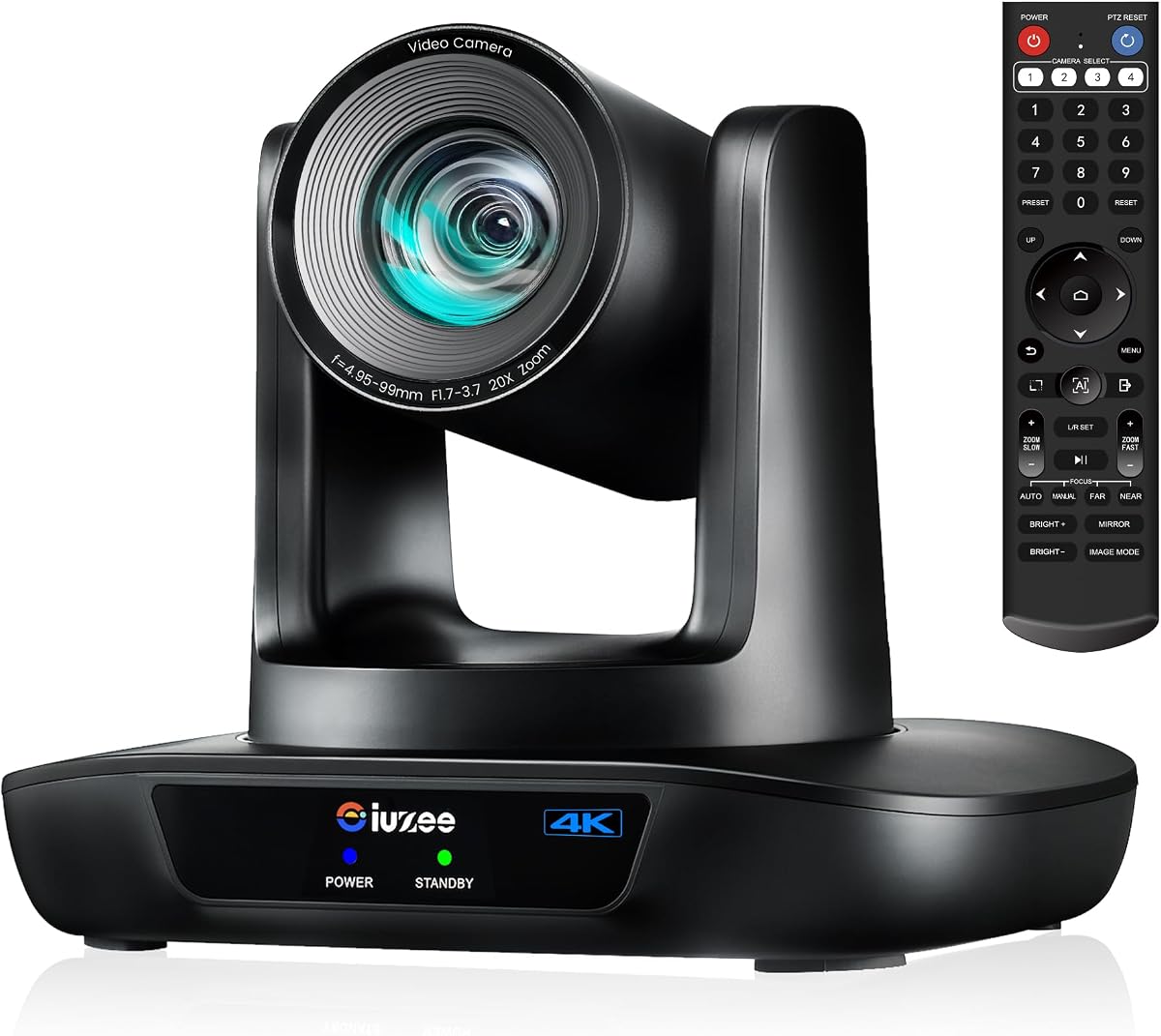
This system excels in large churches or lecture halls. The 20x optical zoom brings distant speakers close with clarity. It pairs with a Bluetooth speakerphone for full room coverage.
We may earn a commission when you buy through this link, at no additional cost to you.
AI tracking follows pastors or presenters smoothly. PoE support simplifies cabling by powering the camera over a network switch. The setup works with Zoom OBS and more.
Price is higher than compact kits. Cabling may need a PoE switch or injector. These costs pay off for large spaces needing long range zoom.
Buy this for auditoriums or churches. It keeps distant speakers sharp and centered without manual help.
Twenty times optical zoom captures clear close-ups from the back of large rooms without losing image quality.
Power over Ethernet support allows single cable data and power transmission for simplified installation.
We may earn a commission when you buy through this link, at no additional cost to you.
This PTZ camera targets professional live streaming. It offers USB HDMI and LAN outputs with 20x optical zoom. Control via web browser or remote for flexible events.
We may earn a commission when you buy through this link, at no additional cost to you.
Supports RTMP and SRT for stable low bandwidth streams. PoE simplifies power and data over one cable. It lacks a built-in mic so external audio is needed.
Web admin setup may slow first time users. The narrow 63 degree angle suits focused framing. These trade-offs fit production workflows needing flexibility.
Choose this for broadcasts or large events. Its triple outputs and web control deliver production grade flexibility.
Three simultaneous outputs plus RTMP and SRT support ensure smooth streams even in low bandwidth network environments.
Set up preview and control the camera from a web browser with preset settings for easy operation during events.
We may earn a commission when you buy through this link, at no additional cost to you.
This camera brings studio quality to any venue. NDI support simplifies network video workflows. SDI and 4K outputs ensure compatibility with switchers.
We may earn a commission when you buy through this link, at no additional cost to you.
Its AI tracks faces and bodies with smooth motion. The 20x zoom and PoE fit large productions. NDI integration is official and ready for vMix or OBS.
Cost is high and network setup is required. But for churches or events it delivers unmatched flexibility. These trade-offs are acceptable for pro needs.
Buy this for high end production. It offers NDI SDI and 4K in one versatile unit.
Official NDI integration streamlines network video feeds for seamless use with popular production software.
SDI HDMI and USB outputs ensure compatibility with video switchers and long cable runs up to 300ft.
We may earn a commission when you buy through this link, at no additional cost to you.
This PTZ camera covers large spaces with ease. It offers 20x optical zoom and 4K resolution. Use remote or software to control pan tilt and zoom.
We may earn a commission when you buy through this link, at no additional cost to you.
PoE and LAN support simplify installation in big rooms. The durable build ensures stable streaming. Note it lacks a built-in mic so add a mic separately.
Some users note minor resolution quirks on 2K displays. Adjust via menu to fix. Still it fits classrooms and churches needing long range clarity.
Pick this for educational or church spaces. It delivers reliable zoom and output options.
Pan tilt and zoom can be controlled via remote software or optional joystick for precise framing.
Plug and play via HDMI USB LAN or PoE with no drivers needed for quick deployment.
We may earn a commission when you buy through this link, at no additional cost to you.
This all-in-one unit fits medium to large rooms. It has built-in dual speakers and a 4-mic array. AI auto framing keeps every participant centered.
We may earn a commission when you buy through this link, at no additional cost to you.
The 120 degree angle covers full tables. Digital zoom allows focus on key speakers. Connect via USB for instant use with Teams or Zoom.
Speaker output may struggle in noisy spaces. Digital zoom lacks optical clarity. Still it simplifies setup with camera mics and speakers in one.
Buy this for hybrid offices. It reduces clutter and simplifies conference setup.
Integrated dual speakers provide clear playback eliminating the need for external audio devices in most setups.
The 120 degree wide angle lens ensures full meeting visibility without requiring camera repositioning.
We may earn a commission when you buy through this link, at no additional cost to you.
This webcam bundles mic speaker and 4K lens. Voice tracking follows the active speaker. The remote adjusts view and zoom for calls.
We may earn a commission when you buy through this link, at no additional cost to you.
It offers 4K at 30fps with 5x digital zoom. Three FOV modes adapt to group or solo calls. A privacy cover protects the lens when unused.
Digital zoom reduces sharpness at max range. The speaker is compact. Still it is cost effective for desks.
Choose this for home offices. It simplifies video calls without extra gear.
Voice tracking locates and follows the active speaker within three seconds enhancing clarity during calls.
Remote keys switch between 118 100 and 88 degree FOV to perfect your view for any call type.
We may earn a commission when you buy through this link, at no additional cost to you.
Selecting the right camera depends on room size, budget, and connectivity needs. Here are key factors to consider.
Higher resolution like 4K ensures crisp visuals for large screens. Look for at least 1080p. 30fps is standard; 60fps delivers smoother motion.
Choose 4K for professional settings and 1080p for cost efficiency.
Optical zoom maintains clarity while digital zoom crops the image. For large rooms, 10x optical zoom or more is ideal.
Optical zoom is preferred for capturing detail without pixelation.
Look for face and body tracking to keep speakers centered. Test if the camera resumes tracking after temporary obstruction.
Dual recognition improves reliability for mixed presentations.
USB 3.0 simplifies PC setup; HDMI offers uncompressed video. LAN and PoE suit fixed installations with network power.
Pick outputs that match your existing AV equipment.
All-in-one kits bundle mics and speakers. Standalone cameras may need separate audio gear. Ensure noise cancellation is included.
Integrated audio reduces setup complexity for small rooms.
Check if the camera supports desk, wall, or ceiling mounts. Adjustable brackets help aim the lens correctly.
Versatile mounting fits diverse room layouts.
Ensure the camera works with Zoom Teams and WebEx. Some models offer certified features like auto framing.
Compatibility prevents driver issues during live meetings.
Longer warranties and responsive support reduce downtime. Look for vendors offering remote help.
Strong support ensures long-term reliability.
Connect the camera via USB or HDMI before launching your conferencing app. Install drivers only if your system does not recognize it automatically.
Adjust the camera height and angle so it faces participants directly. Use the remote or software to set pan tilt and zoom presets.
Keep the lens clean with a soft cloth and protect it with a privacy cover when not in use to maintain image clarity.
An auto tracking conference camera uses AI to follow speakers as they move. This keeps the active person centered without manual adjustments. Regular webcams offer fixed views and may miss speakers entirely.
Most models are compatible with Zoom Teams WebEx and more. They appear as standard UVC devices. Some units offer specific optimizations for framing or noise reduction.
Many models are plug and play and need no drivers. However some include companion apps for advanced control. Check product specs to confirm before purchase.
Built-in mics typically cover up to 16 feet or 5 meters. For larger rooms consider external microphones. Noise cancellation helps focus on voices in noisy spaces.
Yes many support HDMI USB and LAN outputs. Models with PoE and NDI are ideal for professional broadcasts. They connect easily to OBS or vMix.
Optical zoom uses the lens to magnify without losing detail. Digital zoom crops and enlarges the image which may reduce clarity. Optical is preferred for quality.
Our top picks range from budget-friendly webcams to premium NDI-ready systems. Each model balances zoom accuracy and ease of use for different needs.
Prioritize optical zoom and AI tracking accuracy for large rooms. For small offices all-in-one kits save time and reduce cables.
Prices shift quickly and availability varies. Always check current offers and warranty terms before finalizing your order.