
DocketPORT 667 Simplex
3.8Editor score
Ultra-compact stapler size
USB powered convenience
Direct to PDF scanning
This guide compares the top business card scanners for digitizing contacts efficiently with OCR and cloud integration features for modern offices.
Business card scanners help professionals digitize contacts quickly. A good scanner offers fast speeds and accurate optical character recognition for seamless data entry into your systems.
We compared ten leading models based on scanning speed and software features. This list covers desktop and mobile options suitable for various business needs and budgets today.
Each pick shows key specs and real user feedback. Prices change frequently so check the links for the latest offers before making your final purchasing decision.
3.8Editor score

4.9Editor score

4.5Editor score
Here is a side-by-side comparison of all ten models to help you find the perfect fit for your specific workflow requirements.


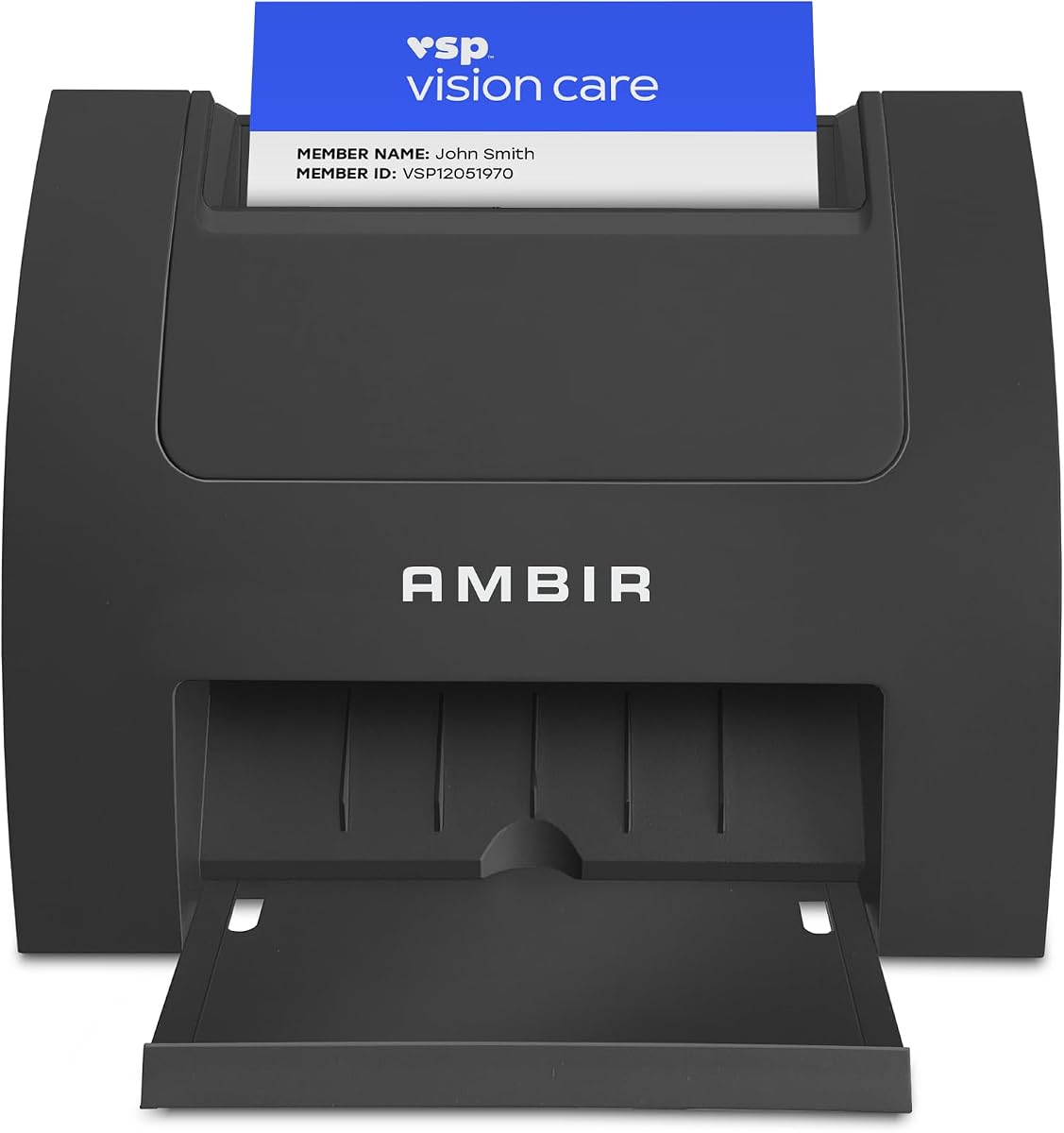


The Ambir ImageScan Pro 687-AS stands out as a top performer for businesses needing reliability. It holds a strong rating from users who appreciate its speed and accuracy.
We may earn a commission when you buy through this link, at no additional cost to you.
Its standout quality is superior card handling including raised characters. The duplex scanning captures front and back in one pass saving significant time during high volume tasks.
The only trade-off is the Zapier automation needs a professional account. This is acceptable given the robust local workflow options and cloud save features provided.
This scanner is ideal for offices managing insurance or ID cards daily. We recommend it for anyone seeking a complete solution with minimal setup.
It processes patient IDs and driver licenses with ease in just three seconds regardless of texture.
Zapier integration sends metadata to apps like QuickBooks or Slack to trigger custom actions automatically.
We may earn a commission when you buy through this link, at no additional cost to you.
The PenPower WorldCard Pro offers extensive language support for global business. It scans and recognizes text directly into a digital format quickly.
We may earn a commission when you buy through this link, at no additional cost to you.
Its key strength is recognizing business cards in twenty four different languages. This helps teams working internationally digitize contacts without manual translation.
Some users find the interface slightly dated compared to newer models. The accuracy varies but remains functional for basic data extraction needs.
Buy this if you deal with non English cards frequently. It is a solid option for multilingual contact management.
Supports cards in French, German, Italian and Spanish alongside English for worldwide utility.
Clicking addresses or websites links to maps or websites immediately within the software.
We may earn a commission when you buy through this link, at no additional cost to you.
The Ambir ImageScan Pro 667 is designed to integrate smoothly with Microsoft Outlook. It simplifies growing your contact list with direct import capabilities.
We may earn a commission when you buy through this link, at no additional cost to you.
Key strengths include AI powered contact recognition improving extraction accuracy locally. Duplicate detection keeps your address book organized automatically.
One trade-off is that AI processing is optional and local to your PC. This ensures privacy but may require manual tweaking for complex cards.
This model suits teams using Outlook heavily. It is also useful for assistants needing to share contacts via folders.
Imports scanned cards directly into Outlook address book keeping your contacts simple.
Automatically detects duplicates to prevent repeating information in your address book.
We may earn a commission when you buy through this link, at no additional cost to you.
The Epson Workforce ES-50 is the fastest and lightest mobile single sheet scanner in its class. It is perfect for on the go scanning needs.
We may earn a commission when you buy through this link, at no additional cost to you.
It scans single pages in as fast as 5.5 seconds. The included Nuance OCR creates searchable PDFs and editable documents easily.
Its USB power means no external adapters are needed. This convenience comes with a limit on single sheet handling only.
Buy this for travel or field work. It is ideal for digitizing receipts and ID cards quickly.
Ultra fast and light making it easy to carry anywhere for scanning tasks.
Includes Nuance Optical Character Recognition for editable Word and Excel files.
We may earn a commission when you buy through this link, at no additional cost to you.
The AMBIR PS670ST-AS is designed for speed with a unique vertical feed path. It scans cards in under two seconds creating high quality images.
We may earn a commission when you buy through this link, at no additional cost to you.
Key strengths include a compact design saving desk space. Continuous scan mode allows you to work quickly without prompts.
The trade-off is single sided scanning only. If you need duplex capabilities you may need to flip cards manually.
This unit is great for busy office fronts. It prioritizes speed and space efficiency for high volume entry.
Feeds cards vertically allowing less desk space usage and faster throughput.
Creates true 600 dpi images meeting standards for third party software companies.
We may earn a commission when you buy through this link, at no additional cost to you.
The AMBIR PS667 is a complete turnkey solution for ID verification without subscriptions. It extracts customer data instantly from barcodes.
We may earn a commission when you buy through this link, at no additional cost to you.
Key strengths include local data storage for maximum privacy. Anti-passback security prevents card sharing effectively.
Trade-offs include limited use to ID cards only. If you need business card scanning this model may not suit you.
Buy this for bars or retail needing age checks. It offers security and cost control.
Hardware and software included in single purchase with no ongoing fees.
All scanned information is stored locally on your system for security.
We may earn a commission when you buy through this link, at no additional cost to you.
The ScanSnap iX1300 fits small spaces with innovative design. It handles documents and cards with wireless or USB options.
We may earn a commission when you buy through this link, at no additional cost to you.
Its strengths include duplex scanning up to 30ppm with auto de-skew. Scan where you want without a computer via Wi-Fi.
The trade-off is a higher price point compared to simple card scanners. However the versatility justifies the cost.
This is ideal for mixed document and card needs. Use it for receipts and business cards seamlessly.
Send scans to Mac PC mobile devices and cloud services via Wi-Fi or USB.
ScanSnap Home brings together functions to manage edit and use scanned data.
We may earn a commission when you buy through this link, at no additional cost to you.
The DocketPORT 667 is ultra-compact taking up less space than flatbed scanners. It is USB powered and perfect for travel.
We may earn a commission when you buy through this link, at no additional cost to you.
Key strengths include simple straight to PDF scanning via included software. Broad TWAIN driver compatibility ensures it works with many apps.
Its trade-offs are basic simplex scanning and limited advanced features. But for simple tasks it is effective and cheap.
Buy this for basic contact digitizing on a budget. It is excellent for mobile users.
About the size of a stapler making it easy to carry anywhere.
DocketScan software lets users scan directly to industry standard PDF format.
We may earn a commission when you buy through this link, at no additional cost to you.
The Brother DS-640 scans color and black white at up to 16ppm. It is ultra compact fitting virtually anywhere including a pocket.
We may earn a commission when you buy through this link, at no additional cost to you.
Its strength is supporting Windows Mac and Linux with free iPrint&Scan app. Color scanning does not slow you down.
Trade-offs include only micro USB power and small paper capacity. But it is lightweight and reliable for mobile work.
Buy this for Linux users or travel. It balances speed and portability well.
Scans color and black white documents at blazing speeds up to 16ppm.
Includes document management and OCR software with image optimization tools.
We may earn a commission when you buy through this link, at no additional cost to you.
The Epson Workforce ES-400 II allows you to speed through stacks with a 50-sheet feeder. It is an efficient office scanner for high productivity.
We may earn a commission when you buy through this link, at no additional cost to you.
Key strengths include seamless integration with document management software. Automatic file naming and cloud sharing simplify workflows.
Its trade-off is a larger desk footprint than mobile units. But for office volume the speed is unmatched.
Buy this for desktop offices needing bulk scanning. It handles many pages reliably.
Feeder allows you to speed through stacks with a 50-sheet Auto Document Feeder.
Ultrasonic double feed detection helps prevent missed pages during scanning.
We may earn a commission when you buy through this link, at no additional cost to you.
Choosing the right scanner depends on your workflow needs and software requirements.
Look for scanners that can process cards in seconds. Faster speeds help when handling large batches daily.
Prioritize models with sub 5 second performance for high volume needs.
OCR converts scanned images into editable text. Ensure the OCR accuracy is high for contact fields.
Test software with sample cards to verify name and email extraction.
Check if the software supports your CRM or address book. Outlook or Salesforce integration saves time.
Ensure TWAIN drivers are available for third party apps.
Mobile users need compact USB powered models. Desktop users prefer larger feeders for bulk tasks.
Choose size based on where the scanner will be used primarily.
Cloud save options allow access from anywhere. Look for Dropbox Google Drive or OneDrive support.
Verify security protocols if storing sensitive client data.
Some cards have raised text or plastic. Ensure the scanner handles these without jamming.
Check duplex capabilities if both sides are needed.
Webhooks like Zapier automate follow up actions. This reduces manual data entry significantly.
Consider if workflow automation saves your team time.
Two year warranties are common. US based support can resolve issues faster.
Read reviews on customer service responsiveness.
Start by installing the drivers and software from the disc or website. Ensure your OS matches the supported versions.
Place cards carefully in the feed path to avoid jams. Clean rollers monthly with a soft cloth to maintain speed.
Export files regularly to backup your contacts. Review the extracted data for accuracy before saving to your CRM.
Most models listed support Mac including Ambir and Epson. Always check the specific compatibility before buying.
Some models like the AMBIR PS667 require no subscription. Others may have optional cloud features.
The AMBIR PS670ST scans a card in under two seconds. The Epson ES-50 is also very fast for single sheets.
Yes many document scanners handle both. Check size limits for card thickness and width before using.
High accuracy ensures names and emails are correct. AI options improve recognition for non-standard fonts.
No local storage is standard. Cloud saves are optional but useful for remote access and backups.
The Ambir ImageScan Pro 687-AS leads with superior handling and automation. For budget needs the DocketPORT 667 offers solid compact value.
Prioritize software compatibility and speed based on your daily volume. High volume teams benefit from the Epson ES-400 II feeder.
Always check current prices and software support before buying. Technology updates may affect features over time.