
Lenovo Chromebook 14
5.0Editor score
MediaTek Kompanio 540 CPU
14 Inch WUXGA Touchscreen
Affordable Student Friendly Price
Artificial intelligence is reshaping how we work and learn on laptops. Chromebooks for AI integrate powerful tools directly into the operating system to boost productivity without complex setups.
We evaluated ten leading models based on processor speed, AI feature availability, display quality, and battery life. Each device offers unique advantages for different user needs and budgets.
Every pick highlights specific strengths like Google AI Pro access, touchscreen versatility, or rugged durability. Prices and availability change frequently so check current listings before buying.
5.0Editor score

4.9Editor score

4.5Editor score
As an Amazon Associate we earn from qualifying purchases.
The following table provides a side-by-side view of core specifications and key features for all ten models reviewed in this comprehensive guide to AI enabled Chromebooks.


The Acer Chromebook Plus 514 stands out as the top choice for AI workflows in October 2026. It combines modern connectivity with deep Google AI integration.
We may earn a commission when you buy through this link, at no additional cost to you.
Users gain immediate access to Google AI Pro features including Gemini for Gmail and Docs. The Intel Core i3-1315U handles multitasking smoothly during creative tasks.
While 8GB RAM is standard for this tier it limits heavy multitasking. The Wi-Fi 7 future-proofs the device for faster cloud AI interactions.
Choose this model if you want a balanced Chromebook for work or school with premium AI tools included for a full year.
Google AI Pro unlocks advanced features like handwriting conversion and jargon simplification directly within ChromeOS apps.
Wi-Fi 7 support ensures maximum bandwidth for cloud based AI processing and streaming content without latency.
We may earn a commission when you buy through this link, at no additional cost to you.
The ASUS Chromebook Plus CX34 offers an accessible entry into AI enabled computing without sacrificing essential features. It is ideal for casual users.
We may earn a commission when you buy through this link, at no additional cost to you.
AI tools like Magic Eraser and noise cancellation enhance video calls and photo editing. Google One AI Premium is included for 12 months.
UFS storage is slower than PCIe SSDs found in higher models. User ratings reflect mixed experiences with long term reliability.
Pick this if budget is a primary concern and you need reliable daily performance for web and basic apps.
Generative AI features help reimagine photos and create unique backgrounds directly within the Chromebook ecosystem.
Built-in noise cancellation ensures clear voice transmission during online meetings and virtual classes.
We may earn a commission when you buy through this link, at no additional cost to you.
The Acer Chromebook Plus 515 provides a larger 15.6 inch display perfect for multitasking with AI tools. It handles productivity workflows well.
We may earn a commission when you buy through this link, at no additional cost to you.
Google AI Pro includes NotebookLM for research and content analysis. The 15.6 inch screen gives ample space for side by side windows.
It is heavier than smaller models which affects portability. The webcam resolution is lower compared to premium competitors.
Choose this for a stationary workspace where screen size matters more than carrying weight or video call quality.
The larger display improves productivity by reducing the need to switch tabs when using AI writing assistants.
NotebookLM offers AI powered insights for documents helping students and researchers process information faster.
We may earn a commission when you buy through this link, at no additional cost to you.
The Spin 714 delivers top tier performance with the Intel Core Ultra 5 processor optimized for AI tasks. It feels like a premium device.
We may earn a commission when you buy through this link, at no additional cost to you.
The 120Hz display ensures smooth scrolling and drawing. Thunderbolt 4 allows fast data transfer and docking for external monitors.
Cost is higher than standard models. The 256GB storage may require cloud usage for heavy media libraries.
Invest here if you need professional grade speed and a flexible 2-in-1 form factor for creative work.
The dedicated NPU in the Core Ultra chip accelerates AI workloads and improves efficiency on battery.
The spinning hinge allows tablet mode for note taking or presentation viewing with touch input.
We may earn a commission when you buy through this link, at no additional cost to you.
This model stands out for its massive 512GB storage capacity allowing ample room for offline files and media. It is rugged and reliable.
We may earn a commission when you buy through this link, at no additional cost to you.
The Quick Insert key aids creativity by generating high resolution images quickly. Military standards ensure it survives drops and spills.
The i3-N355 processor is less powerful than newer Intel Core series. It cannot be upgraded by users.
Select this if you need significant local storage without paying for expensive cloud subscriptions regularly.
MIL-STD 810H certification means the device is built to withstand tough environments like construction sites or schools.
Having 512GB local space reduces reliance on slow internet connections for accessing your personal files.
We may earn a commission when you buy through this link, at no additional cost to you.
The Lenovo Chromebook 14 offers exceptional value for students and light users. Its 14 inch WUXGA screen is impressive for the price.
We may earn a commission when you buy through this link, at no additional cost to you.
It handles standard web apps well. The lightweight design makes it perfect for daily commutes. Audio is strong with Waves MaxxAudio.
RAM and storage are limited which slows performance under heavy loads. It is not suitable for complex AI tasks.
Buy this if you need a simple reliable device for basic schoolwork and web browsing on a strict budget.
At just under 3 pounds this Chromebook is easy to carry in a backpack all day without strain.
The WUXGA resolution provides sharper text than HD screens making reading digital textbooks more comfortable.
We may earn a commission when you buy through this link, at no additional cost to you.
This variant offers a blend of performance and storage at a reasonable price point. It supports three external displays easily.
We may earn a commission when you buy through this link, at no additional cost to you.
The 512GB SSD ensures fast access to files. The backlit keyboard helps with work in low light environments.
Performance is adequate for everyday tasks but not intensive creative work. Build quality is functional but not premium.
Choose this if you want reliable performance and storage without paying a premium for advanced features.
Support for three external monitors via HDMI or USB-C makes this a great choice for multi-monitor setups.
Wi-Fi 6E ensures strong connection speeds for cloud syncing and video conferencing without lag.
We may earn a commission when you buy through this link, at no additional cost to you.
This model balances specs to deliver excellent all day battery life for uninterrupted work. It features a clean and simple design.
We may earn a commission when you buy through this link, at no additional cost to you.
The 512GB SSD offers plenty of space for apps. The WUXGA IPS panel ensures clear visuals for reading and viewing.
It lacks advanced AI hardware found in higher end models. Performance is sufficient for basic browsing.
Perfect for travelers who need a lightweight device that lasts through flights or long meetings.
Users can work for many hours without needing to find a wall outlet during busy days.
The IPS technology provides wide viewing angles so colors stay vibrant from any seat.
We may earn a commission when you buy through this link, at no additional cost to you.
This model highlights AMD Ryzen 3 7320C performance with strong battery life. It includes useful AI features for video calls.
We may earn a commission when you buy through this link, at no additional cost to you.
Background blur and noise cancellation work well. The spill resistant keyboard protects against accidental drinks. Touchpad is smooth.
128GB storage fills up quickly with large files. It is best used with cloud storage apps.
Select this if you prefer AMD processing and need good battery life for a school device.
AI tools enhance clarity and lighting for calls so you look your best without extra equipment.
Twelve hours of battery allows full days of classes without needing to recharge your device.
We may earn a commission when you buy through this link, at no additional cost to you.
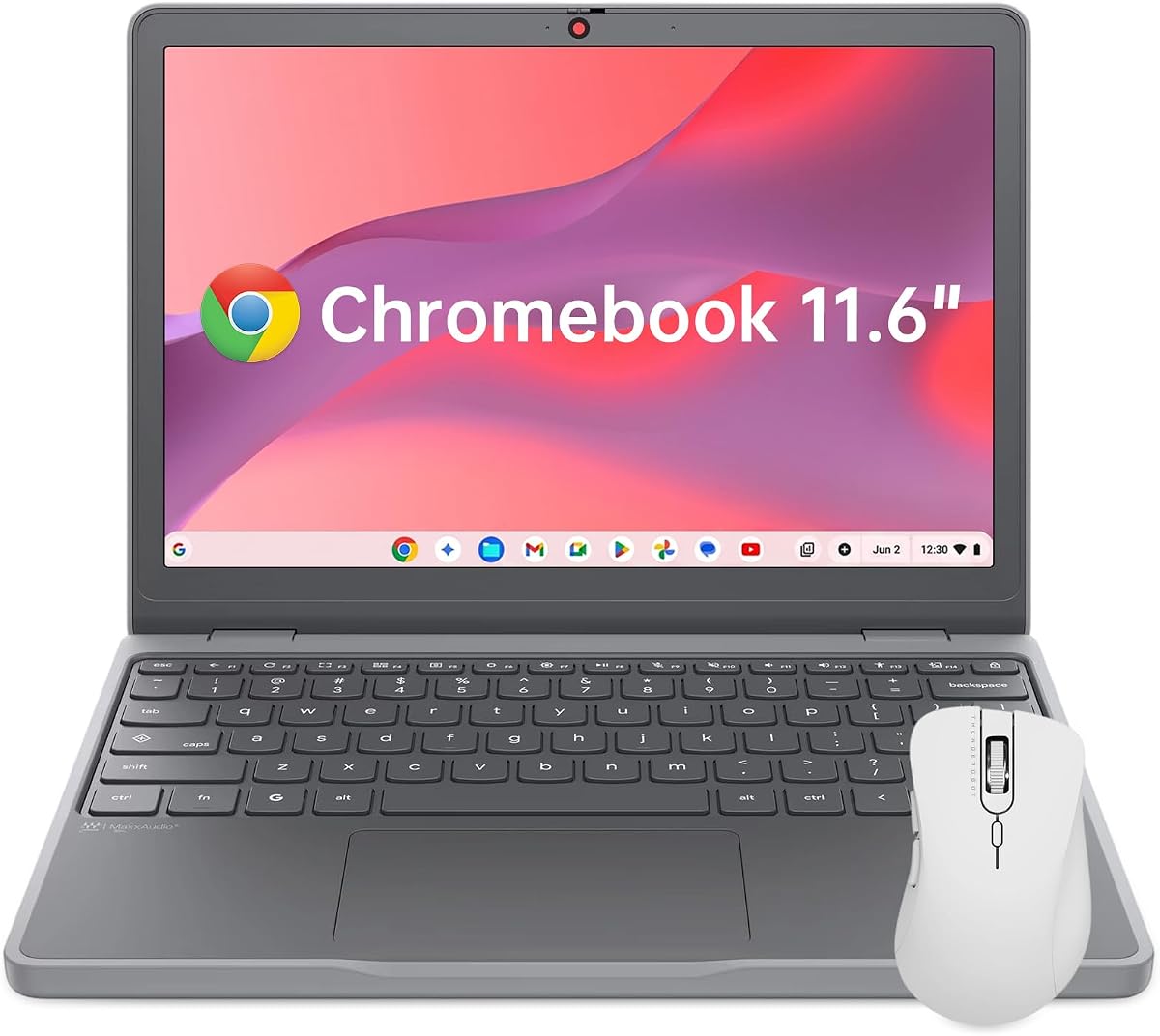
The 11.6 inch Chromebook is the smallest and lightest option here. It fits anywhere and is ideal for travel.
We may earn a commission when you buy through this link, at no additional cost to you.
The low weight makes it easy to hold for reading. Durability is high with TPU corners protecting drops. Security is strong.
The 1366×768 resolution is basic. Small screen size limits multitasking efficiency.
Choose this if portability is your absolute priority for a travel companion.
Fits easily in small bags so you never have to leave your device at home.
Physical camera shutters give peace of mind about privacy in public spaces or hotel rooms.
We may earn a commission when you buy through this link, at no additional cost to you.
Selecting the right AI Chromebook depends on your specific workflow and priorities. The following factors help narrow down the best fit for you.
Modern AI Chromebooks often include dedicated Neural Processing Units to handle on-device AI tasks. Look for Intel Core Ultra or newer N-Series chips.
A faster processor ensures smoother multitasking when using generative AI tools alongside multiple browser tabs.
Minimum 8GB RAM is recommended for running AI apps and keeping several tabs open. Less RAM may cause lag during intensive sessions.
More RAM future proofs your device for heavier ChromeOS updates and more complex web applications.
SSD storage is superior to UFS for speed. Aim for at least 256GB to store local files and apps efficiently.
Higher capacity reduces reliance on cloud storage which may not always be available offline.
A WUXGA resolution improves readability and detail. Touchscreens add versatility for note taking and interactive AI apps.
Anti-glare coatings help maintain visibility in bright environments such as classrooms or cafes.
Wi-Fi 6E or Wi-Fi 7 ensures strong wireless performance. Thunderbolt 4 support enables fast external storage transfers.
Having both USB-C and USB-A ports avoids the need for adapters when connecting older accessories.
Target a model with at least 10 hours of battery. Look for fast charging features to minimize downtime.
Good battery efficiency allows uninterrupted work sessions without hunting for power outlets.
Military standard ratings indicate robust build quality. Spill resistant keyboards offer protection against accidents.
Rugged designs are essential for students and field workers facing daily wear and tear.
Many Chromebooks Plus models include a year of Google AI Pro. This unlocks premium Gemini features and cloud storage.
Confirm the trial duration and renewal terms before purchasing to manage subscription costs effectively.
To maximize AI capabilities enable Google AI Pro in settings and familiarize yourself with Gemini shortcuts in Gmail and Docs.
Keep your Chromebook updated regularly to access new AI features and security patches released by Google.
Clean the touchscreen with a soft cloth and avoid liquid on the keyboard to maintain long term functionality.
Most Chromebooks for AI rely on cloud based tools via Google AI Pro. On-device models are limited by hardware but the NPU accelerates inference for features like noise cancellation.
Many Chromebooks Plus include a 12 month free trial of Google AI Pro. After the trial period you will need to subscribe to the plan to keep access to advanced features.
Yes ChromeOS supports Android apps from the Play Store. Many popular AI writing and image tools are available as Android applications compatible with Chromebooks.
The Lenovo Chromebook 14 offers excellent value with a great display and low cost. It handles standard school apps and video classes efficiently.
Most RAM is soldered and cannot be upgraded later. It is best to choose 8GB or higher at purchase to ensure smooth long term performance.
ChromeOS uses sandboxing and built-in Titan C2 security chips. These features protect against malware and keep data safe from unauthorized access.
The Acer Chromebook Plus 514 stands out for its balance of speed connectivity and AI features. It suits most professionals and students needing reliable performance.
Budget users should consider the Lenovo Chromebook 14 for value while professionals may prefer the Spin 714 for premium capabilities.
Remember to verify current stock and pricing before purchasing since deals and availability change frequently on online marketplaces.