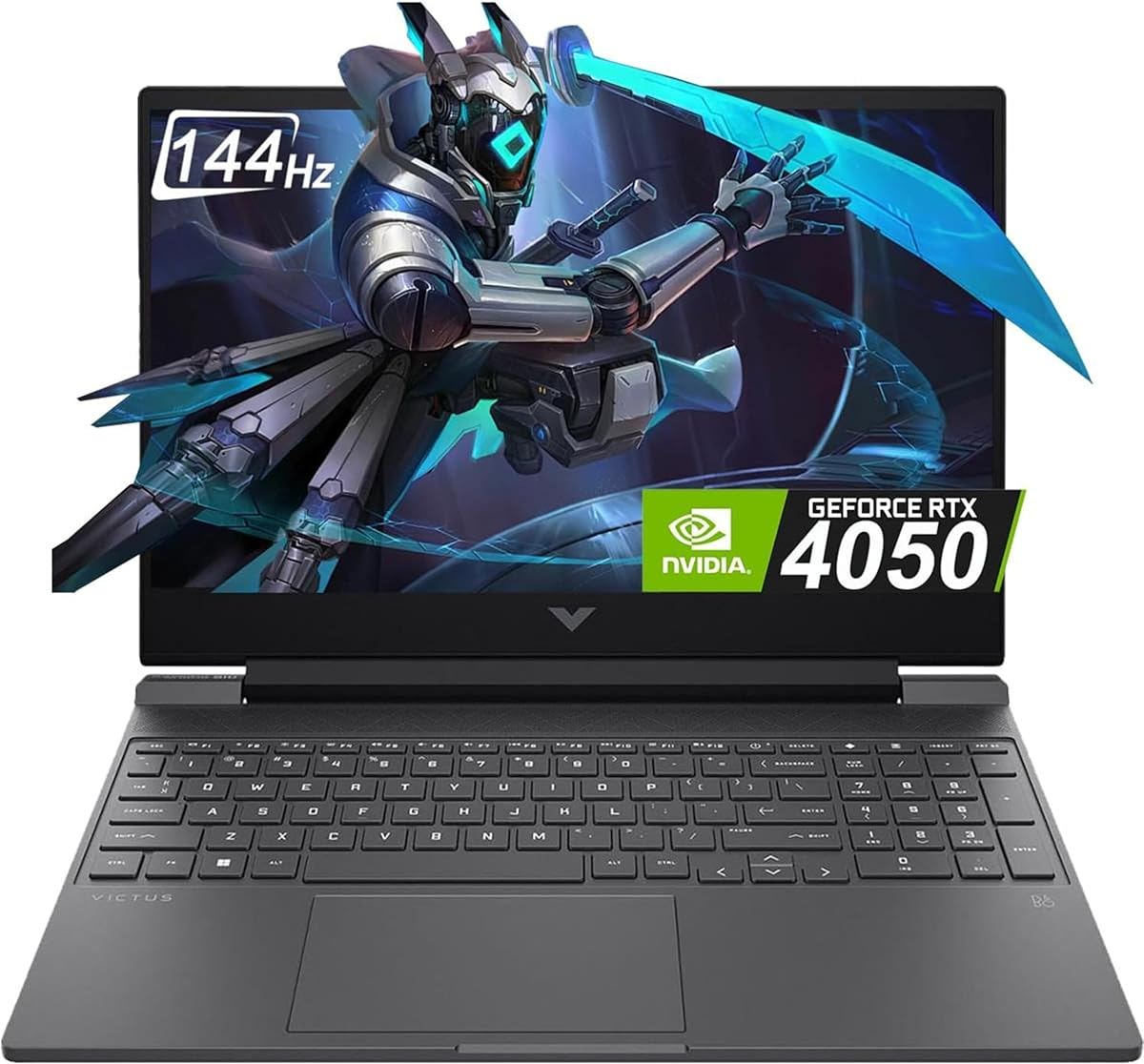
HP Victus 15.6 inch FHD 144Hz Gaming Laptop
4.3Editor score
Intel Core i5-13420H Processor
NVIDIA GeForce RTX 4050 6GB
16GB DDR4 RAM 512GB SSD
Finding the right gaming laptop for college requires balancing powerful hardware with portability and battery life. Students need machines that handle heavy coursework, creative projects, and intense gaming sessions without breaking the bank or weighing down a backpack.
We evaluated ten top models based on processor speed, graphics performance, display quality, and build durability. Our analysis focuses on real-world usability for students who need reliable performance for both study and play across different budget ranges.
Each pick highlights specific strengths like budget value, premium features, or balanced performance. Note that prices fluctuate frequently due to sales and inventory changes, so verify current costs before purchasing to ensure you get the best deal available.
4.3Editor score
4.5Editor score

4.4Editor score
As an Amazon Associate we earn from qualifying purchases.
This side-by-side comparison evaluates all ten selected models across key specifications including processor generation, graphics capability, memory capacity, storage speed, and display refresh rates to help you identify the most suitable option for your specific academic and entertainment requirements.


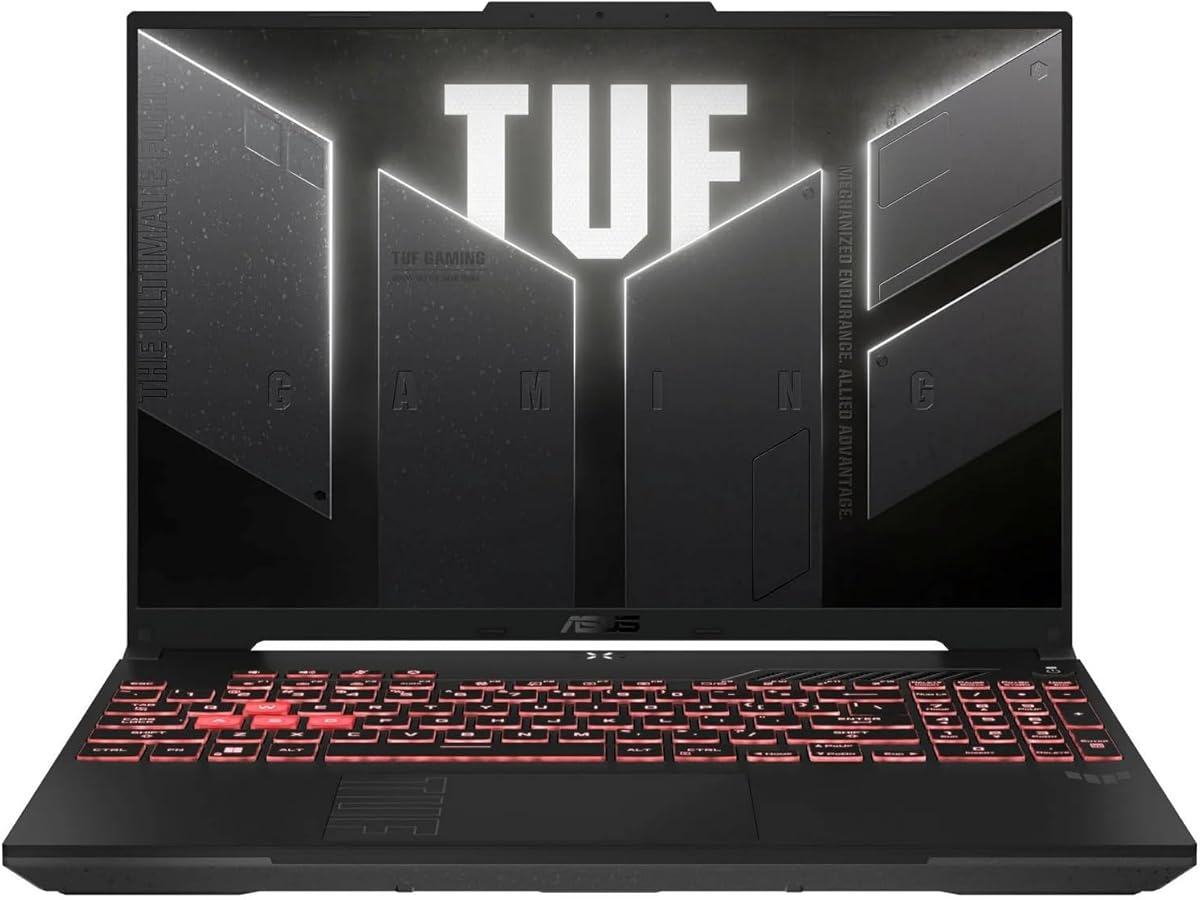
The ASUS TUF Gaming A16 stands out as a top choice for college students needing reliable performance for both academic work and gaming. It features a powerful AMD Ryzen 7 7445HS processor paired with an NVIDIA GeForce RTX 4050 graphics card delivering smooth gameplay and efficient task handling.
We may earn a commission when you buy through this link, at no additional cost to you.
Its 16-inch Full HD+ display with a 144Hz refresh rate ensures crisp visuals and minimal motion blur during fast-paced games. The system comes equipped with 16GB of DDR5 RAM enabling seamless multitasking between heavy applications and browser tabs.
While the laptop offers solid performance and durability with its military grade tested chassis, battery life is moderate during intensive use. The display is bright enough for indoor use but may struggle in direct sunlight outside.
This model is ideal for students who prioritize performance and build quality over ultra-long battery life. Its balanced specs make it a versatile machine capable of handling engineering simulations creative design work and modern gaming titles with ease.
The RTX 4050 GPU supports ray tracing and DLSS technology providing immersive visuals and higher frame rates in supported games without compromising system stability.
Built to military standards the chassis resists wear and tear ensuring the laptop withstands the rigors of daily transport between classes and study locations.
We may earn a commission when you buy through this link, at no additional cost to you.
The Acer Nitro V offers impressive value for students seeking high refresh rate gaming without spending a fortune. Powered by an Intel Core i5 processor and RTX 4050 graphics it delivers strong performance for most modern titles and creative tasks.
We may earn a commission when you buy through this link, at no additional cost to you.
Its 15.6 inch display with 165Hz refresh rate ensures fluid motion and sharp visuals during gaming. The inclusion of Wi-Fi 6 and Thunderbolt 4 ports provides excellent connectivity for peripherals and external monitors.
Users should note the system ships with 8GB of RAM which may require upgrading for heavy multitasking. Battery life is typical for gaming laptops so planning for charging during long days on campus is advisable.
This laptop is best suited for budget conscious gamers who want high frame rates and modern features. Its expandability and performance-to-cost ratio make it a smart investment for students planning to upgrade components later.
The RTX 4050 utilizes AI powered DLSS 3.5 to enhance ray tracing quality and boost frame rates for a more immersive and realistic gaming experience.
Thunderbolt 4 support allows for fast data transfer and charging while Wi-Fi 6 ensures stable and fast wireless internet connections across campus.
We may earn a commission when you buy through this link, at no additional cost to you.
The HP Victus 15 is an excellent entry level gaming laptop for students on a tight budget. It combines a capable Intel processor with an RTX 3050 GPU and 16GB of RAM ensuring smooth performance for everyday tasks and casual gaming.
We may earn a commission when you buy through this link, at no additional cost to you.
The 144Hz display provides smooth visuals for gaming while the PCIe SSD ensures quick boot times and application loading. The inclusion of Windows 11 Pro adds extra security features useful for academic environments.
While the RTX 3050 handles older titles well it may struggle with latest AAA games at high settings. The processor is also a generation older than competitors limiting peak performance for heavy rendering workloads.
This model is perfect for students who need a reliable machine for schoolwork and moderate gaming. Its cost effective pricing and solid base configuration make it an accessible choice for those entering college without large budgets.
Windows 11 Pro offers enhanced security and management features that can be beneficial for students handling sensitive academic or research data.
With 16GB of RAM and a fast SSD the system handles multiple browser tabs and productivity apps efficiently without slowing down during study sessions.
We may earn a commission when you buy through this link, at no additional cost to you.
The KAIGERR Light Gaming Laptop is designed for students who need portability and efficiency over heavy gaming power. It features an AMD Ryzen 7 processor and 16GB of RAM which handles productivity tasks and light gaming well.
We may earn a commission when you buy through this link, at no additional cost to you.
Its compact design makes it easy to carry between classes while the integrated AMD Radeon graphics support basic games and media consumption. The 512GB SSD ensures sufficient storage for documents and software installations.
This laptop is not suitable for modern AAA gaming due to integrated graphics limits. Students expecting high frame rates will find it lacking for demanding titles but it excels in daily productivity.
Ideal for liberal arts or business students who prioritize battery life and weight this model offers great value. It serves as a capable daily driver for coursework with enough power for light entertainment needs.
The lightweight chassis and durable build allow for easy transport without adding bulk to your backpack making it perfect for all day campus use.
Multiple USB ports and HDMI output enable connection to external monitors and projectors for presentations and expanded workspace when needed.
We may earn a commission when you buy through this link, at no additional cost to you.
The ASUS ROG Strix G16 represents the pinnacle of performance for students who demand the best gaming and creative capabilities. Powered by an Intel Core i7 processor and NVIDIA RTX 5060 it handles the most demanding workloads effortlessly.
We may earn a commission when you buy through this link, at no additional cost to you.
Its advanced cooling system with vapor chamber and liquid metal ensures sustained performance during long gaming sessions or rendering tasks. The 1TB storage and Wi-Fi 7 provide future-proof connectivity and ample space for large files.
The premium price and heavier build may not suit everyone particularly those prioritizing portability. However for users needing maximum power the investment pays off in speed and reliability over years of use.
This model is ideal for engineering architecture or game development students who require top end specs. Its robust feature set ensures it remains capable through the entirety of a demanding college degree.
Advanced thermals with vapor chamber technology keep the system cool and quiet even under heavy loads ensuring consistent performance without throttling.
Wi-Fi 7 support delivers ultra-fast wireless speeds and lower latency for online gaming and large file transfers across campus networks.
We may earn a commission when you buy through this link, at no additional cost to you.
The HP Victus 15 offers a balanced combination of performance and affordability for students who need a reliable gaming laptop. Its RTX 4050 GPU and 16GB of RAM handle gaming and multitasking effectively.
We may earn a commission when you buy through this link, at no additional cost to you.
The 144Hz display delivers smooth visuals and the DDR4 RAM ensures decent multitasking capabilities. Its sleek design and build quality make it suitable for both dorm rooms and professional presentations.
While DDR4 RAM is slower than newer DDR5 it still provides adequate performance for most tasks. Battery life remains a limitation so keeping a charger handy is recommended for long days away from outlets.
This laptop is perfect for students seeking a balance between cost and capability. It handles modern games well while offering enough power for everyday academic work without breaking the bank.
The 144Hz refresh rate ensures fluid motion and reduced screen tearing during gaming providing a competitive edge and enjoyable viewing experience.
16GB of RAM allows for running multiple applications simultaneously which is essential for research writing and gaming at the same time.
We may earn a commission when you buy through this link, at no additional cost to you.
The KAIGERR model with Ryzen 7 5700U processor delivers excellent processing power for general productivity tasks and light gaming. Its 8 core architecture handles multitasking efficiently ensuring smooth operation during complex workflows.
We may earn a commission when you buy through this link, at no additional cost to you.
With 16GB of RAM the system manages heavy browser usage and document editing without lag. The NVMe SSD ensures quick boot times and responsive application launches which boosts daily productivity significantly.
Integrated graphics limit performance for demanding 3D games but suffice for indie titles and older AAA games. The display is standard FHD which is adequate for coursework and media consumption.
This laptop is ideal for non-engineering majors who prioritize processing speed and multitasking capability. Its value proposition and reliable performance make it a practical choice for students on a strict budget.
The Zen 3 architecture provides a balance of power and efficiency ensuring the laptop remains cool during extended study sessions.
The M.2 NVMe SSD significantly reduces load times for large applications and system updates enhancing overall user experience.
We may earn a commission when you buy through this link, at no additional cost to you.
The KAIGERR 18.5 inch laptop offers a massive display that is perfect for students who need screen real estate for coding or video editing. Its thin bezel design maximizes viewing area within a relatively compact chassis.
We may earn a commission when you buy through this link, at no additional cost to you.
Powered by a Ryzen 5 processor and 16GB of RAM it handles daily tasks smoothly. The integrated graphics support casual gaming while the large screen enhances productivity for research and writing.
Its size makes it less portable for daily commuting but ideal for dorm room use or stationary study. The high customer rating suggests reliability and satisfaction with build quality and performance.
Best suited for students who work primarily at a desk this model offers a desktop-like experience. It provides enough power for serious study while offering visual comfort for long reading sessions.
The large screen with thin bezels provides an immersive experience for media consumption and detailed academic work without eye strain.
High user ratings indicate consistent quality and durability ensuring the laptop lasts throughout the college years without hardware issues.
We may earn a commission when you buy through this link, at no additional cost to you.
The HP Victus 15 provides a solid entry into PC gaming for students with limited budgets. Its RTX 3050 GPU enables playability of most modern titles at medium settings while the 12th Gen Intel CPU handles multitasking well.
We may earn a commission when you buy through this link, at no additional cost to you.
Enhanced thermals ensure the system stays cool during gaming sessions which helps maintain performance. The backlit keyboard is useful for late night studying or gaming in low light dorm rooms.
The 8GB RAM limit may require upgrading for heavier workloads and storage is limited to 512GB. However its price point and performance make it a strong starting point for gaming enthusiasts.
This model is best for students who want to experience PC gaming without high costs. Its balanced hardware and thermals ensure a smooth experience for entry level gamers and casual users alike.
Enhanced thermal design keeps temperatures low during gaming allowing for sustained performance without loud fan noise or throttling.
The backlit keyboard provides excellent typing comfort in dark environments ensuring you can study or play without straining your eyes.
We may earn a commission when you buy through this link, at no additional cost to you.
The NIMO laptop is designed for students who prioritize battery life and portability for daily use. Its AMD Ryzen 5 processor and 16GB DDR5 RAM ensure smooth multitasking and quick application loading for coursework.
We may earn a commission when you buy through this link, at no additional cost to you.
Fast charging via 100W Type-C allows you to top up battery quickly between classes. The lightweight design makes it easy to carry without burdening your backpack during long days on campus.
Gaming performance is limited to lightweight titles due to integrated graphics but it handles streaming and media well. The 2-year warranty and return policy add peace of mind for students investing in tech.
Best for non-gamers or those who play casual titles this laptop offers strong productivity and mobility. Its fast charging and long battery make it a reliable partner for busy academic schedules.
The 100W Type-C adapter ensures rapid power replenishment keeping you productive even when away from traditional power outlets.
A 2-year warranty and worry-free return period protect your investment giving confidence in the laptop's reliability throughout your studies.
We may earn a commission when you buy through this link, at no additional cost to you.
Selecting the right gaming laptop involves balancing performance needs with portability budget and battery life. This guide breaks down the key factors you should consider before making your purchase to ensure you get a machine that fits your academic and lifestyle requirements.
The processor is the brain of your laptop and significantly impacts multitasking and application speed. Look for modern Intel Core i5 or i7 processors or AMD Ryzen 5 or 7 chips to ensure smooth performance for research coding and gaming.
Higher core counts and clock speeds improve efficiency in demanding workloads so prioritize newer generation CPUs for longevity.
Graphics cards determine how well your laptop runs games and creative software. Dedicated GPUs like NVIDIA RTX 4050 or higher offer better performance than integrated graphics which are suitable only for casual gaming and video playback.
Choose a dedicated GPU if you plan to play modern titles or use video editing software to avoid lag and rendering delays.
RAM affects how many apps you can run simultaneously without slowdowns. Aim for at least 16GB of DDR5 RAM to handle browser tabs and research tools efficiently while 512GB SSDs provide fast boot times and adequate storage.
Ensure the laptop allows for future upgrades if possible so you can expand memory and storage as your needs grow during college.
A high refresh rate display ensures smooth visuals during gaming which reduces eye strain and improves competitive gameplay. Look for screens with 144Hz refresh rates and good color accuracy for comfortable study and entertainment.
IPS panels offer better viewing angles than TN panels making them ideal for shared spaces and media consumption on your laptop.
Battery life varies significantly between gaming laptops so check real world usage times. For students moving between classes choose lighter models with efficient processors to ensure you can work without constant access to outlets.
Fast charging support is also valuable for quick power ups during breaks or commutes across campus.
A durable chassis protects your investment from daily wear and transport stress. Look for laptops with reinforced hinges military grade testing or high quality materials to withstand the rigors of campus life.
A sturdy build also ensures keyboard and trackpad longevity which is critical for typing papers and navigating interfaces daily.
Multiple ports including USB-C HDMI and Ethernet allow you to connect peripherals monitors and external drives easily. Ensure the laptop supports modern standards like Thunderbolt 4 or Wi-Fi 6 for faster data transfer and internet speeds.
Good connectivity enhances productivity and gaming experiences by allowing seamless connection to external hardware and networks.
Gaming laptops range widely in price so determine your spending limit based on necessary features. Higher prices often bring better GPUs and displays but you can find capable machines for student needs without overspending.
Focus on core specs that matter most to you rather than premium features you won't use to maximize value for money.
To maximize performance and longevity always update your drivers and system software regularly. This ensures security patches are applied and hardware components work efficiently with the latest operating systems and games.
Keep the laptop clean by regularly dusting vents and using a soft cloth for the screen. Avoid using the device on soft surfaces like beds which can block airflow and cause overheating during gaming or video rendering.
Manage battery health by avoiding constant full charging when plugged in for long periods. Many laptops include software settings to limit charging capacity to preserve battery lifespan over the years of college use.
Yes gaming laptops are suitable for coursework due to their powerful processors and ample RAM. They handle demanding tasks like data analysis video editing and coding without issues while also offering entertainment features.
Battery life is crucial for students who move between classes and study spots without constant access to power. Look for models with at least six hours of real-world usage to ensure productivity throughout the day.
Many models allow RAM and storage upgrades but check specific product specifications before purchasing. Some thinner laptops have soldered memory so confirm upgradeability if you plan to expand capacity later.
Screen sizes between 15 and 16 inches offer the best balance of portability and screen real estate. They fit comfortably in backpacks while providing enough space for split-screen multitasking and media consumption.
Gaming laptops can run hotter due to powerful components but quality models include advanced cooling systems. Ensure you use the device in a well-ventilated area to maintain optimal temperatures during heavy use.
A dedicated GPU is necessary if you plan to play modern games or use 3D modeling software. For general coursework and media consumption integrated graphics may suffice but a dedicated GPU offers better longevity.
The ASUS TUF Gaming A16 stands out as the best overall choice offering a perfect balance of performance build quality and features. It meets the needs of most students seeking reliable gaming and productivity in one robust package.
If budget is your main constraint the HP Victus 15 provides excellent value with capable specs that handle everyday tasks and casual gaming well. Prioritize RAM and processor speed to ensure smooth multitasking during demanding study sessions.
Remember that prices fluctuate and inventory changes so verify current deals before purchasing. Choose a model that aligns with your academic major and gaming habits to get the most out of your investment.