
ACEMAGICIAN S3A Gaming Mini PC
4.6Editor score
Ryzen 7 H 255
Radeon 780M Graphics
Triple 4K Display Support
This guide compares the top gaming mini PCs for Cyberpunk, evaluating performance, graphics, and cooling to help you find the ideal compact gaming system.
Finding a powerful gaming mini PC for Cyberpunk requires balancing compact design with high-end performance. You need hardware that handles ray tracing and complex AI without overheating in a small chassis.
We analyzed ten top models based on CPU power, GPU capabilities, and thermal management. Our comparison covers budget-friendly options and premium rigs designed to run demanding titles smoothly.
Each pick highlights key specs, pros, and cons to guide your decision. Remember that availability and stock levels change frequently, so verify details before purchasing your next system.
4.6Editor score

4.6Editor score

3.5Editor score
This comparison table lists all ten selected mini PCs with their core specifications. It helps you quickly see differences in processors, graphics, memory, and storage options.


The MINISFORUM G1 Pro stands out as the top choice for Cyberpunk gaming due to its desktop-grade RTX 5060 graphics and Ryzen 9 8945HX processor. Its high ratings reflect reliable performance for AAA titles.
We may earn a commission when you buy through this link, at no additional cost to you.
This unit delivers roughly 25% better performance than previous generations, thanks to its 145W GPU and 3rd-Gen Glacier Cooling System. It supports AI acceleration and handles heavy multitasking smoothly.
While expensive, the investment pays off with stable peak performance and support for quad 4K displays. The compact 3.8L chassis manages heat effectively without excessive noise.
Choose this model if you want maximum power in a small form factor. It is ideal for enthusiasts who need desktop-level performance without a bulky tower.
The G1 Pro packs a full-power GPU and high-wattage CPU into a 3.8L chassis, eliminating the need for a traditional tower setup.
With 614 TOPS of AI computing power and NVIDIA Studio support, this PC accelerates creative workflows alongside gaming tasks.
We may earn a commission when you buy through this link, at no additional cost to you.
The ACEMAGICIAN S3A offers excellent value for entry-level Cyberpunk gaming. Its Ryzen 7 H 255 and Radeon 780M graphics provide smooth performance for casual play and content creation.
We may earn a commission when you buy through this link, at no additional cost to you.
Featuring three adjustable performance modes, this mini PC balances noise and power effectively. It supports up to three 4K displays, making it great for productivity alongside gaming.
Though it uses integrated graphics, the RDNA 3 architecture handles modern titles well at lower settings. The tool-free storage expansion allows easy upgrades as needed.
Perfect for gamers on a budget who need a compact PC for home or office use. It delivers desktop-class multitasking power without breaking the bank.
Silent Mode reduces fan noise to 35dB, ensuring a quiet workspace while maintaining stable performance for everyday tasks.
The tool-free removable design allows you to expand storage up to 4TB easily, keeping your system ready for future needs.
We may earn a commission when you buy through this link, at no additional cost to you.
The ROG NUC (2025) brings elite gaming power to a tiny chassis. Powered by the Core Ultra 9 and RTX 5070 Mobile GPU, it delivers stunning visuals for Cyberpunk.
We may earn a commission when you buy through this link, at no additional cost to you.
Its QuietFlow Cooling system with three fans ensures quiet operation even under heavy load. This makes it ideal for home setups where noise control matters.
Upgrades are possible via thumb screws, yet the system is pricey. The premium ROG aesthetic adds style, but it may not suit all decor preferences.
Buy this if you demand top-tier performance and brand quality. It is a true mini gaming powerhouse for enthusiasts willing to invest.
With 200+ Platform TOPS, this system blends AI-driven performance with future-ready efficiency for seamless gaming experiences.
Thumb screws enable quick access to memory and storage upgrades without needing tools, simplifying maintenance.
We may earn a commission when you buy through this link, at no additional cost to you.
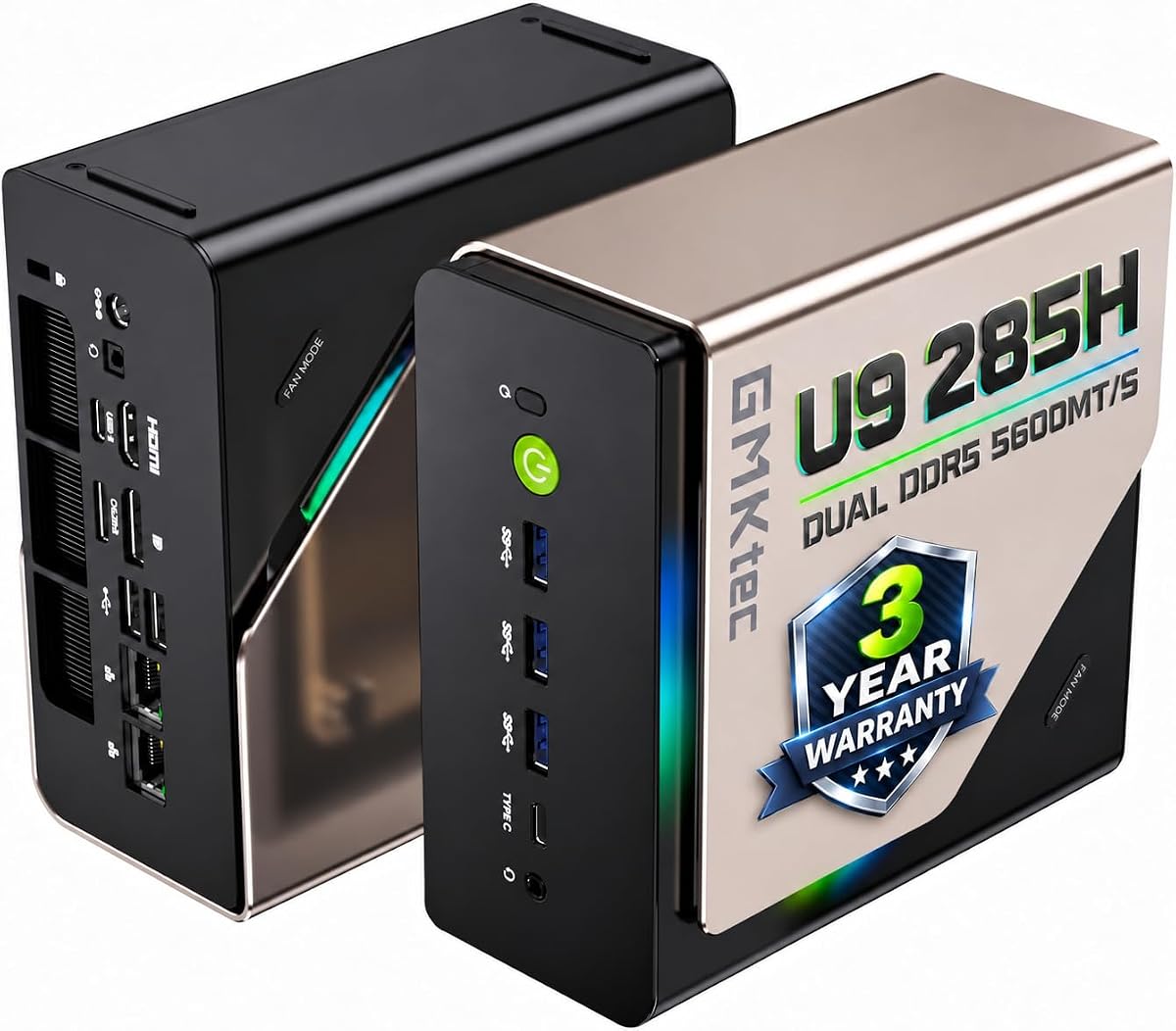
The GMKtec T1 AI focuses on AI acceleration alongside gaming. Its Ultra 9 285H CPU and 13 TOPS NPU make it unique for creative and technical tasks.
We may earn a commission when you buy through this link, at no additional cost to you.
The Arc 140T GPU handles modern games and creative apps efficiently. With 8K display support and Oculink port, it offers excellent connectivity for expanders.
While the Arc GPU lags behind NVIDIA in game optimization, the CPU strength and AI features compensate well. It is suited for users prioritizing productivity.
This model fits those needing high-speed data handling and multi-display setups. Its performance-to-cost ratio is solid for AI-centric workflows.
The 285H features an Intel AI Boost NPU for INT8 calculations, accelerating AI tasks and creative applications effectively.
Oculink enables higher bandwidth and lower lag than Thunderbolt, offering better performance for external GPU setups.
We may earn a commission when you buy through this link, at no additional cost to you.
The GMKtec K12 offers strong performance with its Ryzen 7 H 255 and 32GB DDR5 RAM. It is a robust choice for multitasking and light gaming.
We may earn a commission when you buy through this link, at no additional cost to you.
Featuring an Oculink port and dual 2.5GbE LAN, it provides exceptional connectivity options. The 3x M.2 expansion slots allow massive storage upgrades.
While using integrated graphics, the system handles FSR settings smoothly. Its cooling fans remain quiet even during heavy loads.
This model suits users needing high memory and storage flexibility. It balances power and cost well for daily productivity tasks.
The 5600MHz DDR5 kit delivers massive bandwidth gains, improving performance for gaming and AI workloads.
Turbo CPU fan and DDR5 SSD cooling fans keep temperatures low, ensuring silent operation under load.
We may earn a commission when you buy through this link, at no additional cost to you.
The ASUS ROG GR70 targets elite gamers with its Ryzen 9 9955HX3D and RTX 5070. It promises desktop-like performance in a travel-ready form.
We may earn a commission when you buy through this link, at no additional cost to you.
Advanced thermal design keeps temps low and acoustics low. Wi-Fi 7 ensures stable connections for online gaming without bottlenecks.
Though review data is limited, the specs indicate premium capability. Its aesthetic design blends power and style seamlessly.
Ideal for those wanting top performance in a sleek chassis. It is a powerful choice for serious gamers who travel.
Wi-Fi 7 eliminates bottlenecks and ensures stable connections for syncing gear and online gaming.
The silver-hued chassis is desk-friendly and travel-ready, delivering mega impact in a mini size.
We may earn a commission when you buy through this link, at no additional cost to you.
The BOSGAME P3 Pro balances work and play with its Ryzen 9 7940HS processor. It supports triple screen displays and features Windows 11 Pro preinstalled.
We may earn a commission when you buy through this link, at no additional cost to you.
Its Radeon 780M graphics allow for light gaming and design work. The dual 1000M LAN ports ensure stable networking for server use.
Expansion is possible via M.2 slots, but connectivity is standard. It offers good value for mixed office and gaming needs.
Choose this for a reliable dual-use machine. It fits professionals who need gaming capability alongside productivity.
Supports HDMI, DP, and USB-C for triple 4K displays, improving multitasking and workflow efficiency.
1000M Dual LAN supports firewall and aggregation, enhancing stability for network-heavy tasks.
We may earn a commission when you buy through this link, at no additional cost to you.
The GMKtec M6 Ultra is designed for casual 1080p gaming and office tasks. Its Ryzen 5 7640HS offers solid performance for daily use.
We may earn a commission when you buy through this link, at no additional cost to you.
USB4 supports 8K output, making it great for high-res work. Dual 2.5G LAN ensures reliable network speeds.
It lacks high-end gaming power but handles multitasking smoothly. The compact design fits small desks and home setups.
Best for casual gamers needing a quiet, compact PC. It delivers reliable performance without excessive cost or noise.
Connect up to three displays via HDMI, DP, and USB4 for efficient workstation setups.
Dual 2.5G LAN ports deliver faster wired connections, ideal for NAS access and streaming.
We may earn a commission when you buy through this link, at no additional cost to you.
The GMKtec EVO-T1 AI is built for heavy creative and technical work. With 64GB RAM and AI acceleration, it handles demanding tasks effectively.
We may earn a commission when you buy through this link, at no additional cost to you.
Quad screen 8K support allows for expansive multi-display workflows. The Oculink port enables external GPU connections for extra power.
Though integrated graphics limit raw gaming, the CPU and memory strength shine for rendering. It is a workhorse for professionals.
Choose this if you need maximum RAM and AI features. It fits designers and developers prioritizing processing over gaming.
Dual 32GB SO-DIMM DDR5 sticks total 64GB, supporting heavy multitasking and large datasets.
Supports 4 screens at 8K via HDMI and DP, enabling professional multi-monitor setups.
We may earn a commission when you buy through this link, at no additional cost to you.
The GMKtec K12 Plus offers great storage and memory for media and gaming. With 32GB RAM and 3x M.2 slots, it supports up to 24TB total.
We may earn a commission when you buy through this link, at no additional cost to you.
Its Ryzen 7 H 255 ensures smooth multitasking. Quiet Mode keeps noise low, while RGB lighting adds style.
While graphics are integrated, storage flexibility makes it a strong media center. It suits users needing bulk storage for files.
Pick this for a versatile desktop replacement. It handles content creation and casual gaming well with ample room for data.
Each M.2 slot reads up to 8TB, totaling 24TB for massive file and game libraries.
Dual cooling fans keep temps low while 13 RGB modes let you personalize your setup.
We may earn a commission when you buy through this link, at no additional cost to you.
Selecting the right mini PC requires analyzing hardware, cooling, and port options. This guide breaks down the key factors to consider.
The CPU handles logic and physics. Look for Ryzen 7/9 or Intel Core Ultra 9 for consistent performance in open-world games like Cyberpunk.
Prioritize multi-core counts to ensure smooth multitasking while running background processes alongside your game.
Gaming relies heavily on the GPU. Dedicated RTX GPUs outperform integrated graphics for ray tracing and high frame rates.
For budget options, choose systems with RDNA 3 or Arc GPUs that support modern API features for better game compatibility.
16GB RAM is minimum, but 32GB is ideal for future-proofing. Ensure SSDs are PCIe 4.0 for fast loading times.
Check for expansion slots if you need to add more drives later. This flexibility extends the lifespan of your system.
Compact PCs run hotter. Look for dual-fan systems or liquid cooling to maintain boost clocks without throttling.
Silent modes help in home environments. Choose units with efficient airflow design to prevent heat buildup during long sessions.
Multiple HDMI and DisplayPort outputs allow for multi-monitor setups. USB-C and Thunderbolt support ensure fast data transfer.
Wi-Fi 7 or 6E ensures stable online gaming. Check for Ethernet ports if you prefer wired connections for lower latency.
Some mini PCs have tool-less access. Verify if RAM and storage are soldered or socketed before buying.
Future upgrades add value. Models with accessible slots let you improve performance without replacing the whole unit.
Mini PCs often use laptop-grade components that consume less power. This reduces electricity costs and heat output.
Check wattage to ensure your outlet can support peak loads. Efficient systems are better for small spaces and long runs.
Reliable support is crucial for small hardware. Look for warranties covering at least one year and technical support access.
Certified brands ensure quality control. Choose sellers offering easy returns or service centers if issues arise.
Place your mini PC in a well-ventilated area to prevent overheating. Avoid enclosing it in tight cabinets without airflow.
Keep vents clean from dust using compressed air. Dust buildup can clog fans and cause noise or overheating issues.
Use surge protectors to shield electronics from power spikes. Proper care ensures your system runs reliably for years.
Yes, models with RTX 5060 or stronger GPUs can run Cyberpunk smoothly at high settings. For integrated graphics, lower settings and FSR are needed. Choose units with dedicated GPUs for the best experience.
Most mini PCs support multiple 4K displays via HDMI and DisplayPort. Check specs for specific ports and resolutions supported. High-end models allow up to four screens.
Mini PCs vary; some allow RAM and SSD upgrades, while others are soldered. Look for tool-free access if you plan to upgrade later. Desktops generally offer more flexibility.
They use optimized fans and heat pipes to dissipate heat. Thermal throttling can occur under heavy load, so cooling is critical. Choose models with dual-fan systems.
Modern mini PCs support Wi-Fi 7 or 6E for low latency. For competitive gaming, use Ethernet if possible to reduce lag. Wireless options have improved significantly.
Yes, they use efficient components that draw less power than desktops. This saves electricity and reduces heat. It is ideal for home setups.
Most range from 1 to 4 liters. They are compact enough for small desks and travel. Verify dimensions against your workspace needs.
Most brands offer 1 to 2-year warranties. Check if technical support is included for setup help. Certified units provide better peace of mind.
The MINISFORUM G1 Pro leads the pack for raw power and reliability. It balances performance and design perfectly for enthusiasts.
Budget options like the ACEMAGICIAN S3A offer great entry points for casual play. Prioritize CPU strength and RAM for smooth experiences.
Prices and stock change often. Always check current details before purchasing to ensure you get the best deal for your needs.