
HP Chromebook 14 Laptop
4.3Editor score
Long battery life up to fourteen hours
Simple Chrome OS interface for beginners
Lightweight thin design for easy carrying
Finding the right computer can feel overwhelming when you are not familiar with technical specs or jargon. You need a device that works smoothly without constant updates or complicated setup steps. A good laptop for a non tech person prioritizes simplicity reliability and long battery life over raw power.
We have evaluated ten real products based on ease of use operating system clarity and build quality. Our comparison focuses on models that require minimal maintenance while delivering solid performance for web browsing email and media streaming. Each option was selected for its ability to help users stay connected without frustration.
Each pick below highlights key strengths like lightweight design intuitive touchpads and clear displays. You will find details on battery longevity connectivity options and included software subscriptions. Please note that availability and pricing can change frequently so check current listings before buying.
4.3Editor score

4.3Editor score
As an Amazon Associate we earn from qualifying purchases.
This side by side comparison helps you see how each model stacks up on key features like storage type screen size and included software. Use this overview to quickly identify which device fits your daily needs and comfort level with technology.


This HP Chromebook stands out as an ideal entry level machine for users who want something simple and secure. It runs Chrome OS which means you do not have to worry about complex updates or virus protection. The 14 inch screen is perfect for reading email or watching videos at home or on the go.
We may earn a commission when you buy through this link, at no additional cost to you.
The battery life is a major highlight offering up to 14 hours of use on a single charge. This is excellent for people who move between rooms or work from coffee shops without always having access to a power outlet. The thin design makes it easy to slip into a bag without adding much weight.
While the storage is limited to 64 gigabytes most of your files can be stored in the cloud via Google Drive. This keeps the device running smoothly without needing to manage disk space manually. The quad core processor handles web browsing and streaming without noticeable lag for everyday tasks.
If you primarily browse the web check email and stream media this device offers tremendous value. It is best suited for those who are comfortable with cloud storage and do not need heavy software installed locally. The fast charge feature ensures you can get back to work quickly if you run low on power.
Storing files online keeps your device light and secure while allowing access from any computer or phone.
Long lasting power means you can leave the charger at home during short trips or meetings.
We may earn a commission when you buy through this link, at no additional cost to you.
This Dell laptop offers a classic Windows experience with a larger screen that is easier on the eyes. The full HD display provides clear text which is helpful when reading documents or spreadsheets. It comes with Windows 11 Home which includes familiar tools like File Explorer and Settings for managing files.
We may earn a commission when you buy through this link, at no additional cost to you.
The keyboard is designed for comfort with lifted hinges that support a natural wrist angle during typing. A separate numeric keypad makes data entry faster for those who use spreadsheets often. The Express Charge support helps extend your focus by reducing downtime when the battery runs low.
Dell provides onsite service which means support can come to your home or office if needed. This is reassuring for users who prefer not to mail in their device for repairs. The ComfortView software helps reduce harmful blue light emissions to keep eyes comfortable over long viewing sessions.
This model is great for users who need a traditional PC feel with a bigger screen for multitasking. The 8 GB RAM ensures smooth performance when switching between browser tabs and applications. It is a reliable choice for home office work or student tasks that require Windows specific software.
Reduced blue light helps prevent eye strain during long reading or writing sessions.
Onsite service options provide peace of mind without needing to ship the device away.
We may earn a commission when you buy through this link, at no additional cost to you.
This HP laptop is designed for everyday use with a focus on productivity and ease of connection. It includes a one year subscription to Microsoft Office 365 so you can start creating documents immediately. The Intel N150 processor handles typical tasks like web browsing and video calls efficiently.
We may earn a commission when you buy through this link, at no additional cost to you.
The True Vision HD camera features temporal noise reduction which helps you stay clear and confident in virtual meetings. Dual array microphones capture your voice clearly even in noisy environments. This is particularly useful for family calls or remote work meetings where audio quality matters.
Weighing only 3.24 pounds it is easy to carry around the house or take on short trips. The Wi Fi 6 support ensures faster and more reliable wireless performance compared to older standards. You get essential ports like USB C and HDMI for connecting external displays or devices.
It is an excellent pick for anyone who wants a complete package with software and cloud storage included. The balance of portability and performance makes it suitable for students or home workers. The Copilot key offers quick access to intelligent assistance for tasks like summarizing text or writing emails.
Microsoft Office 365 comes ready to use for writing letters and creating spreadsheets.
Enhanced camera tech ensures you look and sound professional during online meetings.
We may earn a commission when you buy through this link, at no additional cost to you.
This compact 14 inch machine balances performance and portability for daily computing needs. The Intel N150 processor with Turbo Boost allows for quick response when opening apps or loading pages. It comes with a one year Office 365 subscription so you have access to Word and Excel right away.
We may earn a commission when you buy through this link, at no additional cost to you.
The display features a micro edge design with anti glare coating to reduce reflections in bright rooms. This makes it comfortable to use near windows or under lights without squinting. The AI noise reduction filters out background sounds during calls so your voice stays clear for listeners.
Ports include USB C and HDMI allowing you to connect to external monitors or projectors easily. The full size keyboard supports comfortable typing for long periods. While storage is limited at 128 gigabytes it is sufficient for system files and documents you keep locally.
This laptop is suitable for users who need a reliable machine for web work and email. The included software saves money and setup time. The lightweight frame means you can move it between rooms or carry it to a nearby workspace without strain.
Coating reduces reflections so you can read text clearly in various lighting conditions.
Noise reduction keeps calls clear by removing ambient sounds from your environment.
We may earn a commission when you buy through this link, at no additional cost to you.
This model is designed for reliability with a focus on storage and battery longevity. It includes 1 TB of OneDrive cloud storage giving you plenty of space for photos and documents. The Intel N150 processor works well with 4 GB of DDR5 RAM to handle daily multitasking efficiently.
We may earn a commission when you buy through this link, at no additional cost to you.
The BrightView display offers clear visuals with 220 nits brightness for comfortable viewing. A full size non backlit keyboard provides a familiar typing experience for those who prefer physical keys. The battery life reaches up to 11.5 hours which is great for all day use without charging.
Connectivity is handled by Wi Fi 5.4 and Bluetooth 5.4 ensuring stable connections to your phone or peripherals. Ports include USB C and HDMI plus an SD card reader for easy media transfer. The sleek design blends durability with a modern style for home or office use.
It is an excellent choice for users who want plenty of space for files without managing disk space. The long battery life reduces the need to hunt for outlets during the day. The included OneDrive subscription keeps your data safe and accessible from any device.
One terabyte of OneDrive lets you store thousands of files without filling your hard drive.
Over eleven hours of power supports full work days or travel without frequent recharging.
We may earn a commission when you buy through this link, at no additional cost to you.
This laptop emphasizes simplicity and speed for basic computing tasks. The dedicated Microsoft Copilot key allows you to ask for help with writing or research instantly. The 128 gigabyte SSD provides quick boot times and fast app launches for a smooth user experience.
We may earn a commission when you buy through this link, at no additional cost to you.
Wi Fi 6 support ensures reliable connectivity even when multiple devices are using your network. The multi touch Imagepad supports gestures like pinch to zoom and four finger scrolling for easy navigation. This makes browsing large documents or images intuitive without needing a mouse.
It weighs only 3.24 pounds which makes it easy to move around the house or office. The battery life supports up to 12 hours of video playback so you can watch shows or work for long periods. Ports include USB C and HDMI for external displays or charging.
This is a great option for users who want a no fuss device with modern connectivity. The included software saves you from buying additional programs. The thin design ensures you can keep it in a bag and take it anywhere without added bulk.
Dedicated key offers instant access to AI help for drafting and summarizing tasks.
Multi touchpad supports swipes and zooms to navigate content easily without a mouse.
We may earn a commission when you buy through this link, at no additional cost to you.
This laptop stands out with a touchscreen display that lets you interact directly with the screen. You can pinch and swipe to navigate which feels natural for those used to smartphones or tablets. The AMD Ryzen 3 processor boosts performance for everyday work and entertainment tasks.
We may earn a commission when you buy through this link, at no additional cost to you.
Privacy is addressed with a physical camera shutter and a dedicated microphone mute button. These features give you control over your privacy without relying on software settings. The 8 GB RAM provides speedy responsive performance for multitasking between multiple applications.
The AMD Radeon graphics deliver high performance for entertainment including movies and casual games. Storage is handled by a fast PCIe NVMe SSD which loads Windows and apps quickly. The 15.6 inch screen offers more space for viewing content than smaller models.
It is ideal for users who want a more interactive way to browse and type. The added screen size helps when working on documents or watching videos. Just be aware of S Mode limitations which require switching out of the mode to install non Microsoft apps.
Tap and swipe gestures make navigation intuitive for users who prefer touch interfaces.
Physical shutter and mute button provide tangible control over your webcam and mic.
We may earn a commission when you buy through this link, at no additional cost to you.
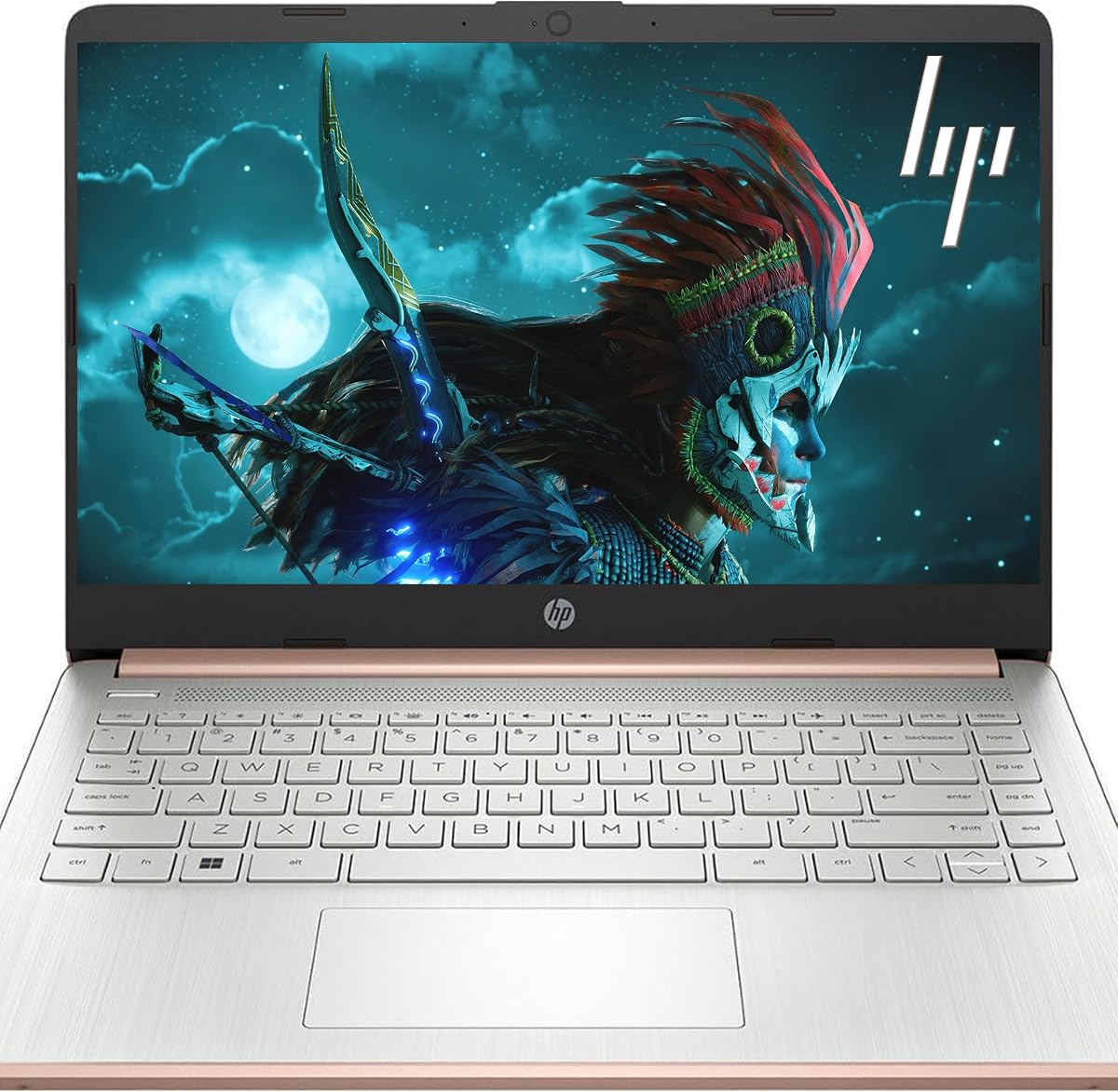
This model offers elevated performance with 16 GB of RAM which is double that of standard models. This extra memory ensures smooth multitasking even when running many apps at once. The Pale Rose Gold finish adds a stylish touch that stands out from typical silver or black laptops.
We may earn a commission when you buy through this link, at no additional cost to you.
It includes a pair of earbuds so you can listen to calls or media without extra purchases. The 128 gigabyte SSD provides fast storage for your operating system and key documents. Wi Fi 6 support ensures quick data transfer and stable connections for all your devices.
The display is anti glare with 250 nits brightness for clear viewing in various light conditions. The camera and dual microphones are optimized for clear video calls in low light. The design is thin and light so you can move it easily around the room.
If you need a device that handles heavy web use or multiple windows smoothly this is a strong pick. The extra RAM prevents slowdowns when switching apps. The included accessories and color make it a complete package for home or study use.
Sixteen gigabytes of RAM allows for many open apps without slowing down the system.
Included earbuds save you from buying separate audio gear for calls or music.
We may earn a commission when you buy through this link, at no additional cost to you.
This business laptop combines a reliable processor with essential software for daily tasks. The Intel N150 quad core chip handles documents and web browsing with ease. It includes a one year Office 365 subscription which is critical for creating professional documents or presentations.
We may earn a commission when you buy through this link, at no additional cost to you.
The BrightView display delivers sharp text and images thanks to the 250 nits brightness. You get 128 gigabytes of UFS storage which is fast and efficient for system operations. Ports include USB C and HDMI for connecting to external monitors or projectors.
Included earphones help you take calls privately without needing your own audio gear. The full size keyboard is comfortable for typing long emails or reports. The Rose Gold finish adds a modern aesthetic suitable for personal or professional settings.
It is well suited for small business users or students who need a complete setup. The balance of features ensures you have everything needed to start working right away. The portable design lets you carry it to meetings or classes without strain.
Included Microsoft Office ensures you can create documents and spreadsheets immediately.
Earphones come in the box so you can take calls right out of the box.
We may earn a commission when you buy through this link, at no additional cost to you.
This laptop is built for professionals who need reliable performance for data analysis and research. The 8 GB RAM allows stable multitasking so you can toggle between calls and documents easily. It includes a one year Office 365 subscription for immediate access to productivity tools.
We may earn a commission when you buy through this link, at no additional cost to you.
The Copilot key offers quick access to AI assistance for summarizing data or writing drafts. The Intel N150 processor reaches speeds up to 3.6 GHz for responsive performance. Wi Fi 6 ensures fast network stability for remote work and video conferences.
Ports include USB C and HDMI which support connecting to external monitors for a larger workspace. The 11 hour battery life supports long flights or classes without needing a power outlet. The 3.24 lb frame is portable enough for travel or daily commuting.
It is a solid choice for students or professionals needing a dependable machine. The included software and memory ensure you can handle multiple tasks without lag. The long battery life makes it practical for all day use away from home.
Copilot key helps draft and summarize text quickly during busy work sessions.
Up to eleven hours of power supports full workdays without needing to recharge.
We may earn a commission when you buy through this link, at no additional cost to you.
Choosing the right laptop can feel overwhelming when you are not familiar with technical terms. This guide breaks down the key factors to consider so you can make a confident decision without confusion.
The operating system is the software that runs your computer and controls how you interact with it. For non tech users Chrome OS or Windows 11 Home are often the best choices because they are intuitive and easy to navigate. Chrome OS is very simple and relies on cloud apps which reduces maintenance. Windows 11 is familiar to many and offers broader software support. Look for a system that does not require constant updates or complex setup steps.
Always check which operating system the laptop uses before buying to ensure it matches your comfort level.
Battery life tells you how long you can use the laptop without plugging it in. For most users a minimum of eight to ten hours is recommended for all day use at home or while traveling. Check the manufacturer's estimated hours and look for models with quick charge features. This ensures you can work or stream without worrying about finding an outlet.
Prioritize models with over eight hours of battery to avoid interruptions during the day.
Storage is where you keep files and applications while memory handles running programs at once. For everyday tasks like email and web browsing 64 to 128 gigabytes of storage is usually enough if you use cloud storage. Eight gigabytes of RAM ensures smooth multitasking when switching between tabs. If you store many photos locally consider models with larger internal drives or external options.
Ensure you have at least 128GB storage or cloud space to save your important files safely.
The screen is what you look at most so clarity and size matter. A 14 inch screen offers a good balance between portability and viewing space. Look for HD or Full HD resolution with anti glare coating to reduce eye strain. If you prefer a bigger view a 15.6 inch model is better for reading text or watching videos.
Choose a screen size that is comfortable for your eyes and easy to carry.
You need reliable internet to stay connected so look for Wi Fi 6 support for faster speeds. Check if the laptop has USB C and HDMI ports to connect to monitors or chargers. Bluetooth is useful for connecting wireless mice or headphones. Ensure the ports match your existing devices so you do not need extra adapters.
Verify Wi Fi 6 and essential ports are present for smooth daily connections.
You will type often so the keyboard should feel comfortable and have enough space between keys. A full size keyboard is easier to type on than a compact one. The touchpad should support multi touch gestures like scrolling and zooming for easy navigation. Some models include physical buttons for easy use without a mouse.
Select a laptop with a full size keyboard and responsive touchpad for ease of use.
Many laptops come with subscriptions like Microsoft Office 365 which saves you from buying them later. Check if they include a one year or longer subscription for tools like Word and Excel. Also consider the warranty and support options provided by the brand. Onsite support or easy return policies add peace of mind for those who do not want to handle repairs.
Look for included software subscriptions and reliable support options to reduce extra costs.
A durable build ensures the laptop lasts longer with regular use. Look for lightweight models under four pounds if you plan to carry it often. Materials like aluminum or sturdy plastic help protect against daily wear. A thin design makes it easier to fit into a bag for travel.
Choose a lightweight durable model to make moving it around easy and safe.
Start by keeping your laptop in a clean dry place away from direct sunlight or heat sources. Use a soft cloth to wipe the screen and keyboard regularly to remove dust and fingerprints. Avoid eating or drinking near the device to prevent spills that could damage the internal parts.
Keep your software updated by allowing automatic updates in the settings menu. This ensures security and performance improvements are applied without your needing to manage them. For laptops with cloud storage make sure your files are syncing properly so you can access them anywhere.
If you need to move the device always close the lid gently and carry it by the base. Do not lift it by the screen or keyboard as this can cause damage to the hinges or display. Use a protective case or bag when transporting it to prevent scratches or drops.
No these laptops are designed for simplicity and ease of use without technical expertise. They come with user friendly interfaces and helpful guides to get you started quickly. You can perform tasks like browsing and email with just a few clicks.
Cloud storage lets you save files online instead of on the laptop's hard drive. This makes it easy to access your photos and documents from any device. Most models include free or paid cloud options to keep your data safe and organized.
With proper care these laptops can last for five or more years of everyday use. Regular updates and avoiding physical damage help extend their lifespan. Most manufacturers offer a one year warranty to cover hardware issues during the initial period.
Yes most models support connecting to printers via Wi Fi or USB. You can install printer drivers through the settings menu or use cloud printing services. Check that your printer is compatible with Windows or Chrome OS for best results.
Restart the device to clear temporary memory and close unused applications. Check that you have enough free storage space and delete files you no longer need. Keeping software updated also helps maintain smooth performance over time.
Yes all models include HD cameras and microphones for clear video meetings. Some feature noise reduction tech to improve audio quality. They support popular apps like Zoom and Teams for connecting with family or colleagues easily.
We hope this guide helps you find a reliable and easy to use laptop for your needs. The top picks cover a range of options from budget friendly Chromebooks to powerful Windows models with included software.
Focus on battery life and ease of use when making your final choice to avoid frustration later. Consider the operating system and included subscriptions to ensure they match your daily tasks and comfort level.
Prices and availability can change so please check current listings before purchasing your new device. We are confident these models will serve you well without technical stress or complicated setup steps.