
ASUS RT-AX1800S
4.3Editor score
WiFi 6 Standard
Five Gigabit Ports
AiProtection Classic Security
This guide compares the top NAS routers for 2026, evaluating speed, storage connectivity, security, and performance to help you choose the best network storage
NAS routers combine networking power with storage access, making them ideal for home offices and media centers. They ensure reliable connections to your data while maintaining high-speed internet for all devices.
We evaluated ten top models based on throughput, port options, and storage integration features. Each product was analyzed for its ability to support multiple devices and handle heavy data loads efficiently.
Each pick highlights unique strengths like Wi-Fi 7 support or advanced VPN tools. Prices and availability change frequently, so check the current listings before making your final purchase decision today.
4.3Editor score

4.5Editor score

4.2Editor score
This side-by-side comparison highlights the key specifications and capabilities of the ten selected routers to help you find the perfect match for your storage and networking needs.




The GL.iNet GL-MT6000 Flint 2 is a top choice for users who need advanced control over their network. With a 4.5 rating, it stands out for its dual 2.5G ports and robust security features.
We may earn a commission when you buy through this link, at no additional cost to you.
Its standout quality is the support for Wireguard and OpenVPN, allowing speeds up to 900Mbps. This makes it perfect for secure remote access to NAS drives without slowing down your local network.
The only trade-off is that it requires an initial firmware update for best performance. Users should also be prepared for a learning curve if they want to use its open-source capabilities.
Buy this if you want a router that grows with your tech needs. It is the ideal balance of performance and control for tech-savvy home users.
The built-in Wireguard and OpenVPN support allows for secure and fast remote access to your home network, ensuring your data stays safe while on the go.
With support for over a hundred devices, this router ensures stable connections even in smart homes filled with cameras, speakers, and other IoT gadgets.
We may earn a commission when you buy through this link, at no additional cost to you.
The TP-Link Archer BE600 represents the cutting edge of wireless networking. With a 4.2 rating, it offers a 9700 Mbps speed potential and a massive 10 Gbps port for wired connections.
We may earn a commission when you buy through this link, at no additional cost to you.
Its key strength is the support for Multi-Link Operation, which combines bands for uninterrupted connections. This is crucial for seamless streaming and gaming when transferring large files to a NAS.
The high cost and need for specific WiFi 7 devices are trade-offs. However, the future-proofing it offers makes it a smart investment for early adopters.
This router is best for large homes needing the absolute fastest speeds. It delivers premium performance that justifies the higher price tag for power users.
The inclusion of a 10 Gbps port allows users to transfer data to and from their NAS drives at speeds that traditional routers cannot match.
With coverage up to 2,600 sq. ft., you can ensure your storage network is accessible from every corner of your large property without dead zones.
We may earn a commission when you buy through this link, at no additional cost to you.
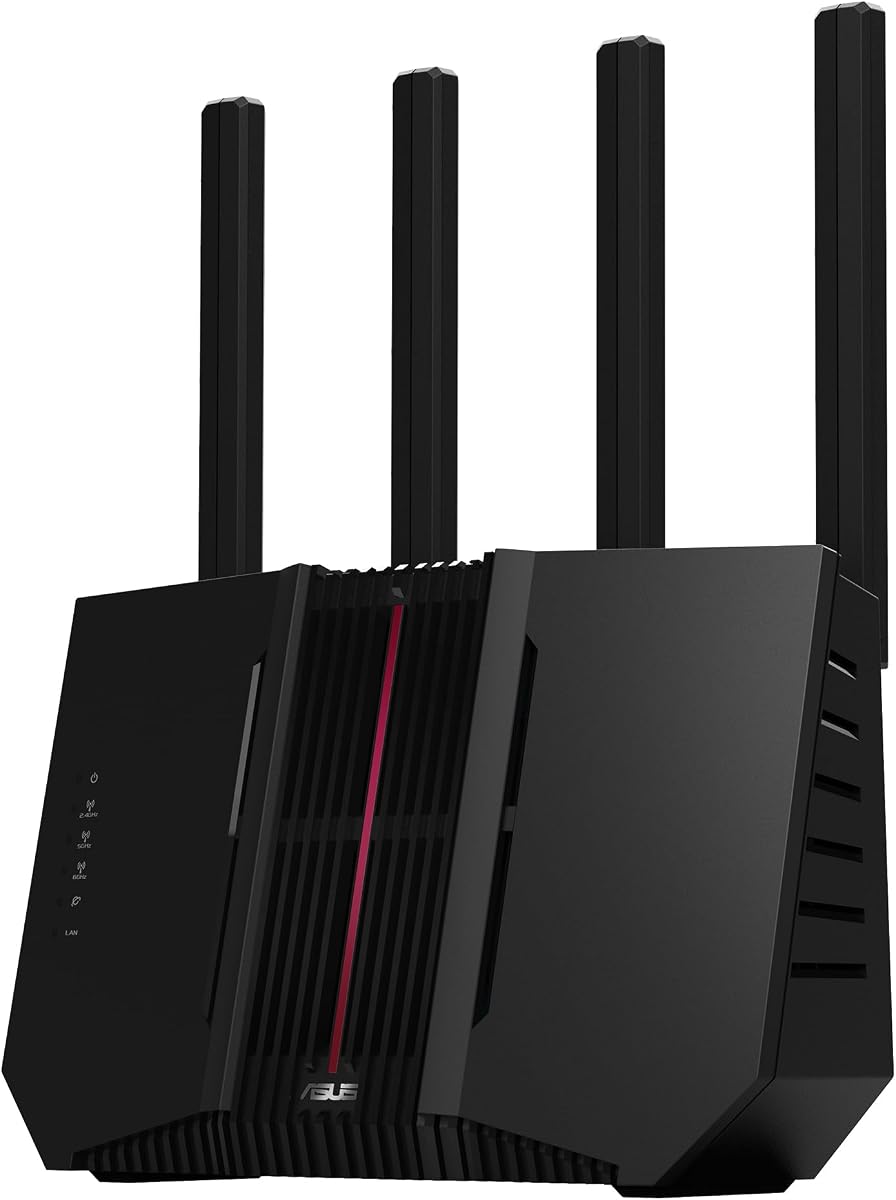
The ASUS RT-AX1800S is a highly affordable option for standard networking needs. With a 4.3 rating, it provides excellent value through its extensive port options and free security suite.
We may earn a commission when you buy through this link, at no additional cost to you.
Its standout feature is the five Gigabit ports, which are great for connecting multiple wired devices like desktop PCs or NAS units. This ensures stable data transfers without relying on wireless stability.
The trade-off is that it lacks the high-end speeds of newer WiFi 7 models. However, for most average users, the speed provided is more than sufficient for daily tasks.
Buy this if you want a reliable router without overspending. It is the perfect budget-friendly choice for small to medium-sized networks.
AiProtection Classic by Trend Micro provides commercial-grade security anywhere, protecting your network and devices from online threats without extra subscriptions.
With AiMesh compatibility, you can easily expand your network coverage later by adding other ASUS routers, ensuring your home network grows with your needs.
We may earn a commission when you buy through this link, at no additional cost to you.
The TP-Link Archer BE230 brings next-gen speed to a budget-friendly price. It features Wi-Fi 7 technology and a powerful quad-core processor to manage data efficiently.
We may earn a commission when you buy through this link, at no additional cost to you.
It offers dual 2.5G ports for high-speed wired connections. This allows you to connect your NAS directly to the router for faster file transfers without sacrificing wireless speed.
The lack of a 6 GHz band is a limitation compared to tri-band models. However, the dual-band setup is still robust enough for most household needs.
This router is a great entry point for Wi-Fi 7. It is ideal for users wanting modern tech without the premium price tag.
With both WAN and LAN 2.5G ports, you can ensure your NAS or desktop PC always has a fast, dedicated wired connection to the internet.
EasyMesh support allows you to add compatible extenders later, creating a seamless network that covers every room in your home.
We may earn a commission when you buy through this link, at no additional cost to you.
The TP-Link Archer AXE75 is a reliable tri-band router designed for high traffic. It uses a unique housing design for better cooling and long-term reliability.
We may earn a commission when you buy through this link, at no additional cost to you.
Its 6 GHz band is a major asset for crowded homes. This dedicated channel reduces interference, ensuring your NAS transfers remain stable even when other devices are streaming.
The memory and processing power are optimized for steady performance. However, it lacks high-speed wired ports found in gaming-focused models.
This model is perfect for families with many devices. It balances price and performance well for general home use.
True Tri-Band and OFDMA technology increase capacity by four times, enabling simultaneous transmission to more devices without slowing down your network.
The unique housing design provides optimal heat dissipation, ensuring the router stays cool and performs consistently over long periods of heavy use.
We may earn a commission when you buy through this link, at no additional cost to you.
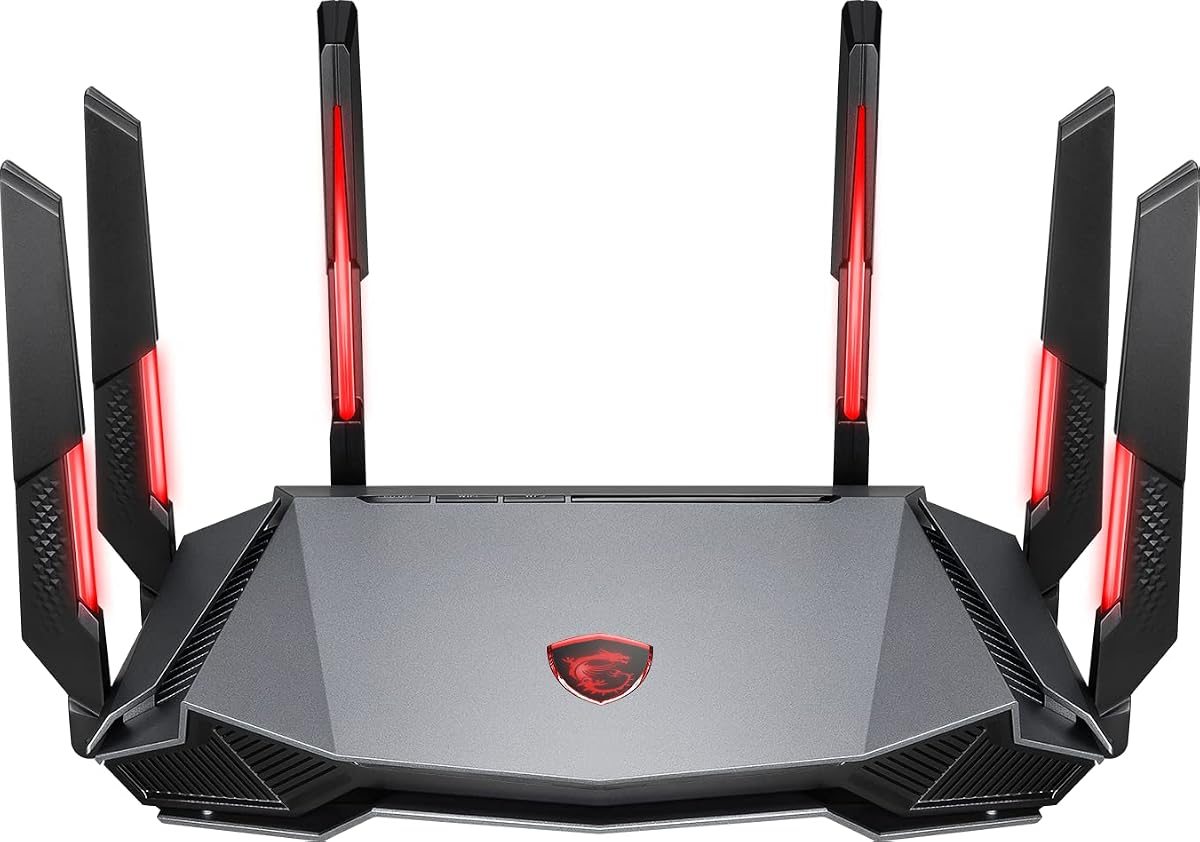
The MSI Radix AXE6600 brings gaming performance to standard home networks. With a 4.4 rating, it excels in latency management and high-speed data handling.
We may earn a commission when you buy through this link, at no additional cost to you.
Its AI QoS automatically prioritizes game packets. This feature ensures your downloads to a NAS do not lag behind your real-time gameplay or video calls.
While designed for gamers, its tri-band speeds benefit any heavy user. The lack of 2.5G ports is a minor trade-off for the wireless performance.
This router suits users who play online games. It delivers a smooth, fast connection that supports heavy data loads.
AI QoS automatically prioritizes data packets, ensuring your critical gaming or work traffic never suffers due to background downloads.
The 1.8 GHz quad-core processor delivers ultra-fast and reliable connections, handling multiple data streams with ease.
We may earn a commission when you buy through this link, at no additional cost to you.
The Synology RT6600ax is a professional-grade router for secure environments. With a 4.2 rating, it offers features usually found in business networks.
We may earn a commission when you buy through this link, at no additional cost to you.
Its VLAN segmentation allows you to create separate networks for smart home devices. This keeps your data safe from less secure gadgets and ensures stable NAS connections.
The high cost reflects its robust security features. It is an investment for users who prioritize safety and advanced network control.
This router is ideal for home offices or tech enthusiasts. It provides enterprise-level security in a consumer-friendly package.
Create and define up to five separate networks to segregate and contain vulnerable devices, ensuring your main storage data remains protected.
Comprehensive VPN server solutions with remote desktop and site-to-site tunneling provide flexible and secure remote connectivity for work.
We may earn a commission when you buy through this link, at no additional cost to you.
The TP-Link Archer AX23 offers a solid mix of speed and reliability. With a 4.4 rating, it uses OFDMA to manage traffic efficiently.
We may earn a commission when you buy through this link, at no additional cost to you.
Its VPN server and client support make it versatile for remote work. This is useful for accessing files securely without third-party subscriptions.
The high-gain antennas extend reliable signal coverage. While it lacks the fastest ports, it is great for standard home networks.
This router is a reliable choice for streaming. It delivers smooth performance at a competitive price.
OFDMA makes your Wi-Fi stronger by allowing multiple clients to share one band at the same time, cutting latency and jitter.
TP-Link HomeShield keeps your home network safe with cutting-edge network and IoT protection, ensuring a secure environment.
We may earn a commission when you buy through this link, at no additional cost to you.
The GL.iNet MUDI 7 is a unique device for portable high-speed internet. With a 4.4 rating, it combines 5G cellular with the latest Wi-Fi 7.
We may earn a commission when you buy through this link, at no additional cost to you.
Its dual SIM and eSIM slots allow seamless global travel. The 10 Gbps USB-C port enables fast data transfers to external drives even on the go.
The premium price reflects its advanced features. It is ideal for mobile professionals who need constant connectivity.
This router is the best choice for business travelers. It offers unmatched flexibility and speed outside your home.
Quad-Path Multi-WAN Failover ensures that if any one link drops, traffic auto-routes to the next in seconds for continuous uptime.
Built for content creators, the 10 Gbps USB-C port supports external storage sync, making it ideal for offloading large files.
We may earn a commission when you buy through this link, at no additional cost to you.
The ASUS RT-BE9700 is a high-performance Wi-Fi 7 router. With a 3.9 rating, it offers incredible speeds but may have usability challenges for some.
We may earn a commission when you buy through this link, at no additional cost to you.
Its Multi-Link Operation links multiple bands for stability. This is vital for consistent NAS performance in large homes.
The rating suggests mixed user experiences. However, the specs are top-tier for those who can configure it correctly.
This router is for advanced users. It offers future-proof speed and robust security features.
320MHz channels in the 6 GHz band and 4096-QAM significantly increase network capacity and throughput, delivering speeds up to 9.7 Gbps.
Subscription-free Triple-Level Protection deploys a commercial-grade cloud database, safeguarding your network from end-to-end 24/7.
We may earn a commission when you buy through this link, at no additional cost to you.
Selecting the right router for your NAS requires understanding key factors like port speed and protocol support.
For a NAS to perform optimally, look for at least one 2.5Gbps port. This ensures your storage device can handle faster data transfers without being bottlenecked by a standard 1Gbps connection.
Newer protocols like Wi-Fi 6E and Wi-Fi 7 offer lower latency. Ensure your router supports these to allow wireless devices to access NAS files smoothly.
Choose routers with built-in VPN servers. This allows you to securely access your NAS from outside your home without needing extra software.
High-gain antennas and technologies like beamforming improve signal reach. This ensures your NAS is accessible from every part of your home.
Look for routers that support 60 devices or more. High capacity prevents network lag when multiple users access data simultaneously.
A multi-core processor is vital for handling encryption and file indexing. This ensures the router remains fast during heavy data usage.
Support for mesh systems allows you to extend coverage. This is essential for keeping a stable link to your NAS in larger properties.
User-friendly mobile apps simplify setup. A good interface helps you manage your storage network without technical struggles.
Connect your NAS directly to a high-speed port on the router. This ensures maximum transfer speeds and stability.
Enable automatic firmware updates through the router's app to keep security protocols up to date.
Place the router in a central, elevated location to avoid signal interference from large metal storage enclosures.
Yes, most modern NAS devices support wireless access via the router. Ensure your router supports standard protocols for stable connections.
A 2.5Gbps port is recommended for high-speed transfers. Standard Gigabit ports work but may limit speed during large downloads.
It is not strictly necessary but offers future-proofing. A good WiFi 6 router is sufficient for most standard home needs.
Use the router's built-in VPN server. This creates a secure tunnel for remote access without exposing your data to the public internet.
Yes, high capacity routers support multiple concurrent connections. This ensures smooth access for all family members or employees.
Only if the router lacks sufficient bandwidth. A router with tri-band features ensures your NAS traffic does not interfere with streaming.
The GL.iNet GL-MT6000 Flint 2, TP-Link Archer BE600, and ASUS RT-AX1800S offer the best balance of features and price for most users.
Prioritize routers with 2.5Gbps ports and strong security features to protect your data while ensuring fast transfers.
Prices change frequently on Amazon, so always check the current listings before finalizing your purchase.