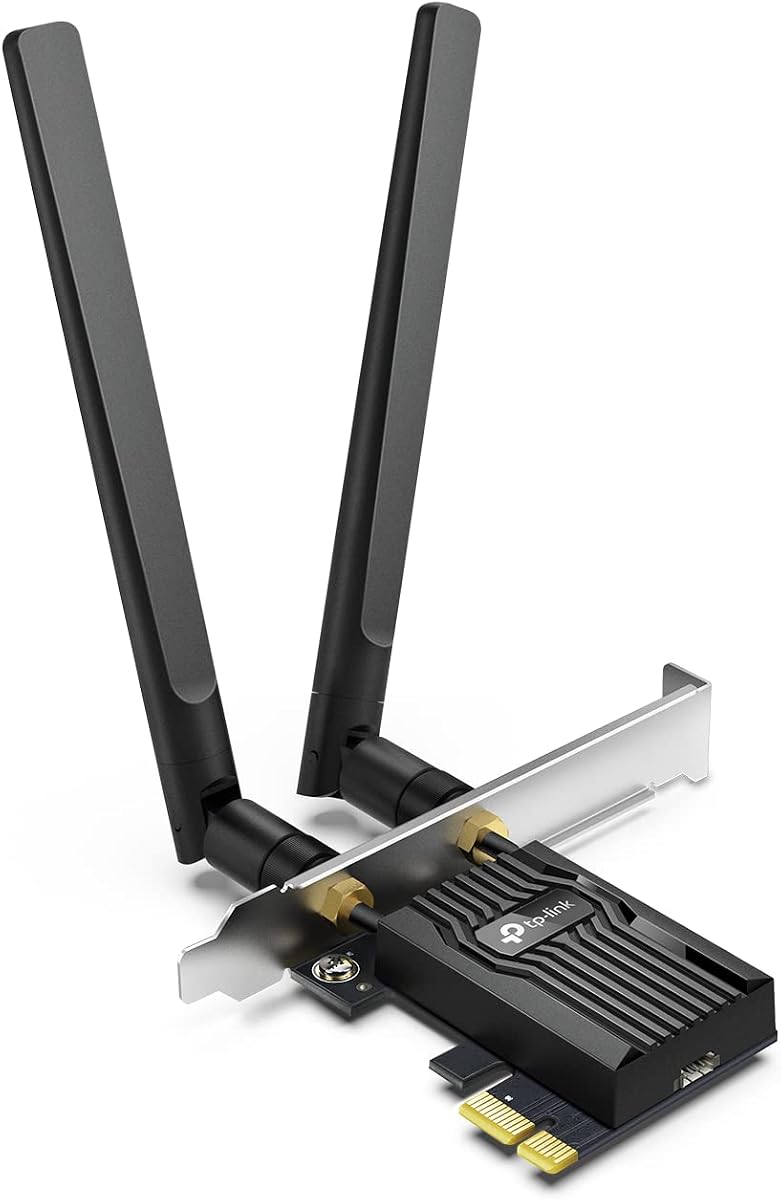
TP-Link WiFi 6 PCIe Card AX3000
4.5Editor score
OFDMA and MU-MIMO technology
2x faster Bluetooth 5.2 speeds
Standard and low-profile brackets included
This guide compares the top PCIe Bluetooth cards for desktop PCs in October 2026, evaluating speed, range, compatibility, and value for gamers and professionals
A PCIe Bluetooth card transforms your desktop PC into a wireless powerhouse, enabling seamless connections to peripherals without dongles. Choosing the right one ensures stable high-speed links for gaming, audio, and productivity tasks.
We compared ten leading models based on Bluetooth version, Wi-Fi capabilities, antenna design, and real-world performance. Each selection balances modern standards like Wi-Fi 6E and 7 with robust wireless connectivity options for any build.
Every pick below highlights specific strengths and ideal use cases to help you match hardware to your needs. Keep in mind that stock and pricing fluctuate frequently on retailer platforms, so check current availability before purchasing.
4.5Editor score

4.6Editor score
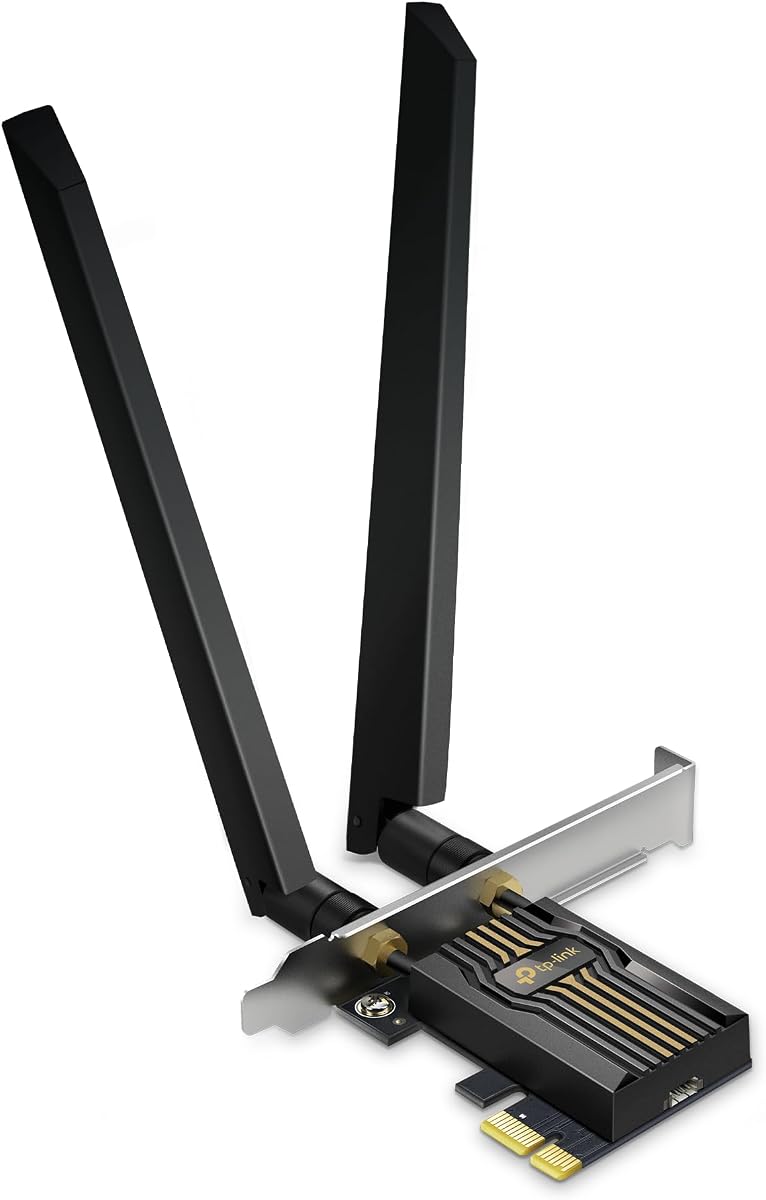
4.4Editor score
The following table offers a side-by-side look at key specifications for all ten featured PCIe adapters. Compare Bluetooth versions, supported Wi-Fi standards, and maximum theoretical speeds to find the exact match for your motherboard and OS.


The GIGABYTE GC-WBAX210 stands out as a top performer for users seeking modern connectivity without breaking the bank. With a solid 4.6 rating, it proves reliable across diverse desktop environments requiring stable wireless access and peripheral linking.
We may earn a commission when you buy through this link, at no additional cost to you.
Its Intel AX210 module ensures you benefit from dedicated spectrum in the 6GHz band, maximizing speed while minimizing latency. This tri-band design allows simultaneous use of 2.4GHz, 5GHz, and 6GHz channels, which is crucial for heavy data transfers.
While it uses Bluetooth 5.2 rather than newer versions, the performance gap is negligible for most peripherals like mice and keyboards. The main trade-off is slightly less future-proofing compared to models offering 5.3 or 5.4 features.
This card is ideal for gamers and streamers who need consistent, high-throughput connections on a budget. Its balance of Wi-Fi 6E performance and reasonable cost makes it our top recommendation for general upgrades.
Accessing the 6GHz band provides a clear lane for data, avoiding congestion on older 2.4GHz and 5GHz channels for smoother streaming and gaming.
The built-in Intel AX210 module is widely supported by drivers across Windows 10 and 11, ensuring minimal setup headaches and maximum compatibility.
We may earn a commission when you buy through this link, at no additional cost to you.
The TP-Link AX3000 offers exceptional value by delivering robust Wi-Fi 6 speeds and solid Bluetooth connectivity at a very accessible entry price. Its consistent 4.5 rating reflects user satisfaction with daily performance on standard household networks.
We may earn a commission when you buy through this link, at no additional cost to you.
Featuring OFDMA and MU-MIMO, this card significantly reduces lag in crowded networks, ensuring real-time gaming remains smooth even when other devices are active. The Bluetooth 5.2 integration allows faster pairing and broader coverage for your accessories.
One limitation is the reliance on a USB cable for Bluetooth functionality, which requires an available motherboard header. Additionally, lacking the 6GHz band means it cannot fully utilize future Wi-Fi 6E routers.
This option is perfect for budget-conscious builders upgrading from legacy Wi-Fi 5 or 4 systems. If you prioritize speed and stability without needing the absolute latest Bluetooth standards, it delivers impressive performance for the cost.
The OFDMA technology minimizes lag on busy networks, ensuring that competitive gaming sessions remain responsive and uninterrupted by background traffic.
Comes with both standard and low-profile brackets, making it adaptable for various case sizes including smaller mini-tower desktop builds.
We may earn a commission when you buy through this link, at no additional cost to you.
The TP-Link BE9300 represents the cutting edge of wireless connectivity, leveraging Wi-Fi 7 technology for unprecedented speeds and efficiency. With a 4.4 rating, early adopters praise its ability to handle multiple high-bandwidth tasks simultaneously without bottlenecking.
We may earn a commission when you buy through this link, at no additional cost to you.
Its Multi-Link Operation allows combining frequencies across bands to cut latency and improve stability, a game-changer for immersive gaming and VR. The Bluetooth 5.4 addition ensures superior security and connection quality for all your modern peripherals.
The main consideration is the hardware requirement: you need a compatible Wi-Fi 7 router to unlock its full potential. Also, it is designed exclusively for Windows 11, limiting use on older operating systems or dual-boot setups.
Best suited for enthusiasts and pros building high-end rigs with future-proofing in mind. If you demand the fastest possible wireless speeds and have the supporting infrastructure, this card delivers unmatched performance capabilities.
Utilizing 320MHz channels on the 6GHz band doubles the bandwidth available to your desktop for instant file transfers and 8K streaming.
MLO technology combines signals from different bands to create a single, robust connection that resists interference and maintains high throughput.
We may earn a commission when you buy through this link, at no additional cost to you.
The TP-Link AX3000E boasts an impressive 4.7 rating, highlighting its reliability and user-friendly design features like the magnetized antenna base. This flexibility allows you to optimize signal reception by placing antennas anywhere on your desktop surface.
We may earn a commission when you buy through this link, at no additional cost to you.
Powered by Intel technology, it delivers strong dual-band speeds and minimal latency for competitive gaming. The Bluetooth 5.3 support provides faster data transfer and broader coverage compared to older standards, enhancing peripheral connectivity options.
Potential downsides include the need for a USB cable connection for Bluetooth and potential firmware updates for full 5.3 support. Some users with limited USB headers may find this a slight inconvenience during setup.
Ideal for users who value flexibility in antenna placement and strong overall reliability. Its high rating suggests it is a dependable choice for most home and office environments needing robust wireless performance.
The magnetized base allows you to position antennas anywhere on your desk to find the optimal signal path for maximum range and speed.
Leveraging Intel's chipset ensures consistent performance and broad compatibility with modern operating systems and legacy networks alike.
We may earn a commission when you buy through this link, at no additional cost to you.
This generic branded AX210 card offers significant value by providing trusted Intel chipset performance in a compact form factor. Its 4.5 rating reflects satisfaction with the stable connections and fast speeds achievable with modern routers.
We may earn a commission when you buy through this link, at no additional cost to you.
The tri-band architecture supports the 6GHz spectrum, allowing for ultra-low latency connections ideal for streaming and gaming. With Bluetooth 5.3, you gain faster pairing and a more stable link to peripherals like controllers and headsets.
However, realizing full potential requires both a WiFi 6E router and Windows 11, which may limit use on older machines. Users without these prerequisites might not benefit fully from the advanced 6GHz capabilities.
Perfect for builders seeking high performance without a brand name premium. If your hardware supports the latest standards, this card delivers excellent speed and stability for demanding daily tasks.
The proven Intel AX210 chipset ensures reliable, high-quality performance that is widely supported by system drivers and updates.
Advanced WPA3 encryption protocols protect your network data from intrusion, securing your connection against modern hacking threats.
We may earn a commission when you buy through this link, at no additional cost to you.
This variant of the BE9300 adds a unique visual element with multicolor LED status lighting that displays network health at a glance. Its 4.2 rating suggests good performance, though some users might find the price point steep compared to non-WiFi 7 options.
We may earn a commission when you buy through this link, at no additional cost to you.
Featuring MLO technology, it provides faster and more stable connections by utilizing multiple bands simultaneously. The 320MHz channel width ensures maximum throughput for heavy data tasks, while Bluetooth 5.4 offers reliable peripheral integration.
It is Windows 11 only, which restricts use on older systems. The LED feature adds aesthetics but might be distracting in dark rooms, so users should consider their environment before purchasing.
Best for enthusiasts who value build aesthetics alongside top-tier performance. If you want to visualize network status and have a modern OS setup, this card adds both utility and style to your rig.
Multicolor LED lighting on the base provides an intuitive display of network status, allowing quick checks on connection health.
A provided USB drive streamlines the driver installation process, ensuring you can get online quickly after hardware installation.
We may earn a commission when you buy through this link, at no additional cost to you.
The TP-Link AX210 AXE5400 delivers robust Wi-Fi 6E performance with a focus on stability and flexibility. A solid 4.6 rating indicates that users appreciate its ability to handle multiple devices without compromising speed or connection reliability.
We may earn a commission when you buy through this link, at no additional cost to you.
Dual antennas combined with a magnetic base allow for flexible positioning to maximize signal reception. The AX210 module ensures reduced latency and improved reliability, which is essential for real-time gaming and immersive VR experiences.
As with many modern cards, it requires Windows 11 to access the full 6GHz band and includes a USB cable for Bluetooth. Users with older systems may need to check compatibility before purchasing.
Ideal for households with many connected devices needing high bandwidth. Its balance of speed, reliability, and flexible antenna design makes it a dependable choice for general upgrades and streaming setups.
OFDMA and MU-MIMO technology reduce lag by allowing more devices to connect efficiently, even on busy networks.
Antennas can be placed anywhere on metal surfaces using the magnetic base to find the optimal signal location.
We may earn a commission when you buy through this link, at no additional cost to you.
The MSI Herald brings premium Wi-Fi 7 speeds to desktops with a focus on gaming and high-definition streaming. Its 4.3 rating reflects satisfaction with the massive leap in speed and ultra-low latency offered by next-gen standards.
We may earn a commission when you buy through this link, at no additional cost to you.
Supporting 320MHz channels and MLO, this card minimizes interference and maximizes throughput for seamless media playback. The external antennas with a magnetized base help optimize signal reception across your living space.
It is a higher-cost option that demands supporting hardware like a Wi-Fi 7 router. Users should ensure their entire ecosystem can benefit from these speeds to justify the investment.
Perfect for gamers and streamers who need the absolute fastest wireless speeds. If your setup supports it, this card provides a significant upgrade over previous generations with reliable connectivity.
Ultra-fast tri-band speeds boost overall throughput, handling multiple data streams simultaneously without latency spikes.
Unlocking 320MHz channels on the 6GHz band provides interference-free connections for consistent performance during peak hours.
We may earn a commission when you buy through this link, at no additional cost to you.
The ASUS PCE-AX1800 offers efficient connectivity for standard users needing reliable Wi-Fi 6 performance without needing the highest speeds. A 4.4 rating shows users appreciate its stability and ability to handle busy networks without congestion.
We may earn a commission when you buy through this link, at no additional cost to you.
Its OFDMA and MU-MIMO tech ensure stable transmission even when multiple devices transmit simultaneously. Bluetooth 5.2 enhances audio quality and extends battery life for your peripherals, making it suitable for multimedia setups.
While it lacks the 6GHz band and max speeds of newer models, it remains cost-effective for typical usage. It is a solid choice for those who value brand reliability and standard performance features.
Best for general home use where extreme speeds are not required. If you need a dependable adapter for browsing and standard media streaming, this card delivers consistent and secure connectivity.
Wi-Fi 6 technology improves efficiency and throughput, allowing more devices to transmit data without network slowdowns.
Bluetooth 5.2 improves battery life for connected devices while transferring data twice as fast as previous standards.
We may earn a commission when you buy through this link, at no additional cost to you.
The BE6500 card brings next-gen Wi-Fi 7 performance to desktops with a focus on high throughput and lower latency. Its 4.4 rating indicates strong user satisfaction with its ability to accelerate throughput and handle multiple concurrent connections efficiently.
We may earn a commission when you buy through this link, at no additional cost to you.
Supporting Multi-Link Operation, it combines frequency bands to improve reliability and reduce interference. The 6.5Gbps total throughput across three bands ensures that large file transfers and streaming happen without bottlenecks.
As a newer standard, it requires Windows 11 and a Wi-Fi 7 router to function optimally. Without these components, the full speed benefits might not be fully realized.
Ideal for future-proofed builds needing maximum wireless capacity. If you plan to invest in next-gen networking gear, this card ensures your PC can handle the highest speeds available.
Maximize connectivity with blazing speeds across all three bands, ensuring ample bandwidth for demanding applications.
MLO technology transmits data across multiple bands to cut lag and interference for stable video calls and gaming.
We may earn a commission when you buy through this link, at no additional cost to you.
Selecting the right adapter involves evaluating wireless standards, Bluetooth versions, antenna design, and compatibility with your current hardware.
Wi-Fi 6 (AX), 6E, and 7 offer progressively faster speeds and better efficiency. Wi-Fi 6E adds the 6GHz band for less congestion, while Wi-Fi 7 introduces 320MHz channels and MLO for extreme performance.
If you have a compatible router, choose 6E or 7 for future-proofing. Otherwise, Wi-Fi 6 is still excellent for most high-speed applications.
Bluetooth 5.2, 5.3, and 5.4 offer varying degrees of speed and range improvements. Newer versions ensure better compatibility with modern peripherals and enhanced security features.
Aim for at least Bluetooth 5.2 to guarantee fast pairing and stable connections for game controllers and headphones.
External antennas generally provide better signal range than internal ones. Look for models with high-gain or adjustable antennas to optimize placement for your desktop setup.
Cards with magnetic bases allow flexible positioning on metal surfaces to find the strongest signal path.
Ensure the card supports your current operating system. Some newer models like Wi-Fi 7 cards are designed exclusively for Windows 11, limiting use on older systems.
Check manufacturer support pages to confirm driver availability for your specific OS version before purchasing.
Prices vary significantly based on standards supported. Budget models offer solid Wi-Fi 6 performance, while premium options bring Wi-Fi 7 capabilities for those ready to upgrade their entire network.
Invest in higher standards only if your current router and OS support them to avoid wasting features.
Look for WPA3 support to ensure your wireless connection is protected against modern attacks. This standard encrypts data more securely than older protocols.
Advanced security is crucial for home networks handling sensitive data and personal information.
Standard and low-profile brackets ensure the card fits various case sizes from full towers to mini-ITX builds. Verify dimensions against your case specs.
Flexible mounting options help you install the card securely without obstructing other components inside the chassis.
Most PCIe cards need a USB cable connected to a motherboard header for Bluetooth functionality. Ensure your board has a free F_USB connector.
If you lack available headers, consider a USB adapter or a different connectivity solution for your Bluetooth devices.
To install, power down your PC, open the case, and insert the card into an available PCIe slot. Secure it with screws and connect the antenna cables to the external ports.
Connect the included USB cable to a motherboard F_USB header if your Bluetooth functionality is needed. Power on your system and install the latest drivers from the manufacturer's website.
Regularly update drivers to maintain performance and security. Keep antennas in a clear, elevated spot away from metal obstructions for optimal signal range.
Not all models support Wi-Fi 6; some older ones use Wi-Fi 5. However, most modern cards listed here support Wi-Fi 6 or higher for better throughput. Always check the specs before buying to match your router capabilities.
A Wi-Fi 7 card is worth it only if you have a compatible router and high-bandwidth needs like 8K streaming or competitive gaming. Without those conditions, Wi-Fi 6E offers plenty of performance for most users at a lower price.
Most cards combine both functions for efficiency, but you can usually disable Wi-Fi in settings if only Bluetooth is needed. Some users find they prefer a dedicated Bluetooth dongle for simpler setups.
A USB cable is required to connect the card's Bluetooth module to your motherboard. Without it, you may not get full Bluetooth speeds or range, depending on the specific model's design.
Many cards support Windows 10 and 11, but newer Wi-Fi 7 models often require Windows 11 specifically. Check the product details to ensure your OS is compatible before purchase.
Position antennas vertically and away from metal objects or microwaves for better signal. If the card supports magnetic bases, move them to different spots to find the strongest reception.
Whether you want the latest speed with our top pick or reliable performance on a budget, these ten options cover various needs. Each provides solid connectivity for modern desktop builds and peripherals.
Prioritize Wi-Fi standards and Bluetooth versions that match your router and peripherals to get the most value. Future-proofing helps avoid needing another upgrade soon after installation.
Prices and availability fluctuate daily, so verify current offers and stock before committing. Check our linked retailer pages for the latest deals and ensure your system requirements are met.